The Entire Iherb Supplements Catalog, Captured End-to-End in 3 Days
Scraping supplement products from iHerb.com with full details, including descriptions and packaging variations.
Learn More
Boots sells general retail lines, pharmacy lines and its own exclusive brands on a single domain, and the price a shopper sees depends on whether an Advantage Card is signed in.
Plans from €169/month · Free project assessment · Reply within 1 business day
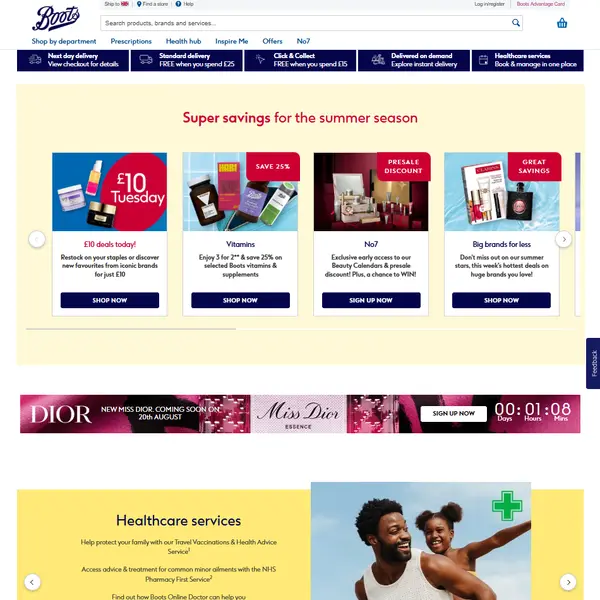
Price and promotion monitoring across a brand's own listings and its shelf neighbours, with the member price kept in its own column.
Range tracking - what is listed, what has been delisted, which variants exist and which pack sizes a category actually carries.
Own brand benchmarking, where an attribute built match is the only route to lining No7 or Soltan up against anything else.
Availability history, online and at named branches.
Rating and review trends, collected on the price schedule so the two series share dates.
Feeding a pricing model, a category dashboard or a supplier report with a file that arrives on time and keeps the same columns week after week.
A Boots product record is not flat, and scraping Boots well means keeping its layers apart instead of pressing them into one row. The field set below is what we normally deliver, extended or trimmed to your brief.
Every field is optional. Buyers who want only a Boots price feed take four columns and a timestamp; others take the lot.
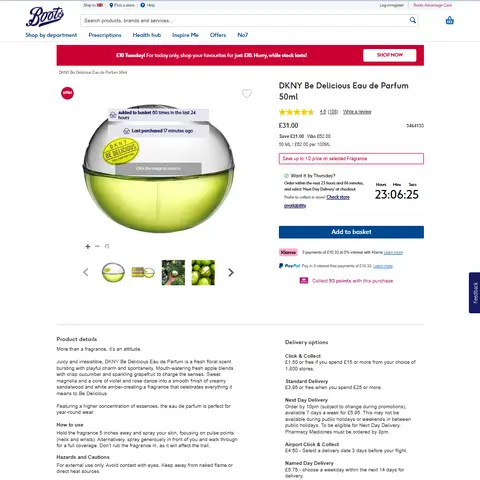
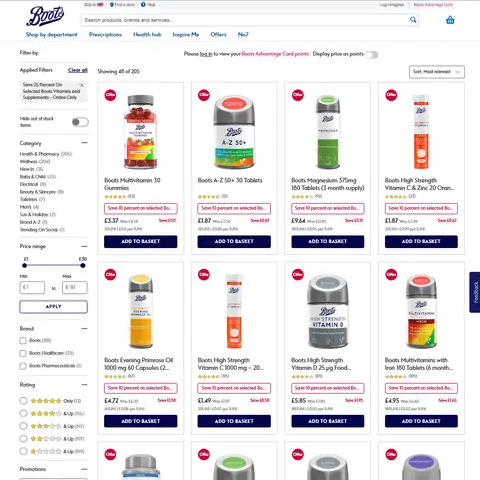
No7, Soltan and Boots Pharmaceuticals are Boots lines with no competitor equivalent, and they cover a large share of the range. A match key built on a shared product code will never find them. Comparison has to run on attributes instead: brand, category path, product type as labelled, format, pack size and price band. We build that attribute set during collection so the matching work is not left as guesswork afterwards. Boots also renders some own brands on a dedicated template - the No7 page source carries the comment Layout name PDP UK No7 Brand 2019 - so selectors tuned on a generic product page can miss on a No7 one.
The pharmacy side is a boundary, not another category. Boots is a registered pharmacy, and the site keeps a pharmacy medicines section, prescription support pages and an online doctor service apart from the general shop. We collect the public retail catalogue only, meaning the pages any visitor can browse, and no patient, prescription or customer data of any kind.
Store level availability is exposed, but not in the page you first load. The product page holds a stock search control labelled View nearest stores with stock, backed by a separate request that returns ten stores at a time. Collecting it costs one call per product per location set, so we scope it to the branches and lines that matter to you instead of walking the whole network.
Boots is a health and beauty retailer and a registered pharmacy chain in the United Kingdom, and boots.com is where those two businesses meet a third: a set of own brands sold nowhere else. A Boots scraper has to treat the domain as three catalogues that happen to share one template.
The storefront runs on IBM WebSphere Commerce. Legacy paths such as /webapp/wcs/stores/servlet/, ProductDisplay, CategoryDisplay and the /wcsstore/eBootsStorefrontAssetStore asset tree are still live, and pages still load Dojo widgets. The UK shop and the Republic of Ireland shop are separate catalogues behind two store identifiers, 11352 and 11353, set side by side in the same page script. The sitemap index is sitemap_11352.xml, after the UK store number.
Product URLs end in a numeric code, and the same product resolves both at the root of the domain and under a category path carrying that same number, so the trailing code is the dedup key rather than the URL.
Search and category listings are built in the browser. That matters more than it sounds. The category HTML returned by the server holds a header, a footer and an empty grid, and the product tiles are inserted afterwards by a search script. A plain GET of a Boots category page returns no products at all, which rules out the simplest possible crawler before you start.
The site also sits behind Imperva. Automated requests meet an interstitial rather than the shop, and the XML sitemap files are blocked by Incapsula, so neither is a usable entry point without anti-bot handling. We plan around that with modest request rates, retries and monitoring, and we adjust when the site changes.
Get a Quote
Developers

Customers worldwide

Pages extracted

Hours saved for our clients
€199 / one-time
setup fee - included
€169 / mo
setup fee €499
€229 / mo
setup fee €499
€349 / mo
setup fee €499
€549 / mo
setup fee €799
Boots runs a loyalty scheme, and it reaches the shelf price rather than sitting beside it. Product and category pages carry a Price Advantage block, and the script that configures them sets PAFacetName to Price Advantage and PADealDesc to the phrase with Advantage Card. Price Advantage also appears as a refinement in the category filter list, so it is a property of the listing and not a banner over the top of it.
Whether a member price renders depends on session state. The page reads an Advantage Card flag out of a cookie before deciding what to show, and the points block is a set of empty spans that a script fills in afterwards. The raw HTML of a Boots page can therefore hold a price and no points at all.
The consequence is plain. If you scrape Boots into a table with a single price column, that column is sometimes the price a card holder pays and sometimes the price everyone else pays, and nothing in the row tells you which. We model it as separate fields - standard price, member price, points offer - and leave the member fields empty when the page does not render them, rather than quietly merging the two.

Scraping supplement products from iHerb.com with full details, including descriptions and packaging variations.
Learn More
Daily scraping of lowest prices for 150K products on Allegro.pl to support marketplace pricing and margin optimization.
Learn More
Regular monitoring of Ralph Lauren clothing, footwear, and accessories sold across Amazon subdomains: AE, DE, ES, FR, IT, NL, PL, UK.
Learn MoreLearn how to use web scraping to solve data problems for your organization
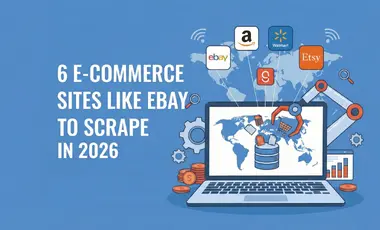
If you sell online, run a marketplace, or advise e-commerce clients, you already know why eBay matters: it’s one of the few places where big retailers compete side by side with thousands of small merchants and private sellers.
E-commerce teams do not just need “some” competitor data anymore. They need a continuous stream of real prices, discounts, stock levels, reviews, and seller behavior from the platforms that actually shape their markets.
Amazon provides valuable information gathered in one place: products, reviews, ratings, exclusive offers, news, etc. So scraping data from Amazon will help solve the problems of the time-consuming process of extracting data from e-commerce.
ScrapeIt is a managed service. You describe the categories, brands and fields you need; we build the crawler, send a sample for review, then run it on your schedule and keep it working when the site changes. Delivery is CSV, XLSX, JSON or an API endpoint, at frequencies from a single extract to hourly. There is nothing for you to host, no proxies to buy and no selectors to repair after a template update.
Yes. The ScrapeIt Boots API returns the current price, the was-price, the Advantage Card member price, the points offer, pack size and online stock state as JSON from an endpoint we host, refreshed on the schedule you set. The same data also comes as CSV or XLSX files or straight into your database. The schema is agreed with you before the first run.
We capture what the page renders. Where a Boots page shows a Price Advantage member price beside the standard price, both arrive as separate fields, together with the promotion text and any points offer exactly as written. Where only one price is shown, the member fields stay empty rather than being filled with an assumption. That keeps a later comparison honest, because an empty cell and a matching cell mean different things.
We collect the public retail catalogue only. Prescription flows and patient services are not browsable retail listings, and we stay out of them. No patient, prescription, order or customer data is collected. Product records carry page fields such as title, brand, price, pack size and the published Ingredients text, and nothing else.
Yes, within limits. The product page carries a nearest-stores stock lookup that runs as its own request and returns ten stores at a time, so branch level data costs one call per product per location. We normally agree a branch list and a product list up front and run that job at a lower frequency than the online price feed, because the request count grows with both lists at once.
CSV, XLSX, JSON or an API endpoint, on a schedule running from a one-time extract to hourly refreshes. Listings from approved marketplace sellers on boots.com are included when you want them and flagged with the seller name so you can filter them out. The first run is sent to you as a sample to check before the full job starts, and we monitor the crawler afterwards.
Step 1 - Make a Request
You share your needs, expectations, and desired timeframe. We’ll suggest the best solution based on your request and budget.
Step 2 - Configuring Custom Web Crawlers
Our specialists configure the crawlers and extract a sample dataset for your review before proceeding with the full-scale extraction.
Step 3 - Collect and Deliver
Once you approve the sample, we launch the project and start full data collection. We gather, filter, and structure the data for easy use, delivering it on time in your preferred format.
Step 4 - Maintain and Support
Our team manages ongoing processes, monitors website changes, and supports all data extraction cycles. We can also help integrate data into your systems or create dashboards to simplify analysis.

Scrapeit Sp. z o.o.
10/208 Legionowa str., 15-099, Bialystok, Poland
NIP: 5423457175
REGON: 523384582


