
Grainger Data: 3 MRO Catalogs with UNSPSC, 250K Products from Cromwell
Full MRO catalogs from Grainger, Fastenal and Cromwell for a product content company: UNSPSC, EAN, every attribute and a taxonomy sheet.
Case study
The client is a growing e-commerce company that compares Allegro.pl prices for the products on its own EAN list. It did not want one lowest price per product. One number shows the cheapest seller and hides the rest: how many sellers compete for the same product and how far apart their prices are. So the brief was the five cheapest offers for every EAN, each with its base price, its price with delivery and its delivery date.
At the start the client expected 20,000 to 30,000 EANs to be found per day, out of 70,000 to 80,000 searched, and planned to reach 100,000 EANs and more within months. The list was to change every day, in content and in size.
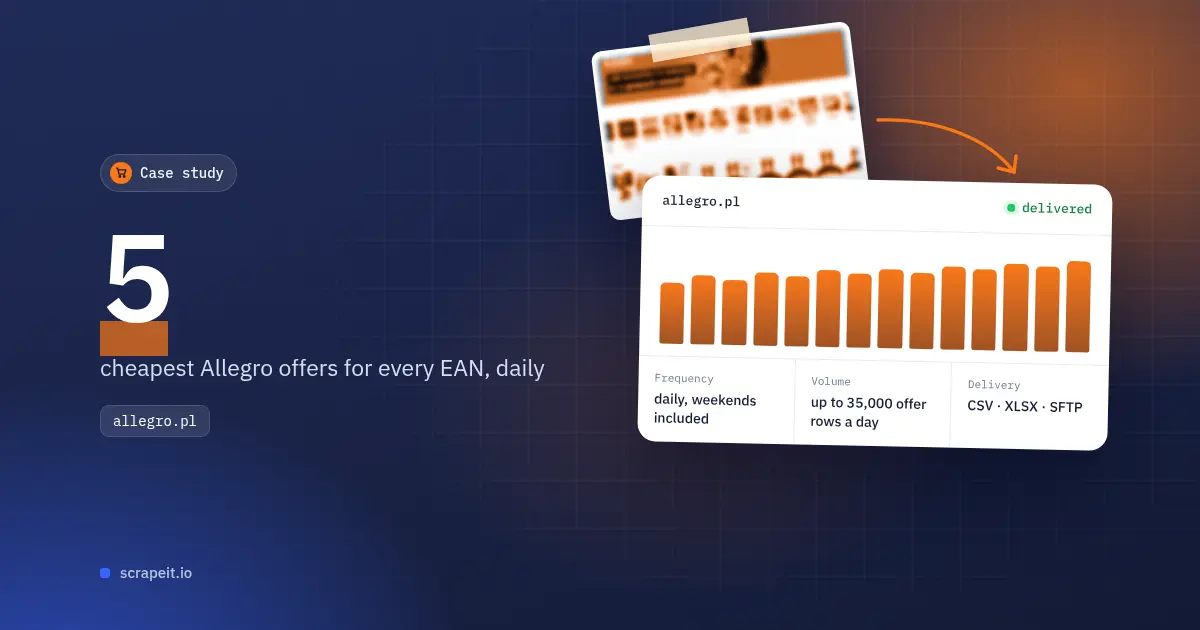
A search by EAN on Allegro rarely lists the offers themselves. It usually shows one sponsored and one regular product card, and the competing offers sit behind the button that compares all offers for that product. That comparison view is the list the client cares about. It usually holds no more than five offers; when it holds more, the client wanted them sorted by price and cut at the five cheapest.
Each row was one offer: product title, base price, price with delivery, and delivery date. Two more columns, the searched EAN and the link to the comparison view, let the client open any row on the site and check it. Descriptions and images were left out, as the brief asked.
The first full files settled three rules:
The client confirmed the semicolon files looked good and kept CSV as its format.
Within six days of the request the client had a sample of 100 entries built from a batch of its own EANs, in the final layout, and then gave the go-ahead. It opened an SFTP server with an input folder and an output folder, and asked for dated file names: a list named input-YYYY-MM-DD.csv came back as output-YYYY-MM-DD.csv.
The first full list arrived one morning, and the output file was on the SFTP that evening, six days after the go-ahead. Within a week the exchange ran on a fixed clock: the client put the day's list in the input folder at noon its time, and the results were in the output folder by noon the next day, weekends included.
The client's plan had a limit on rows returned, so it asked to follow its usage during the month and adjust its lists to it. We built a dashboard that only the client's login could open. It showed how many EANs came in and how many rows went out each day, with totals for any chosen period.
For more than seven months, the client received a daily file of up to five of the cheapest Allegro offers for each EAN on its list, up to about 35,000 rows a day. Every row showed what a buyer would pay with delivery and when the item would arrive, next to the base price, so the client could set its own price against the five cheapest offers for the same product.
See our Allegro scraper and our eCommerce data scraping service; data can also come through our API or as a JSON feed. To check your own product list against a marketplace, contact our team.
Full MRO catalogs from Grainger, Fastenal and Cromwell for a product content company: UNSPSC, EAN, every attribute and a taxonomy sheet.
Every seller shop on bol.com with its trade name, business address, KvK and VAT number, collected once: 72,961 shops in 18 days.
A one-time B2B lead file from Amazon seller profiles: 51,216 sellers with business name and address, 13,366 of them in the US and Canada.
Let us take your work with data to the next level and outrank your competitors.
You tell us which website(s) to scrape, what data to capture, how often to repeat etc.
An expert analyzes the specs and proposes a lowest cost solution that fits your budget.
We configure, deploy and maintain jobs in our cloud to extract data with highest quality. Then we sample the data and send it to you for review.
If you are satisfied with the quality of the dataset sample, we finish the data collection and send you the final result.
Tell us more about you and your project information.