Snagajob Scraper for Hourly Job and Pay Data

Snagajob data scraping, Snagajob job search, Snagajob data extraction, Snagajob automation, website scraping, web scraping, job data, labor market data, employment data, recruiting, staffing

Snagajob Scraper
Solutions

How delivery works

You set the scope: named cities, brands, industries, job titles, or a national sweep. We agree the field list, run a sample, and you sign it off before the first full run. After that the job runs on your schedule - daily, weekly or monthly - and lands as CSV, JSON, XLSX, a Google Sheet, or straight into S3, a database or an API endpoint you poll.

Repeat runs are matched on posting id, so you receive new, changed, unchanged and expired rows instead of a fresh flat file every time. Pay revisions and re-postings show up in that diff. We monitor the crawlers and repair them when the site changes its markup, which it does.

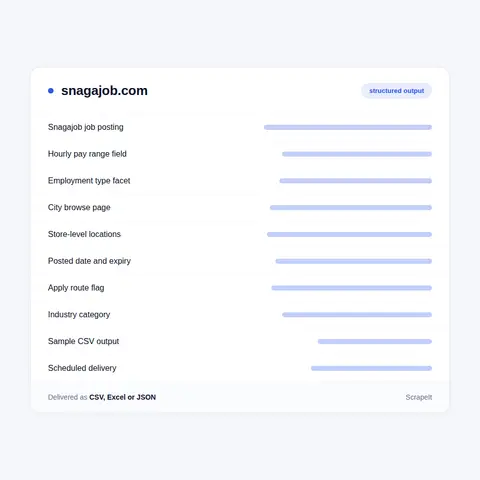
What a Snagajob scraper can extract per posting

Posting pages carry JobPosting structured data, and the pay range sits inside it. On a posting from a February 2025 archived capture, the baseSalary block was a MonetaryAmount whose QuantitativeValue held minValue, maxValue and unitText set to HOUR. That matters: the rate is machine readable and already per hour, so there is no annual figure to divide down.

A standard delivery includes:

  • Identity - numeric posting id, the canonical URL built as snagajob.com/jobs/ plus that id, and the page title.
  • Employer - company name, a normalized brand name, and the location name exactly as entered, which is frequently the individual operator rather than the corporate brand.
  • Location - street address where present, city, state, state code, postal code, latitude, longitude and the internal location id.
  • Pay - the employer-stated hourly minimum, median and maximum, kept separate from the site's own estimated wage band with tenth, twenty-fifth, seventy-fifth and ninetieth percentile values.
  • Employment type - part time, full time, seasonal part time or gig, taken from both the posting category list and the schema employmentType array.
  • Dates - created date, last update date and validThrough, all ISO 8601.
  • Apply route - the directApply flag from the schema plus the internal one-click and easy-apply flags and the outbound application URL, which together tell you whether the application completes on Snagajob or leaves for the employer.
  • Classification - industry, an O*NET-SOC occupation code and skill tags.
  • Age gate - a minimum age value and tags such as 16plus and 17plus that hourly employers rely on.
  • Description - the full HTML body, including benefits text where supplied.

We do not collect job seeker profiles. Those sit behind a login and are personal data. Output is limited to posting and employer data, and any personal contact detail an employer typed into a description can be excluded on request.

What a Snagajob scraper can extract per posting
What Snagajob scraping has to handle

What Snagajob scraping has to handle

Keyword search runs at snagajob.com/search/q- followed by the term with plus signs for spaces. Browse pages sit under snagajob.com/find-jobs/ with short facet prefixes: w- for a city and state, i- for an industry, x- for an employment type, plus t- and c- segments that combine with commas. Paging is driven by an opaque continuation token rather than a page number, and the search response reports both the current page size and a separate full match count. Deep paging is a sequence you walk, not a page number you can jump to, and crawl planning has to respect that.

The robots.txt file disallows /api/, the apply and registration paths, member and profile paths, and every paginated or query-string search form, including /search?q= and the combined find-jobs facet patterns. We read it and follow it, so coverage is assembled from posting pages and permitted entry points rather than from disallowed search URLs.

Postings expire but stay addressable. The record keeps an expiry flag alongside a validThrough date, so a closed listing can still be fetched and dated. That is exactly what makes a historical series possible, and we keep the flag in the output instead of quietly dropping the row.

The site sits behind Cloudflare. A plain HTTP request to snagajob.com returns a managed challenge page instead of content. We render pages properly and run at a measured rate. We do not defeat challenges, solve CAPTCHAs or disguise our traffic, and we will say where that limits coverage rather than promise around it.

What Snagajob is

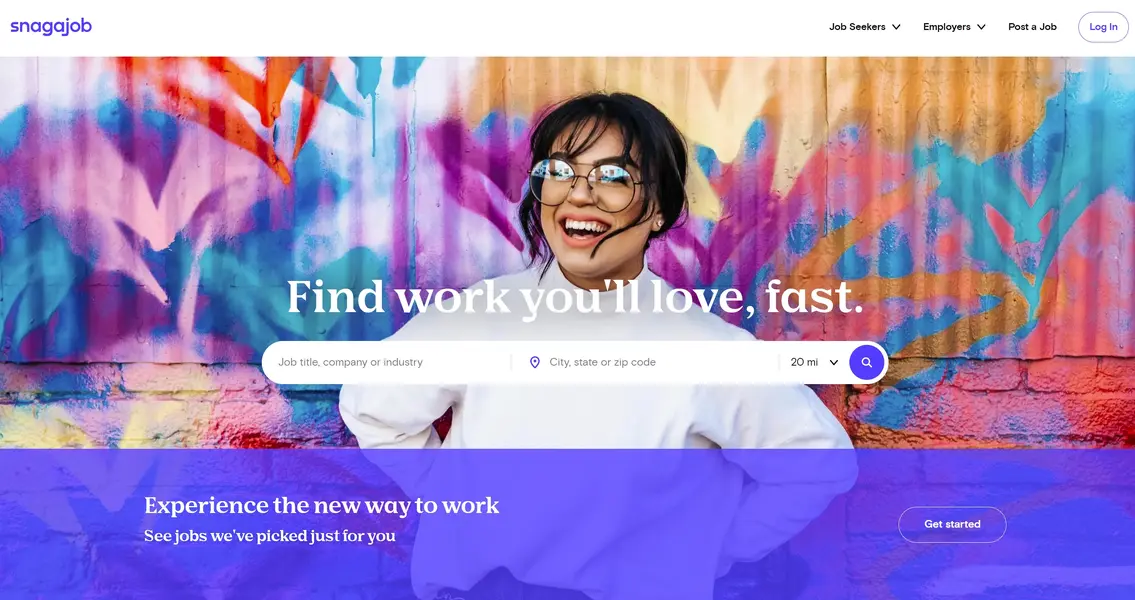
Snagajob is a United States job marketplace built for hourly work. It was founded in 2000 and is based in Glen Allen, Virginia. The company traded as Snag from April 2018 and returned to the Snagajob name in November 2019, so both spellings still turn up in older links and coverage. It bought the workforce software firm PeopleMatter in 2016 and sold that business to Fourth Enterprises in 2021. In November 2024 the Boston company JobGet acquired Snagajob, and the site has continued to run under its own name since. We set this out because buyers ask which entity they are looking at. We have no relationship with either company.

The listings are hourly, not salaried, and the employer mix reflects that: restaurants, retail chains, warehousing and distribution, healthcare support, hotels and event staffing. A posting names an employer, a single street address or city, an employment type, and a rate quoted per hour rather than per year. Employment type facets on the site include part time, full time, seasonal part time and gig.

The consequence for anyone collecting Snagajob data is structural rather than cosmetic. National brands post the same role separately for every site they operate, and each copy is a distinct posting with its own identifier, address and rate. One job title at one employer can produce hundreds of near-identical records that differ only by location and pay. Any plan for this source has to decide up front whether those rows are duplicates to be collapsed or the actual signal you came for.

Get a Quote

dev_w
25

Developers

customers
500+

Customers worldwide

pages
1 500 000 000+

Pages extracted

stime
15000+

Hours saved for our clients

Plans

Airplane

€199 / one-time

setup fee - included

Data limits100,000
Frequencyone-time
Run timeup to 5 days
Data storing7 days

Helicopter

€169 / mo

setup fee €499

Data limits250,000
Frequencymonthly
Run timeup to 5 days
Data storing14 days

Glasses

€229 / mo

setup fee €499

Data limits1,000,000
Frequencyweekly
Run timeup to 5 days
Data storing30 days

DNA

€549 / mo

setup fee €799

Data limits3,000,000
Frequency3 times daily
Run timesame day
Data storing90 days

Why buyers scrape Snagajob

Hourly pay moves locally and it moves quickly. A salaried board tells you roughly what a market pays across a year. Snagajob jobs tell you what one store on one street offered this week. Compensation teams use that to set rates site by site. Staffing firms use it to price bids. Restaurant and retail operators use it to see what the unit down the road is paying before they lose a shift lead to it.

The second reason is the per-location explosion. Because a brand posts the same title across every site it runs, a raw pull is dominated by repeats. Treated properly that is an asset, not noise. Deduplicate on employer plus normalized title plus coordinates and you get a clean count of open roles by metro, which reads directly on where a chain is opening, staffing a season, or quietly stopping.

The third is the operator question. Franchised brands do not set one national wage. The corporate name and the operating entity appear in different fields on the same posting, so a Snagajob scraper that preserves both lets you split a brand's own sites from its franchisees and compare what each pays for the same job title.

Our Blog

Reads Our Latest News & Blog

Learn how to use web scraping to solve data problems for your organization

How Artificial Intelligence Is Used In Web Scraping

How Artificial Intelligence Is Used In Web Scraping

Leveraging advances in technology, the AI-powered web scraper has skyrocketed in demand and is helping to expand capabilities by automating tedious daily tasks and speeding up data collection from thousands of websites several times over.

What is Web Scraping and What is it Used For?

What is Web Scraping and What is it Used For?

Web scraping is a method of obtaining web data by extracting it from pages of web resources with the help of a program, that is, in automatic mode. It is used to syntactically convert web pages into more usable forms.

Web Scraping for Machine Learning

Web Scraping for Machine Learning

If you specialize in machine learning, you need to feed large amounts of data to the algorithms. Web scraping is the easiest and the most efficient method of collecting the data from all over the Internet.

scrapeit logo

About ScrapeIt

ScrapeIt is a managed web scraping service. We are not a library and not a self-serve tool. We build the crawler, run it on your schedule, watch it, fix it when the target shifts, and deliver the result in the format your team already works in.

Send us the pages you care about and the columns you need. You get back a sample extract, a scope and a price. If the job is not worth doing, we will say so.

FAQ

Does Snagajob have a public API I can use to get job data?

There is a public API, but it points the other way. Snagajob publishes developer documentation at docs.snagajob.com covering posting creation through an XML feed, Easy Apply application routing and sponsorship campaigns. Access requires a registered-partner key sent in an X-SAJ-ApiKey header and is granted through a vendor intake form. It is designed for applicant tracking vendors and employers pushing jobs into the marketplace, not for a buyer pulling postings out of it. So the honest answer is: an API exists, and its terms do not cover what a data buyer wants. Collecting the public posting pages is the practical route, and that is what we do.

How do you handle the same job posted at hundreds of locations?

We keep each posting as its own row, because every store-level listing has its own identifier, address, coordinates and rate. Collapsing them at collection time would destroy the pay variation you are usually buying the data for. We then add the keys that let you roll them up on your side: normalized employer name, normalized job title, and geography. You can report at posting level for pay analysis and at brand plus title level for opening counts, from one extract.

Can you extract the hourly pay range rather than an annual salary?

Yes. Pay on this site is quoted per hour. The structured data on a posting carries a minimum, a maximum and a unit of HOUR, and the underlying record also holds a median plus an estimated wage band expressed in percentiles. We deliver employer-stated pay and the site's estimate in separate columns so the two are never confused in your analysis. Tips and bonuses are not a separate numeric field on the site; where an employer mentions them, the text sits inside the job description, and we can flag descriptions that reference tips if that is useful.

Can you tell corporate stores apart from franchise locations?

Not through a certified franchise flag, because the site does not publish one. What it does publish is the brand name in the company field and the location name as the operator entered it, and those two often differ - a national brand in one field, a named local operator in the other. We deliver both columns plus the full address, which is enough for most teams to classify a site and to compare pay between a brand's own units and its franchisees. We will not label a location as franchised when the source does not say so.

How often can you refresh Snagajob data, and do expired jobs stay in it?

Daily, weekly or monthly, matched to your decision cycle. Hourly hiring is seasonal, so many buyers run weekly through most of the year and daily through the seasonal ramp. Expired postings remain addressable and carry an expiry flag with a validThrough date, so we keep them in the output and mark them rather than deleting the row. That is what lets you measure how long a role stayed open at a given site and how quickly a brand refills it.

How does it Work?

Step 1 - Make a Request

You share your needs, expectations, and desired timeframe. We’ll suggest the best solution based on your request and budget.

Step 2 - Configuring Custom Web Crawlers

Our specialists configure the crawlers and extract a sample dataset for your review before proceeding with the full-scale extraction.

Step 3 - Collect and Deliver

Once you approve the sample, we launch the project and start full data collection. We gather, filter, and structure the data for easy use, delivering it on time in your preferred format.

Step 4 - Maintain and Support

Our team manages ongoing processes, monitors website changes, and supports all data extraction cycles. We can also help integrate data into your systems or create dashboards to simplify analysis.

Request a Quote

Tell us more about you and your project information.
Which sites, which fields, how often. A couple of lines is enough.

We reply within 1 business day. No obligation.

scrapiet

Scrapeit Sp. z o.o.
10/208 Legionowa str., 15-099, Bialystok, Poland
NIP: 5423457175
REGON: 523384582