
Data Crawling vs Data Scraping
Web crawling and web scraping are not synonyms. Read this article to get to know the difference between these two terms.
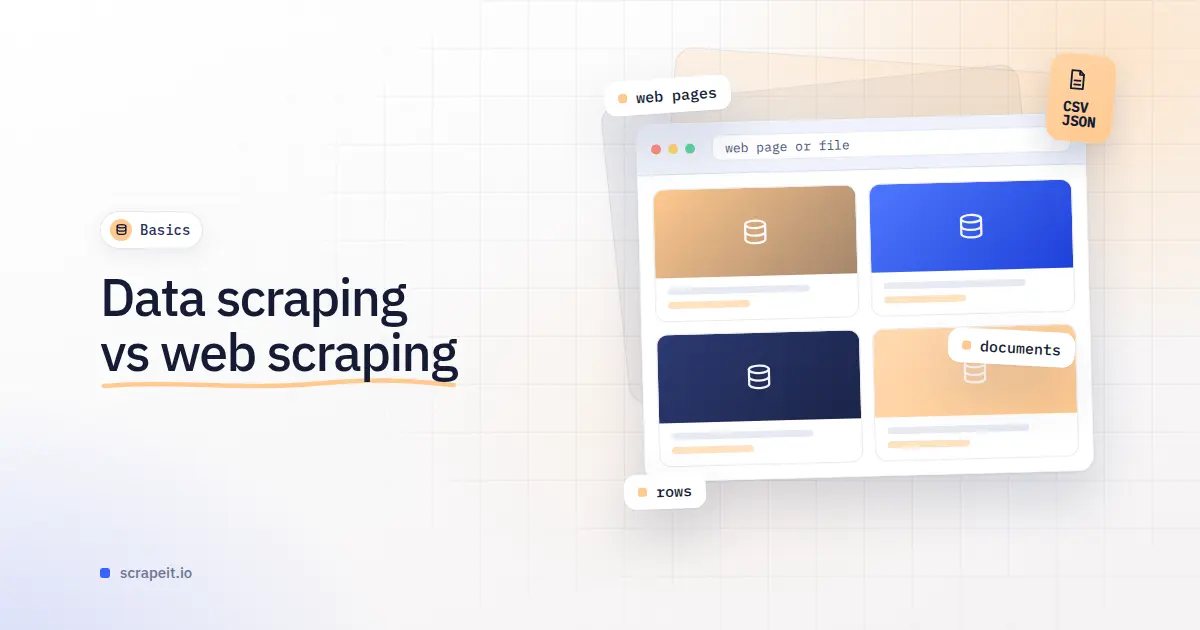
Data scraping vs web scraping comes down to the source. Data scraping is the wide term: taking structured records out of anything made for people to read - web pages, but also PDF reports, scanned documents, spreadsheets and the screens of a legacy application. Web scraping is the part that works on websites: product pages, listing pages, search results, seller profiles. Every web scraping project is data scraping; many data scraping projects never open a browser.
For a buyer the label decides who answers the request and what they quote. Ask for "data scraping" and you may get a proposal for reading invoices with OCR when you wanted daily prices from three competitor shops. Ask for "web scraping" for an archive of annual reports in PDF, and you may be quoted crawlers, schedules and proxy rotation you do not need.
The two jobs also fail in different ways. A filed document never changes, but every new layout is new work. A website changes without notice, can show different data to different visitors and may push back against automated traffic, so the cost lasts as long as the collection runs. Below: the axes that matter, a briefing checklist and two of our projects.
A quick test: if a person had to do the job by hand, would you give them a stack of files or a list of web addresses?
Screen scraping reads what a program draws on screen - an old desktop system, a terminal session, a chart - one screen at a time. Web scraping reads the page a site sends, so it can follow links through a whole category and return the same columns every run. People who say "web screen scraping" usually mean web scraping: name the source, not the technique.
Apps sit closest to web scraping. Some catalogs, prices and stock views exist only inside an app, or differ from the company's website. The job is the same - turn app data into rows on a schedule - and we scope and run it as web scraping; see mobile app scraping.
Document work is front-loaded. Someone maps where each field sits in each layout: the price list with the unit in a footnote, the annual report whose balance sheet runs over two pages. A mapped layout stays mapped, because a filed report does not change. What goes wrong:
Web work is ongoing. The fields on a product page are easy to find on day one; the effort goes into getting every page, and getting it again next week. What goes wrong:
A document job returns rows tied to their source: the file name, the page a value came from, your fields and a flag where a value could not be read. SEC EDGAR, as our SEC EDGAR scraper page describes, shows both sides on one site: filings are found by company, form type such as 10-K and filing date, and come in several formats, HTML and PDF among them. Listing the filings is web scraping; taking revenue and debt out of a filing's text is document work.
A web job returns one row per product, listing or profile for each run, keyed on the site's own identifier so that runs line up: ASIN and marketplace on Amazon, zpid on Zillow. Typical columns are the identifier, URL, title, price and currency, stock, seller, category path and collection date. What does not fit one row comes as a separate table tied back by the key: our Zillow page describes price history and tax history as child files and photo sets linked by zpid.
We extract the data you need from any website to satisfy all your business requirements with 100% accuracy.
Document and screen work tends to come from:
Web scraping tends to come from:
If your answer to "where does the data live?" is a list of site addresses or app names, you are buying web scraping. If it is a folder of files or an internal system, you are buying document or screen work.
Document and screen work costs more with:
Web scraping costs more with:
A large share of web work is upkeep, because sites change. See what web scraping costs and build or buy a scraper.
The words blur in three places. Many people say "data scraping" when a website is their only source. Websites carry documents - floor plans, data sheets, filings - and a brief has to say whether it wants the link, the file or the values inside it. And crawling gets mixed in: finding pages is one step, taking fields off them another, as our post on crawling and scraping explains; our explainer on web scraping and its uses covers the basics.
A brief that gets the right quote names these points:
ScrapeIt is a managed web scraping service for websites and mobile apps. We build, run and repair the crawlers, and anti-bot handling - pacing, proxy rotation, CAPTCHA handling, rendering - is part of the service. A project starts with a free project assessment, and you can order a sample to hold the columns against your needs. Every dataset comes with field documentation, and runs are one-off or on the schedule you set. Files come as CSV, Excel (XLSX), JSON, JSONLines or XML, through our API, a JSON feed, FTP, SFTP, Amazon S3, Google Cloud Storage, Dropbox, Google Drive, e-mail or a load into your database; an MCP server is available on request. Plans start from EUR 169 a month, or EUR 199 for a one-time extract. See managed web scraping services for how the model works and custom web scraper development for sources that need something built from scratch.
A lighting manufacturer wanted every product in three Amazon US categories - Smart Home Lighting, Light Bulbs, and Lighting and Ceiling Fans - with the full product page behind each listing, for a complete view of the categories and for image rights checks. Its previous vendor had not got past the page limit: Amazon lets a shopper page through a category listing only up to page 400. We handled that on our side, with the listings read for a US delivery address in Los Angeles.
The hard field was the description, which sellers build themselves. In an early file only 38% of products (4,761) had description text, so the client set the rule: description text in one column, every image link from the description and the brand and manufacturer blocks in another. In under eight weeks of work the client had about 140,000 products in Lighting and Ceiling Fans and 12,300 in Light Bulbs, as CSV and XLSX on FTP. See the Amazon lighting case study.
A real estate company in India wanted the new-projects section of housing.com: name, builder, address, RERA registration number, configurations, launch date and amenities for each project, plus every image, with floor plans and master plans mattering most. The brief was one run over every project page numbered from 100 to 315,000, and not every number is a project: in the sample run, 1,300 numbers gave 1,000 project cards.
Ten projects in the first test sample came with 160-170 images, so the images went straight into the client's cloud drive, with a mapping sheet tying each file to its project. Each brochure was delivered as one whole PDF rather than 30 to 50 page images - the choice in point six of the checklist, settled during scoping. The last images were in the client's drive three weeks after the 1,000-row sample. Read the housing.com case study or our Housing.com scraper page.
Not quite. Web scraping is the kind of data scraping that works on websites; data scraping also covers PDFs, scans, spreadsheets and the screens of older software. In a brief, name the source rather than the term.
Screen scraping reads the values a program shows on screen, one screen at a time - typically an older desktop or terminal system. You need it when the records exist only in such a program. If they are on a website, ask for web scraping instead.
We collect only publicly available data - everything a visitor can see on the site - and we collect it legally. Names, phone numbers and e-mail addresses of private persons are personal data: we handle them under GDPR and leave such fields out by default. Contact details a listing shows openly can be delivered when a project needs them.
Look at where the data lives. Site addresses or app names mean web scraping; a folder of files or an internal system means document or screen work. If a site keeps PDFs behind its links, say whether you need the files themselves or the values inside them.
More on getting data out of the sources we work with
Web crawling and web scraping are not synonyms. Read this article to get to know the difference between these two terms.
If you specialize in machine learning, you need to feed large amounts of data to the algorithms. Web scraping is the easiest and the most efficient method of collecting the data from all over the Internet.
Eight US sources of federal records and court data, from SAM.gov contract notices to EPA ECHO violations and USPTO trademarks: what each site shows, the identifiers that join them, and how to build one dataset from several.
Let us take your work with data to the next level and outrank your competitors.
You tell us which website(s) to scrape, what data to capture, how often to repeat etc.
An expert analyzes the specs and proposes a lowest cost solution that fits your budget.
We configure, deploy and maintain jobs in our cloud to extract data with highest quality. Then we sample the data and send it to you for review.
If you are satisfied with the quality of the dataset sample, we finish the data collection and send you the final result.
Tell us more about you and your project information.