AfterShip Scraper for Carriers, Tracking Statuses and Pricing

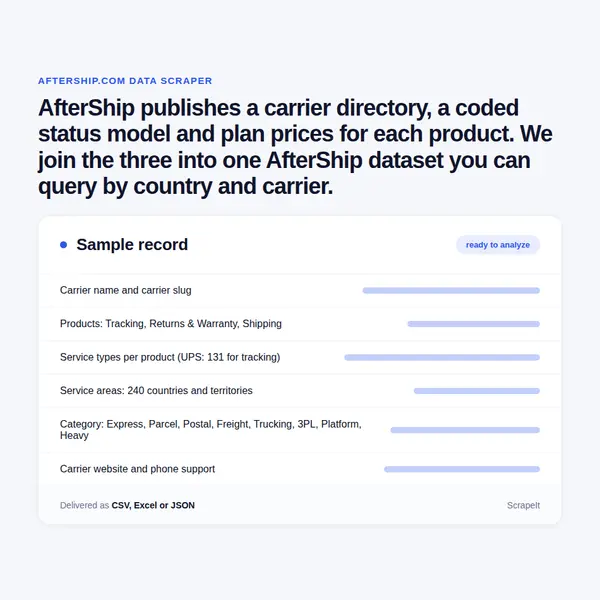
AfterShip publishes a carrier directory, a coded status model and plan prices for each product. We join the three into one AfterShip dataset you can query by country and carrier.

Plans from €169/month · Free project assessment · Reply within 1 business day

AfterShip Scraper
Solutions

Managed AfterShip data scraping, from carrier pages to price diffs

We run the whole pipeline. Most of aftership.com and the carrier tracking pages sit behind a browser check, the directory spreads over 200 result pages and three product tabs per carrier, and prices shift with a quota slider and a billing toggle. Our side is anti-bot handling, proxy rotation and CAPTCHA solving, a crawler that walks every filter, tab and quota step, and parsers that extract AfterShip data into one schema keyed on the carrier slug, with AfterShip's own wording kept next to our normalised fields. Each run is diffed against the last, so a new carrier, a renamed service or a price change arrives as a change record. Tracking runs only on numbers you send us.

AfterShip carrier list: slugs, services and status fields

The carrier directory is the backbone of the dataset. It pages through 200 result screens of nine cards, and at the end of September 2026 it listed 1,796 carriers. For every carrier we collect:

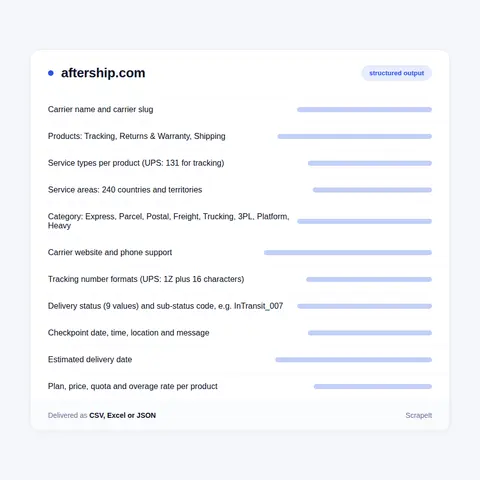
  • Identity: name, carrier slug, logo, short description and carrier website. AfterShip carrier slugs such as ups, dhl or zto-domestic key the directory page, the carrier tracking page and the logo file, which still sits under a /couriers/ path - so an AfterShip courier list and carrier list are the same records.
  • Products: whether the carrier works with Tracking, Returns & Warranty or Shipping, each tab with its own service list. UPS lists 131 tracking service types and 30 each for shipping and returns.
  • Coverage: service areas by country and region (North America, Oceania, Europe & UK, Asia, Latin America, Africa & Middle East) and category tags - Express, Parcel, Platform, Freight, Trucking, 3PL & Fulfillment, Postal, Heavy.
  • Contact: phone support where listed and the carrier account a merchant needs to connect.

Carrier tracking pages add tracking number formats (for UPS: 1Z plus 16 characters, 12 digits, T plus 10 digits, 9 digits), the carrier's own status labels with definitions, service types, service areas and transit times per service, plus a Top 100 carriers ranking by category, ship-from country and rating.

For every AfterShip tracking number that belongs to you, on the public page or on your own AfterShip branded tracking page, we return the AfterShip delivery status (Pending, Info Received, In Transit, Out for Delivery, Available for Pickup, Delivered, Attempt Failed, Exception or Expired) and the AfterShip substatus with its code, from InTransit_007 (departure scan) to Exception_013 (shipment lost). Each checkpoint comes with date, time, location and carrier message, alongside carrier name, last-mile carrier and number for multi-leg shipments and the AfterShip estimated delivery date.

AfterShip carrier list: slugs, services and status fields
AfterShip pricing, plans and app listings we track

AfterShip pricing, plans and app listings we track

AfterShip plans are priced per product, tier and quota. AfterShip tracking pricing at the end of September 2026: Essentials from $29 and Premium from $59 a month for 6,000 shipments a year, with AfterShip rates of $0.08 and $0.12 per extra shipment and a quota slider from 1,200 to 300,000 shipments a year. AfterShip returns pricing starts at $16 (240 returns a year, $0.50 per extra return) and $99, AfterShip Shipping at $9 and $69 by label volume, AfterShip Feed pricing at $8 and $49 against compare-at prices of $39 and $199, and Affiliates at $49 a month plus $29 for each extra TikTok Shop store. AI EDD, Warranty, Green and Parser are quoted by sales; AfterShip Protection has a free plan with premiums from $1 per $100 of declared value, and Tracking keeps an AfterShip free plan too.

The Shopify App Store prices the same product another way: the AfterShip Shopify app for tracking lists Free, Essentials at $11 a month or $108 a year and Premium at $70 or $708, each paid plan with a 7-day trial. For all five AfterShip listings there we collect plans, rating, review count and star split, the Built for Shopify badge, languages and the apps each one works with - AfterShip app reviews as numbers, without reviewer names.

The AfterShip integrations catalogue adds 79 apps in 14 categories, from eCommerce platforms and ERP to customer support and fraud protection, each tagged with the products it serves.

AfterShip data: what the post-purchase suite shows in public

An AfterShip scraper has to start from what AfterShip is: not a carrier but post-purchase software for online stores, run by Automizely Pte. Ltd. from 120 Robinson Road in Singapore and founded in 2012. AfterShip is used by merchants to track orders across carriers, run returns and exchanges, print labels and promise delivery dates, and its site in 39 languages sells each job as its own product: Tracking, Returns, Shipping, AI EDD, Warranty, Protection, Order Edits, Green, Parser, Feed and Affiliates.

The public side is reference data about that business. The integrations directory of AfterShip supported carriers can be filtered by product, by 240 countries and territories and by eight categories. Carrier tracking pages on carriers.aftership.com, keyed by the same carrier slug, explain number formats and each carrier's own status wording. The AfterShip tracking page takes up to 50 numbers at once and shows the normalised status of each. Pricing pages carry plans for every product and quota ladders for the self-serve ones, while the integrations catalogue, the Shopify App Store listings and the help center fill in the rest.

AfterShip currently states its reach differently from page to page: 2,000+ carriers on the home page, 1,300+ on its comparison hub, 1,100+ in the Shopify App Store listing and 700+ for the AfterShip Package Tracker app. The directory itself is the count to trust, so that is where a crawl begins.

Get a Quote

dev_w
25

Developers

customers
500+

Customers worldwide

pages
1 500 000 000+

Pages extracted

stime
15000+

Hours saved for our clients

Plans

AfterShip Scraping Plans and Pricing

Airplane

€199 / one-time

setup fee - included

Data limits100,000
Frequencyone-time
Run timeup to 5 days
Data storing7 days

Helicopter

€169 / mo

setup fee €499

Data limits250,000
Frequencymonthly
Run timeup to 5 days
Data storing14 days

Glasses

€229 / mo

setup fee €499

Data limits1,000,000
Frequencyweekly
Run timeup to 5 days
Data storing30 days

DNA

€549 / mo

setup fee €799

Data limits3,000,000
Frequency3 times daily
Run timesame day
Data storing90 days

Why teams scrape AfterShip data: carrier maps and price checks

AfterShip answers these questions one filter or one product page at a time; a crawl answers them in one table.

  • Carrier map by country. The service-area filter gives 287 carriers for the United States, 213 for China, 145 for the United Kingdom, 116 each for Australia and India and 86 for Germany. Joined on slug and category, it shows which markets lean on posts, parcel networks or trucking, and it settles the carrier count that AfterShip's own pages state several ways.
  • Product coverage. Currently 1,786 carriers work with Tracking, 106 with Shipping and 55 with Returns & Warranty, so a 3PL, marketplace or brand sees where labels and return labels stop.
  • Status comparison. Set a carrier's own labels, such as UPS "Delivered to a UPS Access Point", next to AfterShip's nine statuses and coded sub-statuses, or next to the status models of 17TRACK and TrackingMore, and see where each model is coarser.
  • Competitor price monitoring. Every AfterShip price change on the pricing pages and in the Shopify App Store arrives as a dated row, so AfterShip competitors such as Narvar, Route or parcelLab can benchmark plan by plan and quota by quota.

Merchants pick carriers per lane from the same feed; analysts and investors read the post-purchase market from it.

Our Blog

Reads Our Latest News & Blog

Learn how to use web scraping to solve data problems for your organization

How Artificial Intelligence Is Used In Web Scraping

How Artificial Intelligence Is Used In Web Scraping

Leveraging advances in technology, the AI-powered web scraper has skyrocketed in demand and is helping to expand capabilities by automating tedious daily tasks and speeding up data collection from thousands of websites several times over.

What is Web Scraping and What is it Used For?

What is Web Scraping and What is it Used For?

Web scraping is a method of obtaining web data by extracting it from pages of web resources with the help of a program, that is, in automatic mode. It is used to syntactically convert web pages into more usable forms.

Web Scraping for Machine Learning

Web Scraping for Machine Learning

If you specialize in machine learning, you need to feed large amounts of data to the algorithms. Web scraping is the easiest and the most efficient method of collecting the data from all over the Internet.

scrapeit logo

ScrapeIt builds and maintains your AfterShip dataset

ScrapeIt is a managed web scraping agency. You tell us which AfterShip sources you need - the carrier list, status mappings, pricing, integrations or app listings - and how often; we build the crawlers, keep them running when AfterShip redesigns a page, and deliver JSON, CSV, XLSX, Google Sheets or a push to your database or storage bucket. A sample comes first, so you check the fields on real AfterShip records before committing to a schedule.

FAQ

Do you offer an AfterShip API?

Yes. The ScrapeIt AfterShip API returns carrier records keyed by slug - name, products, service types, countries and categories - plus status and sub-status mappings with their codes, plan prices by product and quota, integration and app-listing rows, and tracking events for numbers you send us. Responses are JSON on the schedule you choose: hourly for your own shipments, daily for prices, weekly for the directory. The same data ships as CSV and XLSX files.

Is it legal to scrape AfterShip?

We collect only publicly available data - everything a visitor can see on AfterShip - and we collect it legally. That covers the carrier directory, carrier tracking pages, pricing pages, integrations, help-center status definitions and app-store listings. No logins, no paywalls. Tracking results are pulled only for tracking numbers that belong to you, never for other people's parcels, and under GDPR we leave out recipient names, addresses, signatures and proof-of-delivery images.

How much does AfterShip cost?

It depends on product, quota, billing period and channel. On its pricing pages Tracking starts at $29 (Essentials) and $59 (Premium) a month, Returns at $16 and $99, Shipping at $9 and $69 and Affiliates at $49, while AI EDD, Warranty, Green and Parser are quoted by sales. The Shopify App Store lists the tracking app with a Free plan and paid plans from $11 a month. We store each plan with its quota, billing period, overage rate and channel, and flag every change.

What does Exception mean in an AfterShip tracking status?

An AfterShip Exception flags a problem that may change the delivery date or stop delivery, and its sub-status names the cause with a code: Exception_002 customer moved, Exception_004 delayed in customs clearance, Exception_007 incorrect address, Exception_010 returning to sender, Exception_013 shipment lost, Exception_020 shipment cancelled. The AfterShip In Transit status splits the same way, from acceptance scan to import customs clearance. We deliver status, sub-status and code for each of your shipments.

How often do you refresh AfterShip carrier and pricing data?

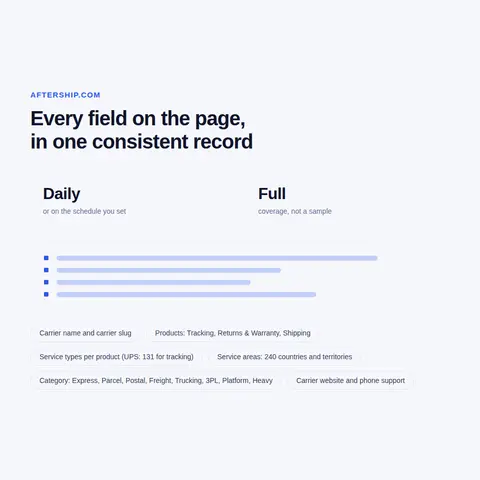
Weekly suits the carrier list: new carriers, removed slugs, changed service lists and new countries arrive as change records. Pricing pages and app listings suit a daily run, because AfterShip reprices by quota step and runs promotions such as the compare-at Feed prices. Tracking for your own numbers can run hourly. Every row carries the collection time, so you build a history rather than a snapshot, and you can scrape AfterShip for one market or all of them.

How does it Work?

Step 1 - Make a Request

You share your needs, expectations, and desired timeframe. We’ll suggest the best solution based on your request and budget.

Step 2 - Configuring Custom Web Crawlers

Our specialists configure the crawlers and extract a sample dataset for your review before proceeding with the full-scale extraction.

Step 3 - Collect and Deliver

Once you approve the sample, we launch the project and start full data collection. We gather, filter, and structure the data for easy use, delivering it on time in your preferred format.

Step 4 - Maintain and Support

Our team manages ongoing processes, monitors website changes, and supports all data extraction cycles. We can also help integrate data into your systems or create dashboards to simplify analysis.

Request a Quote

Tell us more about you and your project information.
Which sites, which fields, how often. A couple of lines is enough.

We reply within 1 business day. No obligation.

scrapiet

Scrapeit Sp. z o.o.
10/208 Legionowa str., 15-099, Bialystok, Poland
NIP: 5423457175
REGON: 523384582