Google Maps Data: Local Businesses from 1,000 US Cities Every Weekday
A weekday feed of local businesses from Google Maps for a local-marketing company: 1,000 US cities, three keywords a day, files by 10:00 UTC.
Learn More
Every Google Trends value is relative to the peak of the request that produced it. Our Google Trends scraper stores the terms, place and period of each request beside its numbers.
Plans from €169/month · Free project assessment · Reply within 1 business day
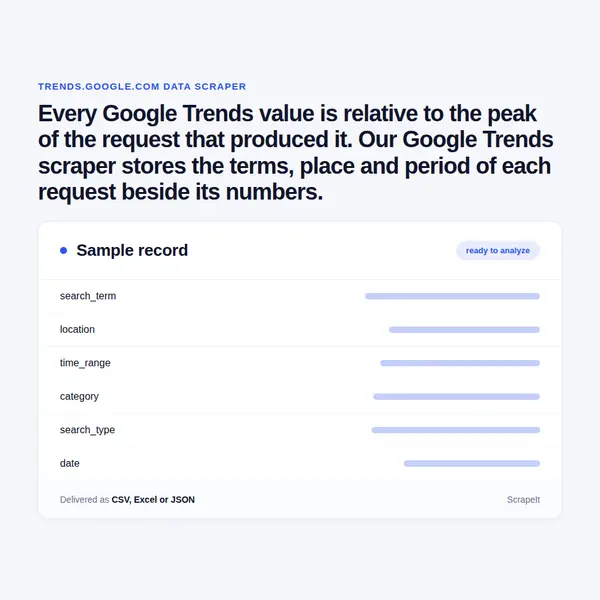
You send the brief: search terms or topics, the countries or subregions, the time range, the category and the search type. We turn it into a request plan, run it, and repair the crawler when Google reworks the Explore page or the Trending now table. Each Explore panel loads as its own request and fails on its own, so pacing, proxy rotation, CAPTCHA handling and browser rendering are part of the service rather than something you arrange.
A one-off pull answers a research question; a daily or weekly schedule keeps a monitor running. Files arrive as CSV, XLSX or JSON, through our API or a JSON feed, or straight into Amazon S3, Google Cloud Storage or your database, with field documentation from the first delivery.
A Google Trends value of 50 means half of the highest point in that one chart, for that place, period, category and search type - nothing more. So our crawler writes the request into every row before the numbers, and a dataset built this way still reads correctly a year later.
Values are delivered exactly as Google prints them. We do not turn the index into estimated search counts, and a topic stays separate from a search term with the same words, so the two never merge in one column.
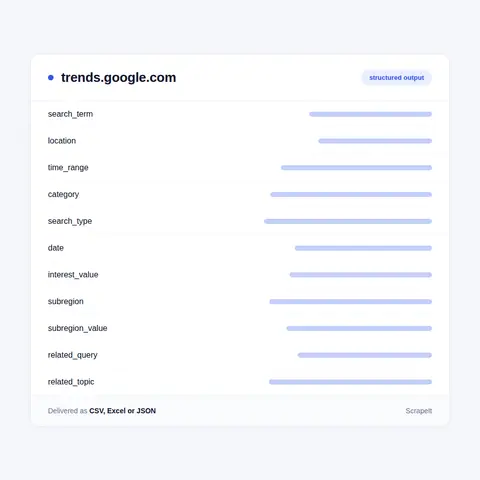
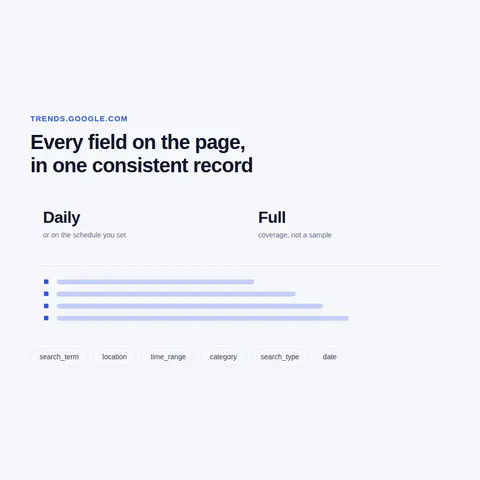
One Explore chart answers one question. A Google Trends database answers many, and building one is mostly a matter of how the requests are cut.
Google Trends shows what people search for on Google, but never as counts. Each data point is divided by all searches in its place and time range, then scaled from 0 to 100 so that the highest point of the chart is 100; a term with too little volume shows as 0. The figures come from a large, anonymised sample of searches, with repeated searches by the same person over a short period removed.
The site has three parts - Home, Explore and Trending now. Explore accepts search terms, which match the exact words, or topics, which group the ways people name one thing, and compares up to five of them. Four menus shape the request: location, time range from Past hour to 2004 - present or a custom range, one of the categories, and the search type. The answer comes in four panels: Interest over time, Interest by subregion, Related topics and Related queries.
Trending now works differently. It is a live table per country of searches that jumped recently, each with an approximate volume, a percentage rise, a start time and a breakdown of related searches, and it is the one place on the site where something close to absolute volume appears.
Get a Quote
Developers

Customers worldwide

Pages extracted

Hours saved for our clients
€199 / one-time
setup fee - included
€169 / mo
setup fee €499
€229 / mo
setup fee €499
€349 / mo
setup fee €499
€549 / mo
setup fee €799
Delivery: CSV, JSON or XLSX files, our API or a JSON feed. MCP server on request.
Full plan details →The index is relative, but the shapes in it are dependable, and those shapes are what buyers of Google Trends data work with.
A weekday feed of local businesses from Google Maps for a local-marketing company: 1,000 US cities, three keywords a day, files by 10:00 UTC.
Learn MoreLearn how to use web scraping to solve data problems for your organization

Where opinion text lives on the public web, what a review record contains on each kind of site, which fields a model needs besides the text, and what quietly breaks a sentiment dataset - with examples from our own projects.

Using web scraping to extract Google Maps data will help you quickly and efficiently find businesses in any industry, city, state, or region. And the extracted contact information, such as phone or email address, social networks, or links to web pages, will help to contact them.

Lead scraping is a reliable way to get the right customer contacts to market your product, saves organizations time, and helps you better understand the audience you want to attract. Contacts include emails, phone numbers, or social media profiles.
ScrapeIt is a managed web scraping service: we build the crawlers, run them on your schedule and keep them working, and you receive data files. For Google Trends that means a request plan that follows how the index is scaled - anchors, overlapping windows, stamped runs - and a schema documented field by field. A free project assessment and a sample come first. Plans start from EUR 169 a month, or EUR 199 for a one-time extract.
Yes. The ScrapeIt Google Trends API returns interest over time, interest by subregion, related queries, related topics and Trending now rows as JSON from an endpoint we host, refreshed on the schedule you set. Each row carries its request terms, location, time range and run date. The same data also comes as CSV or XLSX files, a JSON feed or a load into your database.
Yes. Trends shows relative interest, regional rankings, related queries and the Trending now table to anyone who opens it, and all of it is aggregated, anonymised search data rather than records about individual users. We collect only publicly available data - everything a visitor can see on Google Trends - and we collect it legally.
Because Trends computes every chart from a sample of searches and rescales it to that chart's own peak. Change one term, the place or the range and the whole series moves; repeat the same request later and it can shift a little. We store the request with every value, can repeat a request and deliver the spread, and compare terms only inside one request or through a shared anchor.
Yes. The crawler takes any location from Google's own menu, from worldwide down to a single country or territory, and pulls Interest by subregion at the Subregion, Metro or City resolution where the country offers it. Trending now is collected country by country, with category filters applied as you choose.
The time range menu runs from Past hour to 2004 - present, plus custom ranges. A five-year export comes back as weekly points and shorter ranges in finer steps, so a long daily history is assembled from overlapping windows. Trending now keeps nothing older than the past 7 days on the site, which is why scheduled runs are the only way to build its archive.
Step 1 - Make a Request
You share your needs, expectations, and desired timeframe. We’ll suggest the best solution based on your request and budget.
Step 2 - Configuring Custom Web Crawlers
Our specialists configure the crawlers and extract a sample dataset for your review before proceeding with the full-scale extraction.
Step 3 - Collect and Deliver
Once you approve the sample, we launch the project and start full data collection. We gather, filter, and structure the data for easy use, delivering it on time in your preferred format.
Step 4 - Maintain and Support
Our team manages ongoing processes, monitors website changes, and supports all data extraction cycles. We can also help integrate data into your systems or create dashboards to simplify analysis.
Google Trends data from €169/month. Free project assessment, reply within 1 business day.

Scrapeit Sp. z o.o.
10/208 Legionowa str., 15-099, Bialystok, Poland
KRS: 0000996672
NIP: 5423457175
REGON: 523384582


