Beauty Price Monitoring on Notino and Douglas in 15+ Countries, in English
A cosmetics company got monthly prices and promotions from 40+ beauty stores in 15+ countries, translated to English and fed into its existing import.
Learn More
One Yandex Market card can carry several merchants at different prices, and the price moves with the city. We pin modelId, marketSku, oskuId and wareId so rows stay comparable.
Plans from €169/month · Free project assessment · Reply within 1 business day
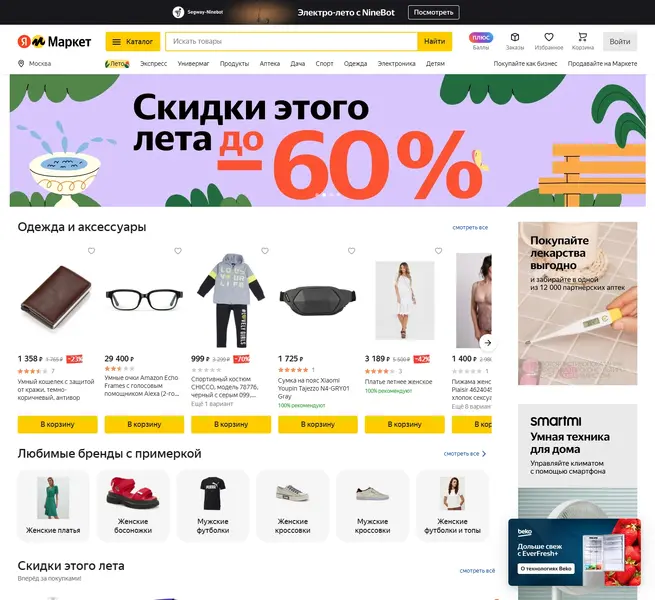
You set the scope: a category node, a keyword list, a brand, a merchant, or a list of marketSku values you already track, in the cities you actually sell in. We build the crawler, run it on your cadence, and hand back rows with every identifier intact.
Yandex Market answers anything that does not look like a real browser session with a captcha wall instead of the card, so anti-bot handling, proxy rotation and CAPTCHA solving are part of the service rather than your problem. We keep the request rate polite.
Output is CSV, JSON, XLSX or an API endpoint your systems call, pushed to S3, to cloud storage, or into a database you own. Price work is written as dated snapshots per region, so a change reads as a series. Maintenance is included: when the markup shifts, we repair the crawler.
A row is useful only when it says which level it describes, so we extract Yandex Market data with every identifier kept on the row and every price labelled with its type.
Reviewer names, buyer profiles and anything behind a login stay out of scope: we collect what a signed-out visitor is shown.
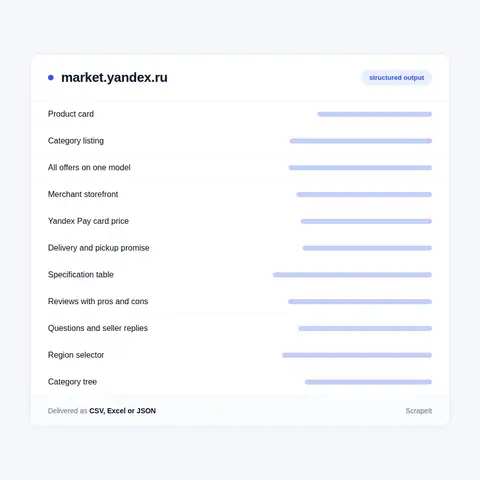
The first trap is the identifier in the address bar. On a card the structured Product block publishes an sku that is not the number in the URL: the URL carries the oskuId, the structured block carries the marketSku, and the model behind both has a third id again. Keep only what the URL hands you and your history breaks the first time one merchant's card is swapped for another on the same model.
The second is the headline price. The large figure on a tile is the Yandex Pay card price out of additionalPrices, not the plain price; the plain one lives in the price field and is what gets struck through. Read the rendered number and you record a discount only some buyers get. Signed-in accounts are shown lower prices again, and the site says so on the page - we do not log in, so we report the signed-out price and label it that way.
The third is rating scope. A card can show stars whose owner is the merchant rather than the model, and the same model reads sixty-three grades on one view and several hundred on another. The displayed value is rounded to one decimal while the payload carries it to nine.
The last is coverage. A category listing stops handing back tiles long before the category is exhausted, so covering a category means slicing by brand node, price band, item condition and delivery window rather than paging to the end.
Yandex Market is a Russian marketplace run by Yandex. It is a first-party retailer with its own warehouses, pickup points and couriers, and at the same time an aggregator where independent merchants list against a shared catalogue card. Both models land on the same page and in the same listing, which is the first thing a Yandex Market scraper has to untangle.
Several URL grammars live side by side. A catalogue card is /card/{slug}/{skuId}, a model page is /product--{slug}/{modelId}, and a category listing is /catalog--{slug}/{nid}/list while breadcrumbs point at a shorter /category/{slug}. Every merchant offer on one model sits at /offers/{slug}/{modelId}?sku={marketSku}, a merchant storefront at /business--{slug}/{businessId}, and a single live offer at /offer/{wareId}. Words in the slug are decorative: replace them with anything and the numeric id still resolves the page.
The identifiers stack rather than compete. modelId names the model and its spec sheet, marketSku names the Market card for one configuration, oskuId names one merchant's SKU on that card, and wareId is the opaque token for one offer. Category ids come in pairs too: the toaster listing sits on navigation node 54961 while its category id is 90591, and only the second one drives the filters. In September 2026 the navigation sitemap listed 8,634 such category pages.
Listing and card pages are server-rendered React, and each tile carries its own JSON inside a data-zone-data attribute, so a crawler reads Yandex Market field names rather than guessing at rendered text.
Get a Quote
Developers

Customers worldwide

Pages extracted

Hours saved for our clients
€199 / one-time
setup fee - included
€169 / mo
setup fee €499
€229 / mo
setup fee €499
€349 / mo
setup fee €499
€549 / mo
setup fee €799
Delivery: CSV, JSON or XLSX files, our API or a JSON feed. MCP server on request.
Full plan details →Price work needs the catalogue as a shopper meets it: the offer on display and the merchant behind it, the Yandex Pay card price beside the plain price, the delivery promise, the stock counter and the rating, each captured for one region at one moment.
The market view lives on the public pages, and those pages move. The offer on display changes the moment another merchant undercuts it. The delivery promise is recomputed for the address that asked. Promo codes expire, stock counters drop, and the card price and the plain price drift apart on their own schedules.
Region is the sharpest edge. The page carries a regionId in its own session context - 213 is Moscow - and it defaults to wherever the request appears to come from. The city is therefore a session property, not part of the address, and the same card genuinely costs different money and arrives on different days in different cities. Teams that scrape Yandex Market for pricing learn this first: a price is not a number, it is a number plus a merchant, a region and a timestamp.

A cosmetics company got monthly prices and promotions from 40+ beauty stores in 15+ countries, translated to English and fed into its existing import.
Learn More
A consultancy working for a fragrance brand owner got sellers, official-store flags and USD prices for 25 fragrances on about 30 marketplaces in 12 countries.
Learn More
Three Amazon US lighting categories collected in full for a lighting manufacturer, with description text and images from brand content blocks.
Learn MoreLearn how to use web scraping to solve data problems for your organization

If you sell online, run a marketplace, or advise e-commerce clients, you already know why eBay matters: it’s one of the few places where big retailers compete side by side with thousands of small merchants and private sellers.

E-commerce teams do not just need “some” competitor data anymore. They need a continuous stream of real prices, discounts, stock levels, reviews, and seller behavior from the platforms that actually shape their markets.
Amazon provides valuable information gathered in one place: products, reviews, ratings, exclusive offers, news, etc. So scraping data from Amazon will help solve the problems of the time-consuming process of extracting data from e-commerce.
ScrapeIt is a managed web scraping agency. We build the crawlers, run them, watch them, and repair them when a site changes underneath. You receive data on a schedule, in the format you asked for, without running any infrastructure yourself.
We are not affiliated with Yandex Market and we do not resell datasets. We collect public pages, scope each project to what a client actually needs, and say plainly when part of a scope is not viable instead of promising it and quietly delivering thin rows.
Yes. The ScrapeIt Yandex Market API returns modelId, marketSku, wareId, the base and card prices, stock, delivery dates and rating for each region you name, as JSON from an endpoint we host, refreshed on the schedule you set. The same data also comes as CSV or XLSX files or straight into your database.
Keep all four. modelId is the model and its spec sheet, marketSku is the Market card for one configuration, oskuId is one merchant's SKU on that card, and wareId is the token for one live offer, which is also what the offer URL uses. Price, stock and delivery belong to the offer level; specs and the model rating belong above it. We store the whole stack on every row, together with businessId and shopId for the merchant, so a merged card or a swapped seller does not quietly rewrite your history.
Yes, and for price monitoring you should. The region rides in the session rather than in the URL, and it defaults to wherever the request appears to originate, so each city is a separate crawl with its own pinned region. Delivery quotes are computed for one address and one offer, so the arrival date shifts with the city as well. We run the same watchlist across the cities you name and stamp every row with region and capture time, which is the only thing that makes two rows comparable.
Daily is the usual cadence for price and stock, hourly works for a narrow watchlist, and weekly is enough for catalogue and category mapping. Output is CSV, JSON, XLSX or an API endpoint of ours, delivered to S3, to cloud storage, or straight into your database. Because we write dated snapshots instead of overwriting, a change in price, in the merchant on display, in the delivery promise or in stock reads as a series you can query rather than a value that silently replaced the last one.
Yes. Prices, offers, stock, delivery dates, ratings and specs are shown to a signed-out visitor, and that is what we collect. We collect only publicly available data - everything a visitor can see on Yandex Market - and we collect it legally. We do not log in, so the extra discounts shown to signed-in users are out of scope, and personal data - reviewer and questioner names, their profiles and any contact details - is not collected.
Step 1 - Make a Request
You share your needs, expectations, and desired timeframe. We’ll suggest the best solution based on your request and budget.
Step 2 - Configuring Custom Web Crawlers
Our specialists configure the crawlers and extract a sample dataset for your review before proceeding with the full-scale extraction.
Step 3 - Collect and Deliver
Once you approve the sample, we launch the project and start full data collection. We gather, filter, and structure the data for easy use, delivering it on time in your preferred format.
Step 4 - Maintain and Support
Our team manages ongoing processes, monitors website changes, and supports all data extraction cycles. We can also help integrate data into your systems or create dashboards to simplify analysis.
Yandex Market data from €169/month. Free project assessment, reply within 1 business day.

Scrapeit Sp. z o.o.
10/208 Legionowa str., 15-099, Bialystok, Poland
NIP: 5423457175
REGON: 523384582


