CourtListener Scraper for Opinions, Dockets and Oral Arguments

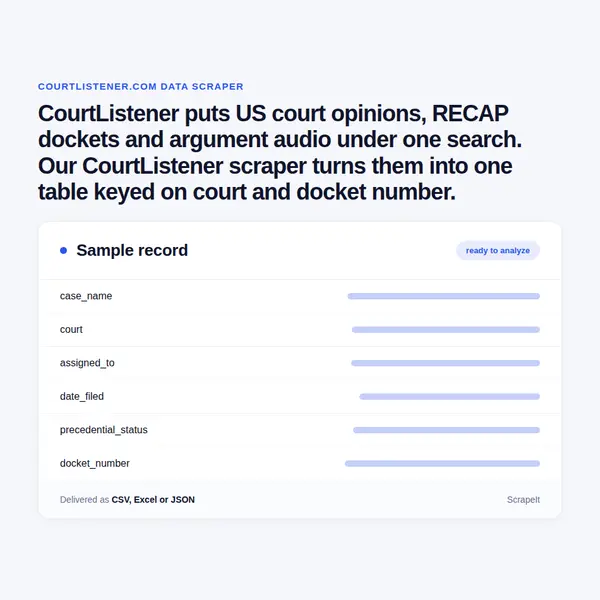
CourtListener puts US court opinions, RECAP dockets and argument audio under one search. Our CourtListener scraper turns them into one table keyed on court and docket number.

Plans from €169 a month · Free project assessment · Reply within 1 business day

CSV · Excel · JSON · XML · FTP · SFTP · Amazon S3 · Google Cloud

courtlistener.com
CourtListener Scraper for Opinions, Dockets and Oral Arguments
courtlistener.comwhat you get
Typical fields for public registers
record_identity_namestatusregistered_ataddressdocument_url
Delivery

API, JSON feed or CSV, XLSX and JSON files

Schedule

One-time, monthly, weekly, daily or 3 times a day

CourtListener Data Scraping as a Managed Service

  1. You send

    CourtListener pages, filters, fields and a schedule

  2. We run the scrapers

    Built, monitored and repaired by our team

  3. You receive the data

    API, JSON feed or CSV, XLSX and JSON files

You name the slice of case law you need - a set of courts, a date range, a nature of suit, a citation list or a keyword query - and we build the crawl, run it and keep it working when CourtListener changes its pages. Anti-bot handling - pacing, proxy rotation, CAPTCHA handling and rendering - is part of the service, not a problem you inherit.

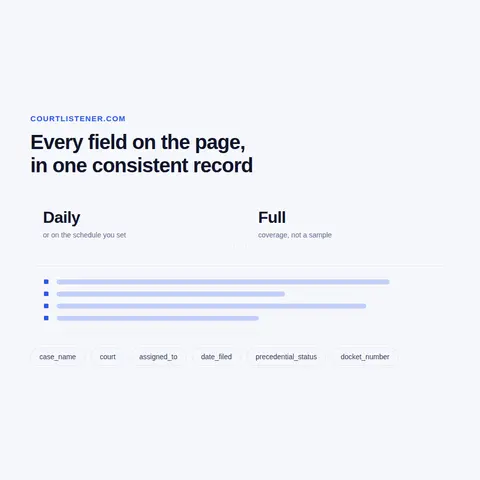
Runs are one-off or on the schedule you set: daily for a docket watch, weekly for a court's new opinions. Each delivery keeps CourtListener's own opinion and docket ids, so a case stays one row from run to run, and field documentation comes with the first file. A free project assessment tells you what a run covers before you commit. Plans start from EUR 169 a month, or EUR 199 for a one-time extract.

CourtListener Dataset: Fields We Extract

A CourtListener scraper reads three kinds of record, and each has the id CourtListener prints in its addresses: an opinion id under /opinion/, a docket id under /docket/ and an argument id under /audio/. We keep those ids next to the docket number the court assigned, so the opinion, the docket entries and the recording of one case join on two keys.

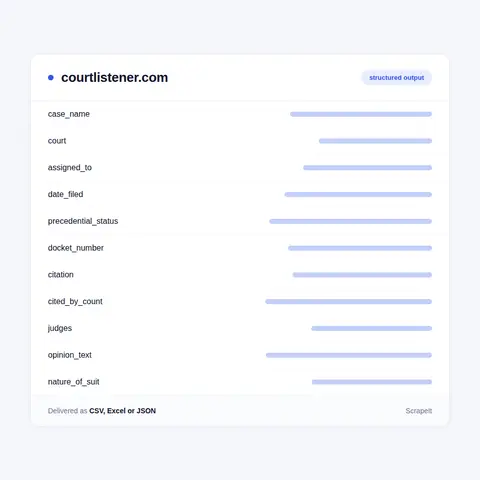
  • Opinioncase name, court, date filed, precedential status (Published, Unpublished, Errata, Separate, In-chambers, Relating-to or Unknown), docket number, reporter citations such as 11 F. 4th 810 and neutral citations such as 2026 OK 79, and the full opinion text with its PDF where one is attached.
  • Citation networkthe authorities an opinion relies on, the opinions that cite it with the Cited by count, and the short summaries later opinions wrote about it.
  • Judgesthe judge names attached to an opinion or an argument, kept in their role as officials of the court.
  • Docketcase name and docket number, court, the judges named under Assigned To and Referred To, date filed, date of last known filing, cause, nature of suit, jury demand, jurisdiction type and the Last Updated stamp.
  • Docket entriesdocument number, date filed, the clerk's description, main document and attachment numbers with their short titles, and the document text where the RECAP Archive holds the file.
  • Oral argumentscase name, court, date argued, docket number, duration, the judges on the panel and the MP3 recording, plus the AI-generated transcript where CourtListener shows one.

Private individuals named as parties, and attorney names, stay out of the default dataset; companies and agencies named as parties are kept. This is case and court data, and we do not build profiles of people.

CourtListener Dataset: Fields We Extract
CourtListener Database Coverage and Docket History

CourtListener Database Coverage and Docket History

Coverage is planned court by court. The jurisdiction picker splits courts into Federal Appellate, Federal District, Bankruptcy and State tabs, with the bankruptcy appellate panels on the Bankruptcy tab, U.S. territory courts on the State tab, and military, tribal, special federal and historical courts under More. Every court has a short code such as scotus, ca9 or cadc. We slice by those codes and by filing date, then merge on the opinion id.

The search filters double as scoping tools: case name, judge, citation, neutral citation, docket number and minimum or maximum cites for opinions; nature of suit, cause, document description, entry date and document number for RECAP. Sorting by Most Cited First or Newest Cases First turns the same query into a citation ranking or a newest-first timeline.

Dockets are where repeat runs pay off. The RECAP Archive is filled by PACER users who run the RECAP extension, so a docket grows as documents arrive, and an entry may show only a Buy on PACER button until someone adds its file. We revisit tracked dockets on your schedule and record each new entry and each newly attached document with the date we first saw it - a running history of the case rather than a snapshot.

About CourtListener and Free Law Project

Source
courtlistener.com
Category
public registers
Delivery
API, JSON feed, CSV, XLSX
Plans
From €169 a month
Get a quote

CourtListener is a free legal research site run by Free Law Project, a federally recognised 501(c)(3) non-profit in the United States. It calls itself a legal search engine and alert system, and its menu shows five collections: Case Law, RECAP Archive, Oral Arguments, Judges and Financial Disclosures.

Case Law holds federal and state court opinions, downloaded from many jurisdictions on an ongoing basis; the homepage lists the latest ones with date filed, status and docket number. The RECAP Archive is different in kind: it holds PACER dockets and documents from the federal courts, contributed by users of the RECAP browser extension, which is why one docket can be complete and the next one sparse. Oral Arguments holds courtroom audio from the courts that post it, each recording with its length and panel. Judges is a directory of the bench with positions, appointments and selection methods.

For a data buyer the value is in the links. An opinion points to the authorities it cites and to later opinions citing it, a docket points to its entries and documents, and the docket number ties an opinion, a docket and an argument to the same case. A Look Up Citations tool resolves a citation string to its opinion, which is how a citation list becomes a dataset.

25Developers
500+Customers
1.5BPages extracted
15,000+Hours saved for our clients

CourtListener scraping plans and pricing

Airplane

€199one-time

Setup fee included

100,000
One-time
Up to 5 days
7 days

Helicopter

€169/ mo

Setup fee €499

250,000
Monthly
Up to 5 days
14 days

Glasses

€229/ mo

Setup fee €499

1,000,000
Weekly
Up to 5 days
30 days

Microscope popular

€349/ mo

Setup fee €499

2,000,000
Daily
Same day
60 days

DNA

€549/ mo

Setup fee €799

3,000,000
3 times daily
Same day
90 days

Delivery: CSV, JSON or XLSX files, our API or a JSON feed. MCP server on request.

Full plan details

Why Scrape CourtListener

Case law is read one case at a time; the questions buyers ask need thousands of cases at once.

  • Litigation analyticsNature of suit, cause, assigned judge, date filed and date of last known filing give case volume and activity by court and by judge - how many patent suits one district takes in, or which suit types are rising.
  • Docket monitoringNew entries on tracked cases, flagged by their description - a motion, an order, a judgment - feed alerts for legal, compliance and insurance teams.
  • Citation researchAuthorities and Cited by links form a graph: which precedents an area of law leans on, which opinions are cited most, and when a line of cases stops being cited.
  • Corpus buildingOpinion text labelled with court, date and precedential status makes a training and evaluation set for legal search and summarisation, with the Published and Unpublished split kept as a column.
  • Company exposureDockets where a company is a party, found by name or by nature of suit, show litigation risk for due diligence and credit work.

About ScrapeIt

ScrapeIt is a managed web scraping service: we build, run and repair the crawlers, and you receive the dataset. Court sources ask for particular care - records that change by addition, ids that must hold across every run, documents attached long after the entry that announced them. For CourtListener we deliver opinions, dockets and arguments as CSV, JSON, JSONLines or XLSX, through our API or straight into your database, and personal data is handled under GDPR.

FAQ

Still unsure? Write to info@scrapeit.io

Do you offer a CourtListener API for opinions and dockets?

Yes. The ScrapeIt CourtListener API returns case name, court, date filed, citations, docket number and new docket entries as JSON from an endpoint we host, refreshed on the schedule you set. The same records also come as CSV or XLSX files, a JSON feed or a load into your database.

Is it legal to scrape CourtListener?

Yes. Opinions, RECAP dockets, oral argument recordings and judge records are open on CourtListener to anyone without an account. We collect only publicly available data - everything a visitor can see on CourtListener - and we collect it legally. Private individuals named as parties stay out of the default dataset.

Which courts can a CourtListener scraper cover?

Any court in its jurisdiction picker: the Supreme Court and the federal circuits, federal district and bankruptcy courts, state and U.S. territory courts, and the military, tribal and special courts listed under More. We scope by court code and date filed, so a run can be one circuit or all state courts, and each row keeps the court name and code.

How often is CourtListener updated, and how often should we refresh?

New opinions and oral arguments arrive on an ongoing basis as courts publish them, and RECAP dockets change whenever a PACER user adds documents. Daily runs suit docket watches and new-opinion feeds; weekly or monthly runs suit research corpora. Each row carries the date we first saw it, so a refresh adds and updates rows instead of rebuilding the table.

Do you deliver the documents in a RECAP docket, or only the entries?

Both, where the archive has them. Every entry comes with document number, date filed and description, and when the RECAP Archive holds the PDF we deliver the file or its extracted text. Entries that show only a Buy on PACER button come as entry data without the document.

How it works

  1. 1

    Make a request

    You share your needs, expectations, and desired timeframe. We'll suggest the best solution based on your request and budget.

  2. 2

    We configure the crawlers

    Our specialists configure the crawlers and extract a sample dataset for your review before proceeding with the full-scale extraction.

  3. 3

    Collect and deliver

    Once you approve the sample, we launch the project and start full data collection. We gather, filter, and structure the data for easy use, delivering it on time in your preferred format.

  4. 4

    Maintain and support

    Our team manages ongoing processes, monitors website changes, and supports all data extraction cycles. We can also help integrate data into your systems or create dashboards to simplify analysis.

Request a quote

Tell us which sites, which fields and how often. A couple of lines is enough to start.

  • We reply within 1 business day
  • A sample dataset before the full run
  • We sign an NDA on request
  • Delivery by API, JSON feed or files
Which sites, which fields, how often. A couple of lines is enough.

This form is protected by Google reCAPTCHA, which loads when you start filling it in. If you prefer not to use it, email us at info@scrapeit.io. Privacy & Cookie Policy

We reply within 1 business day. No obligation.

CourtListener data from €169/month. Free project assessment, reply within 1 business day.