Remote.co Scraper for Curated Remote Job Data

Remote.co data scraping, Remote.co job search, Remote.co data extraction, Remote.co automation, website scraping, web scraping, job data, labor market data, employment data, recruiting, staffing

Remote.co Scraper
Solutions

How We Deliver Remote.co Data

We build the crawler, run it, and keep it working. You get one row per posting with stable columns, or one row per company for the directory, delivered as CSV, JSON, XLSX, or pushed into an S3 bucket, a database or an API endpoint on the schedule you set. Daily is the usual cadence for a job feed, because postedDate and expireOn only mean something if you sample often enough to see the change.

We also do the unglamorous parts: normalising the location restriction into country, state and city columns, splitting a salary range into numeric bounds plus a currency and a unit, mapping categories onto your taxonomy, and running a delta so you receive new, changed and expired rows instead of a full dump every time.

What a Remote.co Scraper Can Extract

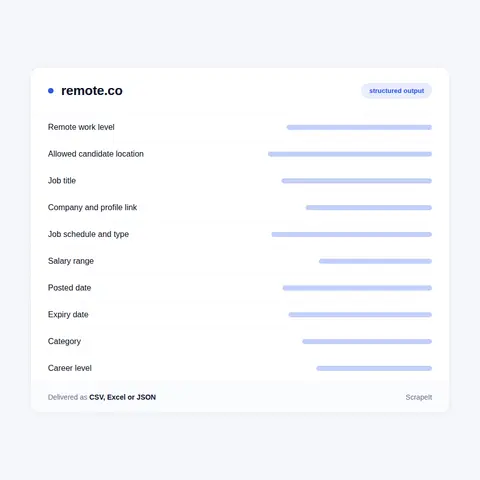
A Remote.co posting is small and well typed, which makes it pleasant to model. Below are the fields we extract, using the names the site itself uses in its page payload.

  • id and slug - the identifier is a UUID, and the URL is /job-details/ plus the slugified title plus that same UUID.
  • title, company, companyId, companyslug, logo - the employer is a linked entity with its own profile, not a free text string.
  • remoteOptions - the remote work level, drawn from a short controlled list. In the captures we read the values were "100% Remote Work", "Hybrid Remote Work", "Option for Remote Work" and "No Remote Work". The page labels this "Remote Work Level".
  • allowedCandidateLocation - the location restriction, held apart from jobLocations. This is the field that decides whether a fully remote role is actually open to a given candidate.
  • countries, states, cities, postalCode, coordinates, regionID - the same restriction broken into parts you can filter on.
  • jobSchedules and jobTypes - values such as Full-Time, Part-Time, Alternative Schedule and Flexible Schedule, and Employee against Freelance.
  • careerLevel, educationLevels, travelRequired - frequently null, so treat them as optional.
  • salaryMin, salaryMax, salaryUnit, salaryCurrency, salaryRange - present only where the employer stated pay. One card we read rendered "26.79 - 32.77 USD Hourly".
  • postedDate, createdOn, expireOn - ISO timestamps, which is what makes freshness and churn measurable.
  • description, jobSummary, jobBenefits, categories - the body text and the category mapping.
  • ats and applyUrl - the outbound application route. Both were null in the records we read, and the apply step sits behind a "Join Remote.co to Unlock and Apply to Remote Jobs" banner.

We flatten this into one row per posting, with the location restriction kept as its own columns rather than glued into a display string.

What a Remote.co Scraper Can Extract
The Company Directory and the Remote Work Q&A

The Company Directory and the Remote Work Q&A

Two bodies of content sit beside the job feed, and each is worth collecting on its own.

The company directory lives at /company/ plus a slug. A profile carries the employer summary, headquarters as a structured postal address, headcount, website, career_Page_Url, social handles, accolades, benefits, a per-company job count with category counts, and the fields remoteCommitment and remote_percentage. One warning from the archive: slug style changed, with earlier captures using hyphens and later ones using underscores, so a company slug stored a year ago may not resolve now. Match on companyId where you have it.

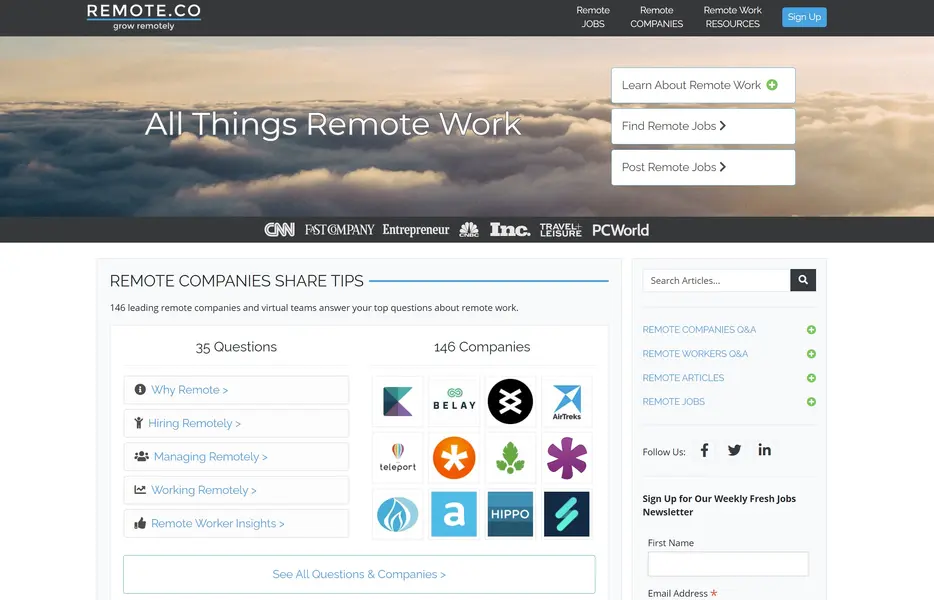
The second body is the Q&A. Remote.co interviewed remote companies about how they actually run, and those answers live under /qa-leading-remote-companies/ grouped as Why Remote, Hiring Remotely, Managing Remotely, Working Remotely and Remote Worker Insights, with a parallel worker series under /remote-workers. This is editorial text, not job data, and it earns its place if you are profiling remote-first practice rather than counting vacancies.

Expired postings stay addressable. The record keeps expireOn and the page renders an expiry notice, so a crawler can confirm a real close date instead of inferring one from a 404.

What Remote.co Is and Who Runs It

Remote.co launched in 2015 inside the FlexJobs family, and the footer on current job pages still reads "2015 - 2026 Remote.co". The About page archived on 2024-01-03 credits Sara Sutton, founder and CEO of FlexJobs, and names Stephen Marcu, who joined FlexJobs in 2015 to help build and launch the site. FlexJobs itself was acquired by BOLD in January 2024. The family link is still visible in the code: a category page payload carries an fj array and an fjCategorySlug list that map each Remote.co category onto FlexJobs categories.

The board is built around review rather than reach. Employers submit postings, and the records carry review markers you can read directly: an isFreeJob flag, a featured flag, an "APPROVED EMPLOYER" badge and a "Verified Member" label. Company profiles go further, with summaryStatusApproved, company_Provided_Summary and internal researcher_Note and admin_Note fields. That is a different bargain for a data buyer. You are not buying breadth here. You are buying a set of employers that a human looked at, described, and filed under a stated remote work level.

The front end is Next.js sitting over a WordPress publishing stack. Archived captures from late 2025 still show the legacy pattern ?post_type=job_listing&p= with a numeric id, while current pages are server rendered React with the full job payload embedded in the HTML.

Get a Quote
dev_w
25

Developers

customers
500+

Customers worldwide

pages
1 500 000 000+

Pages extracted

stime
15000+

Hours saved for our clients

Plans

Airplane

€199 / one-time

setup fee - included

Data limits100,000
Frequencyone-time
Run timeup to 5 days
Data storing7 days

Helicopter

€169 / mo

setup fee €499

Data limits250,000
Frequencymonthly
Run timeup to 5 days
Data storing14 days

Glasses

€229 / mo

setup fee €499

Data limits1,000,000
Frequencyweekly
Run timeup to 5 days
Data storing30 days

DNA

€549 / mo

setup fee €799

Data limits3,000,000
Frequency3 times daily
Run timesame day
Data storing90 days

Why Buyers Scrape Remote.co

The reason to scrape Remote.co is not volume. It is that the restriction is written down. Most remote job data is unusable because "remote" and "remote if you live in one of six named states" collapse into the same string. On Remote.co they do not. The remote work level and the allowed candidate location are separate fields, and a card can read "Remote, US National" or "Remote in Atlanta, GA, Columbus, OH, Nashville, TN, Boston, MA, Raleigh, NC, Pittsburgh, PA". Extract those two things cleanly and a remote market map stops lying to you.

What clients build with Remote.co data:

  • Compensation benchmarking that separates fully remote pay from hybrid pay within the same job title.
  • Lists of employers that genuinely hire remote-first, filtered on 100% Remote Work instead of on a keyword in the title.
  • Churn tracking on which companies open and close remote hiring, using postedDate against expireOn.
  • A screened employer set to seed a recruiting or talent intelligence product.
  • Country and state restriction patterns, checked before opening a legal entity or hiring in a new market.

Because it is curated, the set is small enough to review by hand and consistent enough to trust as a control group next to noisier sources.

Our Blog

Reads Our Latest News & Blog

Learn how to use web scraping to solve data problems for your organization

How Artificial Intelligence Is Used In Web Scraping

How Artificial Intelligence Is Used In Web Scraping

Leveraging advances in technology, the AI-powered web scraper has skyrocketed in demand and is helping to expand capabilities by automating tedious daily tasks and speeding up data collection from thousands of websites several times over.

What is Web Scraping and What is it Used For?

What is Web Scraping and What is it Used For?

Web scraping is a method of obtaining web data by extracting it from pages of web resources with the help of a program, that is, in automatic mode. It is used to syntactically convert web pages into more usable forms.

Web Scraping for Machine Learning

Web Scraping for Machine Learning

If you specialize in machine learning, you need to feed large amounts of data to the algorithms. Web scraping is the easiest and the most efficient method of collecting the data from all over the Internet.

scrapeit logo

About ScrapeIt

ScrapeIt is a managed web scraping agency. We are the team that writes the parser, notices when a site ships a new build and the parser breaks, fixes it, and keeps the delivery on time. You do not run infrastructure and you do not maintain selectors. You describe the fields and the cadence you need, and clean data arrives in the format your systems already read. Scoping a Remote.co scraper usually takes one call and a sample file.

FAQ

Does Remote.co have a public API?

No. We found no public, documented Remote.co API and no open job feed. The robots.txt captured on 2026-01-14 explicitly disallows two internal API path prefixes, /ej/api/ and /eb/api/, and also blocks the query patterns ?categories= and ?useclocation=. The site does serve JSON, but only through its own Next.js data routes under /_next/data/ that are keyed to a build id which changes on every deploy, so they are not a stable integration point. A maintained scraper is the practical route to Remote.co data.

Do Remote.co job pages carry JobPosting structured data?

Not in what we read. A job detail page captured on 2026-04-13 carried a single JSON-LD block containing only SiteNavigationElement, with no JobPosting object. A category page captured on 2026-06-12 carried BreadcrumbList, Organization, WebSite, WebPage and ImageObject, and a company profile captured on 2025-12-15 carried BreadcrumbList, Organization, Place and PostalAddress. So there is no schema.org shortcut for the job feed. The fields are taken from the rendered page payload instead, which is why field mapping is done once, carefully, and then monitored.

How do you handle the location restriction on fully remote jobs?

We keep it as first class data. The remote work level from remoteOptions and the restriction from allowedCandidateLocation are stored in separate columns, and the restriction is also split into country, state and city. That lets you ask for 100% Remote Work roles open across the United States and exclude ones that are fully remote but restricted to a short list of metros. Note what the source does not carry: we found no explicit timezone field, so restrictions are expressed as places rather than working hours.

How many Remote.co jobs can you extract, and how often?

Coverage follows the category structure. Listings sit under /remote-jobs/ plus a category slug, paginate with ?page=N, and return 50 results per page. On the developer category captured on 2026-06-12 the payload reported 1272 results across 26 pages, and archived captures of other categories reach page numbers in the hundreds, so we saw no shallow result cap. Counts move constantly, so we measure them on the day we scope the job rather than quoting a fixed number. Daily runs are typical; hourly is possible for a narrow set of categories.

Is scraping Remote.co legal, and what about personal data?

We collect public pages only, we respect the robots.txt disallow rules, we rate limit, and we do not attempt to defeat anti-bot protection or CAPTCHAs. Output is limited to posting and employer data: title, company, category, schedule, remote work level, location restriction, salary where stated, and dates. Recruiter or contact names can appear inside a job description, and we can exclude personal contact details from delivery on request. Where the GDPR applies to your use of the data, you remain the controller and decide the lawful basis; we are not offering legal advice.

How does it Work?

Step 1 - Make a Request

You share your needs, expectations, and desired timeframe. We’ll suggest the best solution based on your request and budget.

Step 2 - Configuring Custom Web Crawlers

Our specialists configure the crawlers and extract a sample dataset for your review before proceeding with the full-scale extraction.

Step 3 - Collect and Deliver

Once you approve the sample, we launch the project and start full data collection. We gather, filter, and structure the data for easy use, delivering it on time in your preferred format.

Step 4 - Maintain and Support

Our team manages ongoing processes, monitors website changes, and supports all data extraction cycles. We can also help integrate data into your systems or create dashboards to simplify analysis.

Request a Quote

Tell us more about you and your project information.
Which sites, which fields, how often. A couple of lines is enough.

We reply within 1 business day. No obligation.

scrapiet

Scrapeit Sp. z o.o.
10/208 Legionowa str., 15-099, Bialystok, Poland
NIP: 5423457175
REGON: 523384582