UPS Scraper: Rate Guides, Zone Charts and Surcharge Data

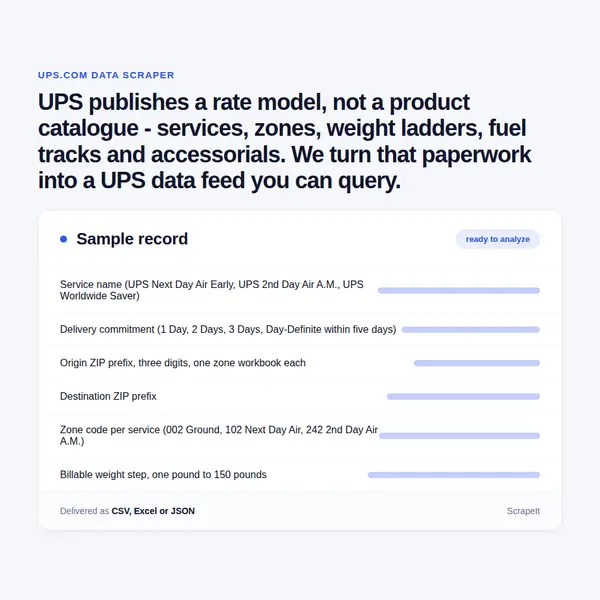
UPS publishes a rate model, not a product catalogue - services, zones, weight ladders, fuel tracks and accessorials. We turn that paperwork into a UPS data feed you can query.

UPS Scraper
Solutions

How ScrapeIt Delivers UPS Data Without Guesswork

ups.com answers browsers, not plain clients, and the rate documents sit behind the same gate. Our UPS scraping service covers that ground - anti-bot handling, proxy rotation and CAPTCHA solving - so the crawl finishes without you standing up an infrastructure project for it. We stay on the open side of the fence: published rate guides in PDF and spreadsheet form, origin zone charts, surcharge listings, service grids and Access Point rules. We do not sign in on your behalf, and we do not pull live tracking or rating lookups off the website, because UPS reserves those systems for your own shipments under your own credentials - where you need that traffic, we help you wire the official UPS API instead. Tracking records carry recipient details; we do not collect them, and we do not look up shipments you have no right to.

UPS Fields Worth Collecting: Services, Zones, Weight Ladders and Fees

A UPS scraper does not harvest product cards - it rebuilds a pricing model. The service grid is the spine. Domestic rows are sorted across Same Day, 1 Day, 2 Days, 3 Days and Day-Definite columns, with a parallel block for Alaska and Hawaii, and Day-Definite carries its own footnote: within five days. The rows are UPS Express Critical, UPS Next Day Air Early, UPS Next Day Air, UPS Next Day Air Saver, UPS 2nd Day Air A.M., UPS 2nd Day Air, UPS 3 Day Select, UPS Simple Rate, UPS Ground and the Intra-Alaska and Intra-Oahu Ground variants. Export and import run on their own column set - Best Available Flight, 1-3 Days, 2-5 Days, Within 3 Days, 3-5 Days and Day-Definite - over Worldwide Express Plus, Worldwide Express NA1, Worldwide Express, Worldwide Express Freight Midday, Worldwide Express Freight, Worldwide Saver, Worldwide Expedited, Standard to and from Canada and Mexico, and three Air Freight tiers.

Zones are the field most projects get wrong. There is no single domestic zone table to extract. UPS keys the chart to the shipper, not to the lane: you hand it an origin postal code, it matches the first three digits against an index of 902 prefixes and returns one workbook for that prefix alone. Inside sits a single sheet that names the origin range it covers and lists destination ZIP prefix against six service columns - Ground, 3 Day Select, 2nd Day Air, 2nd Day Air A.M., Next Day Air Saver and Next Day Air - with a dash wherever the service is not offered. The zone values are service-prefixed, so one lane reads 002 for Ground, 102 for Next Day Air and 242 for 2nd Day Air A.M. International zones work differently again: the Worldwide Zone Chart keys each destination by country name and ISO code, gives a zone per service, leaves the cell empty where the service is not sold, and hands Canada and Mexico charts of their own. Worldwide Expedited even splits its zone by whether the origin state counts as West or East.

The rate itself is a weight ladder. Each page carries four side-by-side blocks stepping from one pound to 150 pounds against zone columns, then closes with a price per pound for anything heavier. Building a usable UPS price table means reconstructing that ladder per service, per origin group and per zone, then keeping the three of them aligned when the guide is reissued.

UPS Fields Worth Collecting: Services, Zones, Weight Ladders and Fees
Access Point Attributes, Fuel Indexes and the UPS Developer Portal

Access Point Attributes, Fuel Indexes and the UPS Developer Portal

Three data sets sit beside the rate tables, and they are usually the reason a UPS project grows past its first sprint.

  • Access Points. The network is described by type - national retail partners, independently owned local businesses and The UPS Store - and each carries attributes worth modelling: drop-off of pre-paid parcels, pickup where available, hours that vary by site, and a photo ID required to collect. Shipping to one is open to any shipper with a valid account and can be locked down with Deliver to Addressee Only or a numeric Package Release Code. The limits are explicit too: under 44 pounds, 38 inches on the longest side, 130 inches of length plus girth.
  • Fuel indexes. Five separate tracks run in parallel: US ground domestic including Ground Saver, domestic air, international air export, international air import, and international ground export and import. Ground follows the EIA national average on-highway diesel price and the air tracks follow the Gulf Coast kerosene-type jet fuel price, both rounded to the cent, lagged by a week and effective each Monday. A rolling 90-day history table is refreshed weekly, and the bracket geometry differs per track. Simple Rate shipments are exempt.
  • The Developer Portal. developer.ups.com lists its products in four groups - Authorization, Prepare Shipments, Create Shipments and Manage Shipments - covering Rating, Time In Transit, Locator, Address Validation, Shipping, Tracking, Pickup, Paperless Documents, Quantum View and more, with a priced premium tier on top.

What ups.com Publishes in the Open and What Stays Behind an Account

UPS runs ups.com as a rate-and-service reference rather than a shop, and that changes what a crawler is looking for. The storefront is split by country and language: UPS currently runs country catalogues for 199 markets in 29 languages (September 2026), the United States one alone holds 628 pages, and Spanish-speaking US visitors are handed to a separate es-us host rather than a path on the main site. Anyone planning UPS scraping at scale meets that geography on day one, because the same service can appear under a different name, a different transit promise and a different surcharge list depending on which locale you open.

What the carrier puts in public view is unusually generous. UPS publishes a full Rate and Service Guide as both a PDF and a spreadsheet, a fuel surcharge page with a rolling history table, a demand surcharge document, postal-code listings for delivery and remote area fees, and a separate zone chart for every origin prefix. The guides come in two parallel editions - Daily Rates for shippers with a scheduled pickup or a contract, Retail Rates for anyone handing a parcel over at a counter without an account.

What ups.com does not publish is the number you actually pay. Negotiated incentives, contract discounts and volume-banded demand surcharges all sit behind an account. That gap is the whole point of a UPS data project: the published shelf is the baseline, and your own agreement is the delta measured against it.

Get a Quote
dev_w
25

Developers

customers
500+

Customers worldwide

pages
1 500 000 000+

Pages extracted

stime
15000+

Hours saved for our clients

Plans

Airplane

€199 / one-time

setup fee - included

Data limits100,000
Frequencyone-time
Run timeup to 5 days
Data storing7 days

Helicopter

€169 / mo

setup fee €499

Data limits250,000
Frequencymonthly
Run timeup to 5 days
Data storing14 days

Glasses

€229 / mo

setup fee €499

Data limits1,000,000
Frequencyweekly
Run timeup to 5 days
Data storing30 days

DNA

€549 / mo

setup fee €799

Data limits3,000,000
Frequency3 times daily
Run timesame day
Data storing90 days

Why Shippers and Retailers Scrape UPS Rate Documents

Shipping is the cost line that moves without anyone touching it. Fuel percentages reset on a Monday, demand surcharges switch on and off by calendar window, accessorial thresholds get rewritten once a year, and a single awkward carton can trigger three of them at once. Teams that scrape UPS documents are normally chasing one of four answers.

  • Landed cost modelling. Rebuild base rate, zone, fuel percentage and every accessorial a given carton sets off, then hold that estimate against what the invoice actually charged.
  • Invoice audit. Additional Handling and the Large Package Surcharge suppress one another, dimension-based triggers carry minimum billable weights, and residential fees differ by service family - a clean UPS price model turns an audit from opinion into arithmetic.
  • Carrier comparison. Set the published UPS grid beside other carriers on identical lanes, identical weights and identical surcharge assumptions, instead of comparing marketing pages.
  • Checkout and quoting. Feed a rate engine that has to show a figure before the buyer will click, including area surcharge flags keyed to the destination ZIP.

None of this survives a one-off download. Guides are reissued, the fuel table moves weekly, the surcharge ZIP listings follow their own schedule, and a stale accessorial is worse than none at all. What these teams buy is not a file - it is a UPS data feed with a change history attached to it.

Our Blog

Reads Our Latest News & Blog

Learn how to use web scraping to solve data problems for your organization

How Artificial Intelligence Is Used In Web Scraping

How Artificial Intelligence Is Used In Web Scraping

Leveraging advances in technology, the AI-powered web scraper has skyrocketed in demand and is helping to expand capabilities by automating tedious daily tasks and speeding up data collection from thousands of websites several times over.

What is Web Scraping and What is it Used For?

What is Web Scraping and What is it Used For?

Web scraping is a method of obtaining web data by extracting it from pages of web resources with the help of a program, that is, in automatic mode. It is used to syntactically convert web pages into more usable forms.

Web Scraping for Machine Learning

Web Scraping for Machine Learning

If you specialize in machine learning, you need to feed large amounts of data to the algorithms. Web scraping is the easiest and the most efficient method of collecting the data from all over the Internet.

scrapeit logo

ScrapeIt: A Managed Team for Parcel and Logistics Data

ScrapeIt is a managed web scraping agency, not a self-service tool. You describe the outcome you want - a UPS data feed refreshed weekly, a zone matrix keyed by origin prefix, a surcharge diff against last quarter - and we run the whole pipeline: crawl, parse, validate, deliver. Output arrives as CSV, JSON or Parquet, or lands straight in your warehouse or object storage on your schedule. The point is that reissued guides, renamed fields and quietly reordered tables become our problem rather than an item on your roadmap.

FAQ

Does UPS have a public API, and what does it actually give me?

Yes. The UPS Developer Portal lists API products grouped into Authorization, Prepare Shipments, Create Shipments and Manage Shipments, among them Rating, Time In Transit, Locator, Address Validation, Shipping, Tracking and Quantum View, plus a premium tier. It is not an open endpoint: you need a ups.com profile, a shipper account number tied to the application, agreement to the access terms, and an OAuth client ID and secret exchanged for a bearer token. Rating evaluates the incentives on that account, so one call returns different money for different shippers. What it will not hand you is a bulk dump of the rate guides, zone charts or surcharge listings - they stay as documents.

Which UPS fields can you deliver in a feed?

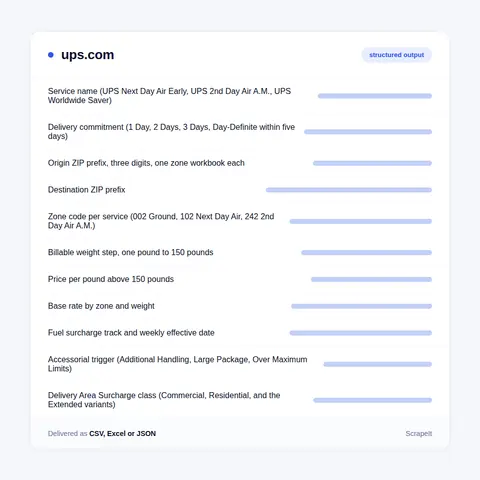
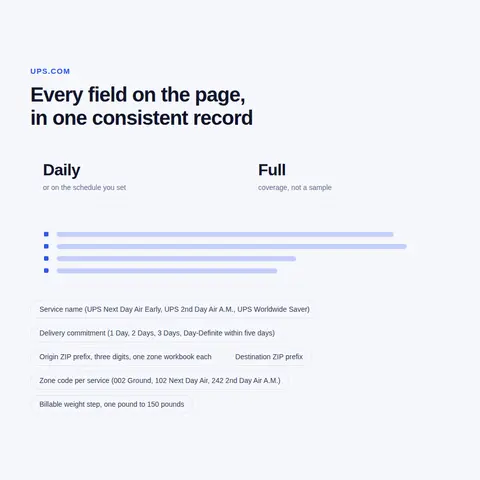
Service name and its delivery commitment, origin prefix and destination prefix, the zone code per service, billable weight step with the rate against each zone, the price-per-pound band above 150 pounds, fuel percentage by track and effective date, accessorial triggers with their thresholds and zone bands, delivery and remote area classes by postal code, and Access Point types with their pickup and size rules. We normalise all of it into one schema so a lane, a weight and a date resolve to a single row instead of six documents.

How often do UPS rates and surcharges actually change?

On three different clocks. Fuel moves weekly and takes effect on a Monday, tracked against energy price indexes with a one-week lag. Demand surcharges arrive as dated windows across peak season, and for high-volume shippers the amount depends on that week's volume measured against the shipper's own baseline. Base rates and accessorial thresholds move on the guide's own release cycle, with a printed effective date on the cover. We usually run a weekly cadence for fuel, a daily check for surcharge notices and a triggered re-parse whenever a guide edition changes.

Do you scrape tracking numbers or recipient information?

No. Tracking records contain personal data about the recipient, and we do not collect it. We also do not look up parcels that you have no right to - tracking belongs to the sender and the receiver, and UPS restricts those lookups to your own shipments under your own credentials. If you need shipment status at volume, the correct route is the official Tracking API with your account, and we will help you build against it. Our scraping work stays on the published side: rate guides, zone charts, surcharge listings, service grids and location rules.

Why is parsing the UPS rate PDFs a project on its own?

Because the guides are designed for a human with a highlighter. The Daily Rates edition runs past two hundred pages and the Retail edition is not far behind; rate pages carry four side-by-side weight blocks rather than one column, the section that determines zones and rates occupies most of the document, and the tab strip at the top of every page bleeds into the text layer. Zone data is not in the PDF at all - it lives in a separate workbook per origin prefix. Getting from that to a queryable table takes layout rules, per-page validation and a diff against the previous edition.

How does it Work?

Step 1 - Make a Request

You share your needs, expectations, and desired timeframe. We’ll suggest the best solution based on your request and budget.

Step 2 - Configuring Custom Web Crawlers

Our specialists configure the crawlers and extract a sample dataset for your review before proceeding with the full-scale extraction.

Step 3 - Collect and Deliver

Once you approve the sample, we launch the project and start full data collection. We gather, filter, and structure the data for easy use, delivering it on time in your preferred format.

Step 4 - Maintain and Support

Our team manages ongoing processes, monitors website changes, and supports all data extraction cycles. We can also help integrate data into your systems or create dashboards to simplify analysis.

Request a Quote

Tell us more about you and your project information.
Which sites, which fields, how often. A couple of lines is enough.

We reply within 1 business day. No obligation.

scrapiet

Scrapeit Sp. z o.o.
10/208 Legionowa str., 15-099, Bialystok, Poland
NIP: 5423457175
REGON: 523384582