The Entire Iherb Supplements Catalog, Captured End-to-End in 3 Days
Scraping supplement products from iHerb.com with full details, including descriptions and packaging variations.
Learn More
Kogan sells its own stock and third-party marketplace stock in one catalogue. We extract both, keep them apart in the file, and run it on your schedule.
Plans from €169/month · Free project assessment · Reply within 1 business day
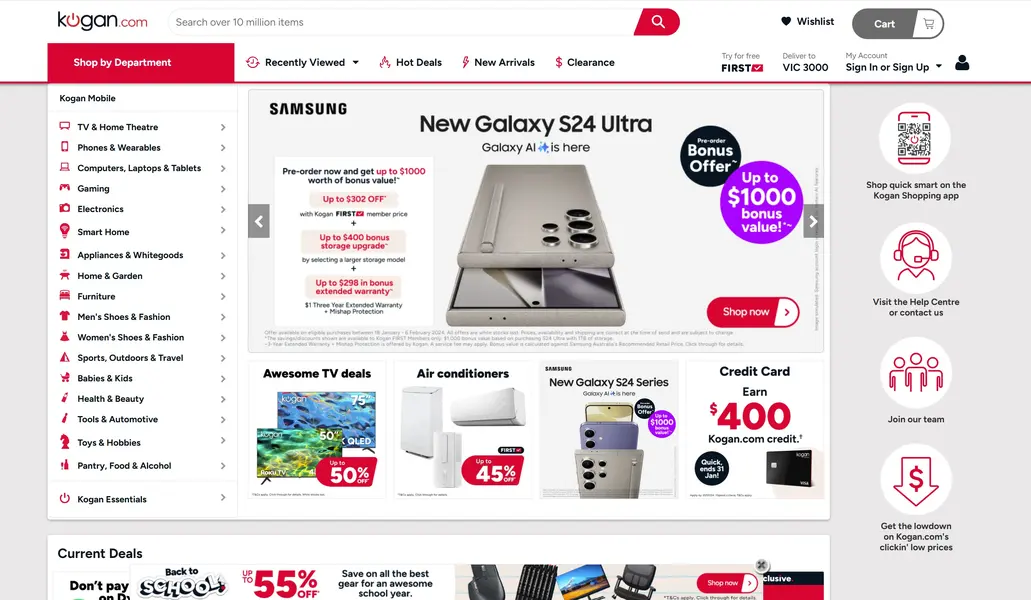
We scope the Kogan scraping job first: which categories, which storefronts, whether marketplace listings are in or out, which fields matter and how often you want them. Then we build the crawler, run it on your schedule, watch it and repair it when the site changes shape. Kogan and the group storefronts sit behind bot management, so anti-bot handling is part of the service: we render pages the way a browser does, rotate proxies and keep request rates modest.
Delivery lands where you already work: an S3 bucket, an SFTP drop, Google Sheets, a database table or an endpoint your systems call on a timer.
A run returns one row per purchasable listing, not one row per model. These are the fields we normally pull.
You get Kogan data as CSV, JSON, XLSX or an API. Column names, currency handling and date format are yours to set before the first run.
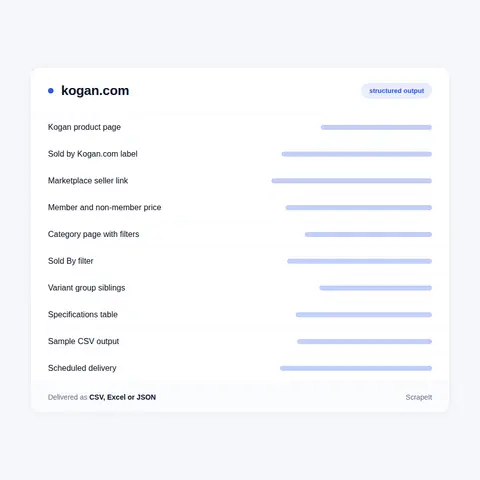
Four things about this site cause most of the rework.
Structured data is not the headline price. The Product JSON-LD carries the non-member figure in offers.price, while the page leads with the Kogan FIRST member price and labels the other one "Non-member". A crawler that trusts schema.org alone records a number no visitor sees first.
One model is many rows. Kogan splits configurations across separate URLs instead of switching them on one page. On the 4K TVs collection, captured 20 March 2026, the U95T panel had its own /au/buy/ page at 43, 50, 55, 60 and 75 inches. Marketplace sellers do the same with colour and size. The siblings are cross-linked in a variant group block that carries each one's URL, option label, stock state and prices, so a single fetch reveals the whole family.
Slugs cannot be derived. Across that one collection the slug ends in -kogan, in -kogan-tv, in -black-kogan or in nothing at all. You cannot build a product URL from a model code, so URL discovery has to be real crawling, not string assembly.
The was-price means two things. Its label switches between "SRP" and "Was", and each carries a different explanation behind it. Discount maths that ignores the label quietly mixes two baselines.
Kogan.com is an Australian online retailer that also runs a marketplace. Part of the catalogue is Kogan's own stock, including house labels such as Kogan and Essentials For You. The rest comes from third-party sellers listing through Kogan Marketplace. Both sit in the same categories, the same search results and the same price ladder, and nothing in the layout separates them for a shopper. Telling them apart is the first job any Kogan scraper has to do properly.
The storefront is split by region. Australia sits under /au/, New Zealand under /nz/ and the United States under /us/. A product page is /au/buy/ followed by a slug built from the product title, usually with a trailing token: a brand name, a seller store name, a supplier SKU or a barcode. Listing pages come in four shapes: /au/c/ plus a collection name, nested department paths under that same prefix, /au/shop/category/ plus a slug, and brand pages such as /au/playstation/c/gaming/. Site search is /au/shop/ with a q parameter.
The same platform runs the group's other storefronts on their own domains and path prefixes: Dick Smith on /da/ and /dn/, Matt Blatt on /mb/, Mighty Ape on /mn/ in New Zealand and /ma/ in Australia. Each page carries a store_code field that names which storefront rendered it. Kogan Mobile and Kogan Energy sit on separate sites and are not part of the retail catalogue.
Get a Quote
Developers

Customers worldwide

Pages extracted

Hours saved for our clients
€199 / one-time
setup fee - included
€169 / mo
setup fee €499
€229 / mo
setup fee €499
€349 / mo
setup fee €499
€549 / mo
setup fee €799
Delivery: CSV, JSON or XLSX files, our API or a JSON feed. MCP server on request.
Full plan details →Kogan price data is harder to read than it looks, and the hybrid model is why. A brand watching its own resale sees two different worlds on one domain. Kogan's own listings are priced by Kogan. Marketplace listings are priced by whoever holds the seller account that week, and the same brand often appears under several sellers at once, each with a different SKU, a different slug and a different price.
The jobs people bring us:
That last one matters more than it sounds. The member price is the figure the page leads with. Treat it as the shelf price and you overstate the discount; ignore it and you understate what a member actually pays. We keep both.

Scraping supplement products from iHerb.com with full details, including descriptions and packaging variations.
Learn More
Daily scraping of lowest prices for 150K products on Allegro.pl to support marketplace pricing and margin optimization.
Learn More
Regular monitoring of Ralph Lauren clothing, footwear, and accessories sold across Amazon subdomains: AE, DE, ES, FR, IT, NL, PL, UK.
Learn MoreLearn how to use web scraping to solve data problems for your organization
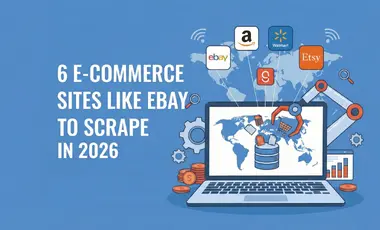
If you sell online, run a marketplace, or advise e-commerce clients, you already know why eBay matters: it’s one of the few places where big retailers compete side by side with thousands of small merchants and private sellers.

E-commerce teams do not just need “some” competitor data anymore. They need a continuous stream of real prices, discounts, stock levels, reviews, and seller behavior from the platforms that actually shape their markets.
Amazon provides valuable information gathered in one place: products, reviews, ratings, exclusive offers, news, etc. So scraping data from Amazon will help solve the problems of the time-consuming process of extracting data from e-commerce.
ScrapeIt is a managed web scraping agency. We build the crawler, run it, monitor it and fix it when a site changes. You receive clean data on a schedule as CSV, JSON, XLSX or through an API, with the columns you asked for. No infrastructure to run, no proxy bills, no parser to maintain in-house.
Send us the category URLs and the field list you want, and we will come back with a sample file drawn from live pages.
Yes. The ScrapeIt Kogan API returns the Kogan FIRST member price, the non-member price, the marketplace flag with the seller name, availability and variant rows as JSON from an endpoint we host, refreshed on the schedule you set. The same data also comes as CSV or XLSX files or straight into your database.
Yes, and it is a first-class column in the output. Every listing carries a supplier record with a marketplace flag and a seller name. On the page itself, Kogan's own stock reads "Sold by Kogan.com" as plain text, while a third-party listing renders "Sold by" followed by a link to the seller terms page under /au/seller/. Category and search pages also expose a filter group headed "Sold By" with a single "Sold by Kogan.com" checkbox, which is useful for reconciliation but is not a substitute for reading the flag on each row.
Both, as two columns. An anonymous page render already contains them: the headline figure is the Kogan FIRST member price and the line beneath it is labelled "Non-member" with the higher figure. You do not need a logged-in session to see the member price. We also keep the scheduled future price and the date it takes effect, so a run can flag a price move before it lands.
Price and stock move daily across a catalogue this size. Marketplace sellers rotate on their own timetable, so a listing can change hands without the title or the slug changing at all, and clearance and refurbished lines turn over fast. Daily is the usual cadence for price, availability and seller. Weekly or monthly is enough for descriptions, specifications and images. We often pair a narrow high-frequency job over a watchlist of SKUs with a slower full sweep of the categories you care about.
Yes, and it is largely the same build. Those storefronts run on the same platform, on their own domains with their own path prefixes: /da/ for Dick Smith Australia, /dn/ for Dick Smith New Zealand, /mb/ for Matt Blatt, /mn/ and /ma/ for Mighty Ape in New Zealand and Australia. The catalogues overlap in places. We have seen the same slug and the same SKU served by both kogan.com and dicksmith.com.au, priced independently on each. Kogan Mobile and Kogan Energy sit on separate sites and are not part of the retail catalogue.
Step 1 - Make a Request
You share your needs, expectations, and desired timeframe. We’ll suggest the best solution based on your request and budget.
Step 2 - Configuring Custom Web Crawlers
Our specialists configure the crawlers and extract a sample dataset for your review before proceeding with the full-scale extraction.
Step 3 - Collect and Deliver
Once you approve the sample, we launch the project and start full data collection. We gather, filter, and structure the data for easy use, delivering it on time in your preferred format.
Step 4 - Maintain and Support
Our team manages ongoing processes, monitors website changes, and supports all data extraction cycles. We can also help integrate data into your systems or create dashboards to simplify analysis.
Kogan data from €169/month. Free project assessment, reply within 1 business day.

Scrapeit Sp. z o.o.
10/208 Legionowa str., 15-099, Bialystok, Poland
NIP: 5423457175
REGON: 523384582


