Scrape Uber Eats Menus, Prices and the Retail Catalogue in 34 Countries

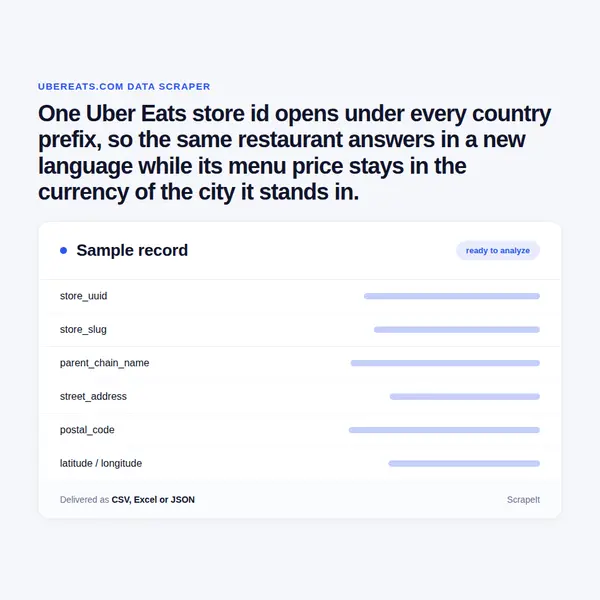
One Uber Eats store id opens under every country prefix, so the same restaurant answers in a new language while its menu price stays in the currency of the city it stands in.

Uber Eats Scraper
Solutions

Uber Eats scraping with anti-bot handling built in

ScrapeIt runs Uber Eats scraping as a managed job, not a tool you babysit. Anti-bot handling, proxy rotation and CAPTCHA solving are part of the service. The coverage plan follows the site's own limits: a city page shows about twenty stores and search URLs are closed to crawlers, so we harvest through neighbourhood, cuisine category, dish and chain pages, which carry eighty stores and more each, then resolve every store by its id.

You pick the markets, the chains and the refresh rate; we deliver CSV, JSON, Parquet or a hosted API, into S3, GCS, a warehouse or a webhook. We read public pages only, never sign in, and never collect courier or reviewer names.

Uber Eats menu data: sections, items, prices and IDs

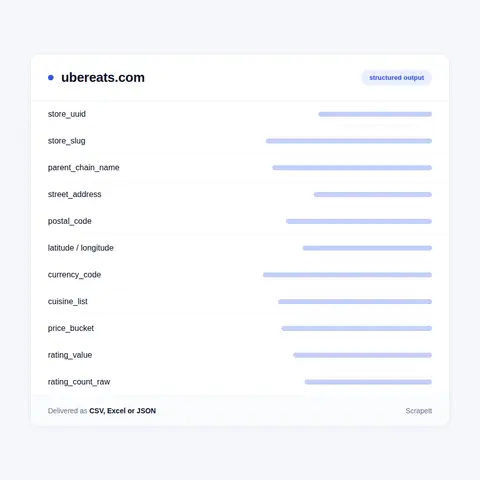
Each Uber Eats store card starts with identity: title, store uuid, slug, city slug, city id, the parent chain uuid with its chain name, the breadcrumb trail and the canonical store URL. Then the physical facts: street address, city, postal code, country, region, latitude and longitude, phone number, location type, and an hours block that lists a day range with the time windows inside it, so a Lunch Deals window that shuts in the afternoon stays separate from the main menu window.

Commercial fields sit beside them: currency code, price bucket, cuisine list and category links, supported dining modes for delivery and pickup, an orderable flag, a within-delivery-range flag, the ETA range, a distance badge, a delivery fee badge and a numeric fare field. Ratings arrive twice - a rounded star value with a banded review count, and a raw statistics block holding the unrounded average and the count behind it. We keep both, because the banded figure is what a shopper sees and the raw one is what a price analyst can trend.

The menu is a two-level tree. Sections carry a title, an optional time-window subtitle, a top flag and an on-sale flag, and each points at its subsection uuids. Items carry uuid, title, item description, an integer price in minor units, a price tagline that keeps the struck-through original when a dish is discounted, image url, sold-out and available flags, an availability state, a customisations flag, a count of alcoholic units, an endorsement type such as most_liked, a promo type such as BOGO or DISCOUNTED_ITEM, and an item rating given as a positive-vote percentage with its vote count rather than the five-star scale used for the store. Quantity rules travel with the item too: minimum, maximum, increment and default.

Store pages also publish schema.org Restaurant markup with cuisine, aggregate rating, opening hours and geo coordinates, a question-and-answer block, and short customer reviews with text and date. We deliver the review text and drop the eater names.

Uber Eats menu data: sections, items, prices and IDs
Uber Eats grocery, alcohol and retail product data

Uber Eats grocery, alcohol and retail product data

Restaurants are only half of it. The shopping side is a retail catalogue of roughly 10,200 categories arranged as a five-level tree with numeric ids, running from low fat milk through beer, wine and liquor to 3D printers, pet supplies, baby care and prescription drugs. Every leaf has a landing page, and every product has a catalogue page of its own at /product/b/ plus a uuid.

Those product pages behave like a retail feed rather than a menu. They publish schema.org Product markup with brand, a GTIN, description, image, availability and a price specification holding currency, price, minimum and maximum - the estimate shown before an address is set. The GTIN is why this catalogue is worth extracting: it ties an Uber Eats line to the same barcode in a supermarket or a marketplace, which is how a cross-retailer price file gets built.

Retail store cards differ from restaurant cards in ways a crawler has to respect. Their menu display type turns sections into shop categories, they add aisle shortcuts, and items carry a sold-by unit with a measurement type, a quantity abbreviation, fractional quantity steps for goods weighed at the till, and substitution rules for lines that turn out to be missing. Alcohol is flagged on the item by a count of alcoholic units and also gets its own city category; the pharmacy branch adds restricted items behind a prescription upload step, which we leave alone. Bakery, deli, dessert and grocery each get a city category page too.

Uber Eats store IDs, country prefixes and city pages

Uber Eats is the delivery marketplace Uber runs beside its ride business: one Uber account and one payment profile for a taxi and for dinner. The country picker currently lists 34 storefronts, from the United States, Canada, Japan and Taiwan to Mexico, Chile, Guatemala, Panama, Kenya, Sri Lanka and South Africa, and that is the widest national footprint a single delivery build can reach.

All of them run the same engine and the same URL grammar. The United States sits at the root and every other market takes a two-letter prefix: /de, /gb, /jp, /fr, /mx, /za. Under a prefix the ladder never changes. A location index lists all cities, /region/il and /region/by hold states, /city/chicago-il and /city/berlin-be open a city, /neighborhood/charlottenburg-berlin-be narrows it, /category/chicago-il/pizza and /dish/chicago-il/butter-chicken cut it by cuisine and by plate, and /brand-city/chicago-il/mcdonalds gathers one chain. The American index carries about 15,800 city pages and 103 regions; the German one carries roughly 1,160 cities and 16 states. Japan keeps romanised slugs, /jp/city/tokyo-tokyo, although the page itself renders in Japanese.

A store lives at /store/ plus a readable slug and a 22-character id, and that id is the store UUID in base64url form. It is global: the same id opens under any country prefix, so a Berlin pizzeria answers in English under the American path while its menu price stays in euro. That one detail decides how an Uber Eats scraper is keyed.

Get a Quote
dev_w
25

Developers

customers
500+

Customers worldwide

pages
1 500 000 000+

Pages extracted

stime
15000+

Hours saved for our clients

Plans

Airplane

€199 / one-time

setup fee - included

Data limits100,000
Frequencyone-time
Run timeup to 5 days
Data storing7 days

Helicopter

€169 / mo

setup fee €499

Data limits250,000
Frequencymonthly
Run timeup to 5 days
Data storing14 days

Glasses

€229 / mo

setup fee €499

Data limits1,000,000
Frequencyweekly
Run timeup to 5 days
Data storing30 days

DNA

€549 / mo

setup fee €799

Data limits3,000,000
Frequency3 times daily
Run timesame day
Data storing90 days

Uber Eats menu markup, fee names and the Uber One split

Uber Eats names every layer of the bill itself. The menu price belongs to the merchant. On top sit the Delivery Fee, the Service Fee, a Marketplace Fee when the merchant delivers with its own staff or a hired courier, a Small Order Fee that appears below a city-specific subtotal and vanishes when the basket grows, a Delivery Adjustment Fee for changes made after the order is placed, and charges required by law such as single-use bag fees. Tax and the courier tip land last.

Uber One cuts across all of it. The membership is one subscription for rides and for delivery, sold in Germany at 4.99 euro a month, and it drops the delivery fee above a minimum basket. So a fee is never one figure: it is the public one and the member one, and a store card even carries a field marking merchants excluded from the membership benefit. Uber Eats price monitoring that ignores that split compares two different products.

Then there is the markup. Prices here are set by the merchant and routinely sit above the counter price of the same dish, which is the gap restaurant groups, brand teams and rival platforms actually argue about. Chains make it measurable: one chain page for Chicago holds 84 outlets of a single brand, and their prices are not identical. Multiply that by 34 storefronts and the same burger becomes a currency-by-currency pricing map.

Our Blog

Reads Our Latest News & Blog

Learn how to use web scraping to solve data problems for your organization

How Artificial Intelligence Is Used In Web Scraping

How Artificial Intelligence Is Used In Web Scraping

Leveraging advances in technology, the AI-powered web scraper has skyrocketed in demand and is helping to expand capabilities by automating tedious daily tasks and speeding up data collection from thousands of websites several times over.

What is Web Scraping and What is it Used For?

What is Web Scraping and What is it Used For?

Web scraping is a method of obtaining web data by extracting it from pages of web resources with the help of a program, that is, in automatic mode. It is used to syntactically convert web pages into more usable forms.

Web Scraping for Machine Learning

Web Scraping for Machine Learning

If you specialize in machine learning, you need to feed large amounts of data to the algorithms. Web scraping is the easiest and the most efficient method of collecting the data from all over the Internet.

scrapeit logo

Buying an Uber Eats data feed from ScrapeIt

ScrapeIt is a managed web scraping agency. We build the pipeline, operate it, watch it when a layout shifts, and answer with a person instead of a ticket queue. You see a sample file before anything is signed, then a fixed schema and a delivery schedule that matches your reporting cycle. If you want Uber Eats data sitting next to DoorDash, Deliveroo, Swiggy or Instacart, the same team keeps those feeds aligned on one field map.

FAQ

Is there an Uber Eats API a data buyer can use?

Uber publishes Uber Eats Marketplace APIs on its developer site, and access to them may require written approval from Uber. They are built for merchants and point-of-sale partners to manage their own business: retrieve or upsert the menu of a store you operate, accept and cancel orders, set holiday hours, read reports. There is no public Uber Eats API that hands an outside buyer the restaurants and prices of a city, and Uber Direct is courier dispatch rather than data. That gap is the reason an Uber Eats scraper exists; we deliver the same shape of data through our own API or as files.

How many countries can you cover, and do store IDs match across them?

The country picker currently lists 34 storefronts and they share one engine, so a single build covers all of them. A store id is the store UUID in base64url form and it is global: the same id resolves under any country prefix, which gives you one primary key for a worldwide Uber Eats data set. Language, measurement units and legal notices follow the prefix; currency follows the store. Chain grouping stays national, so the parent chain record for German outlets of a pizza brand is separate from the American one.

Which Uber Eats price and fee numbers do you actually deliver?

Per store we deliver the item price in minor units, the discounted tagline with the struck-through original where one exists, the delivery fee badge and the numeric fare field, currency, price bucket and ETA range. The Service Fee, Small Order Fee, Marketplace Fee and tax are calculated at checkout rather than printed on a store page, so we report them as the published fee text next to the values a store card exposes. Where Uber One changes the delivery fee, the member and non-member readings arrive as separate columns.

Can you extract Uber Eats grocery, alcohol and retail data too?

Yes. The retail side has its own taxonomy of roughly 10,200 categories and its own product pages carrying brand, GTIN, description, availability and an estimated price with a minimum and a maximum. Retail store cards add aisles, sold-by units, weight-based quantity steps and substitution rules that restaurant menus never have. Alcohol is counted at item level; the pharmacy branch keeps restricted lines behind a prescription upload step, which we do not touch.

Is scraping Uber Eats legal, and what will you not collect?

We read only pages Uber Eats publishes to anyone, at a polite rate, without accounts and without going near checkout. Uber's terms grant a visitor a non-commercial licence to the content and forbid scripts that burden the service, so we keep volume low and we do not resell Uber's marks or imagery. Personal data stays out by default: reviewer names, courier names and private contact details are skipped, and merchant records are kept at business level. How you use the data in your market is your legal call, and we are glad to sign the terms your counsel asks for.

How does it Work?

Step 1 - Make a Request

You share your needs, expectations, and desired timeframe. We’ll suggest the best solution based on your request and budget.

Step 2 - Configuring Custom Web Crawlers

Our specialists configure the crawlers and extract a sample dataset for your review before proceeding with the full-scale extraction.

Step 3 - Collect and Deliver

Once you approve the sample, we launch the project and start full data collection. We gather, filter, and structure the data for easy use, delivering it on time in your preferred format.

Step 4 - Maintain and Support

Our team manages ongoing processes, monitors website changes, and supports all data extraction cycles. We can also help integrate data into your systems or create dashboards to simplify analysis.

Request a Quote

Tell us more about you and your project information.
Which sites, which fields, how often. A couple of lines is enough.

We reply within 1 business day. No obligation.

scrapiet

Scrapeit Sp. z o.o.
10/208 Legionowa str., 15-099, Bialystok, Poland
NIP: 5423457175
REGON: 523384582