TMview Scraper for Trade Mark Data Across the TMDN Network

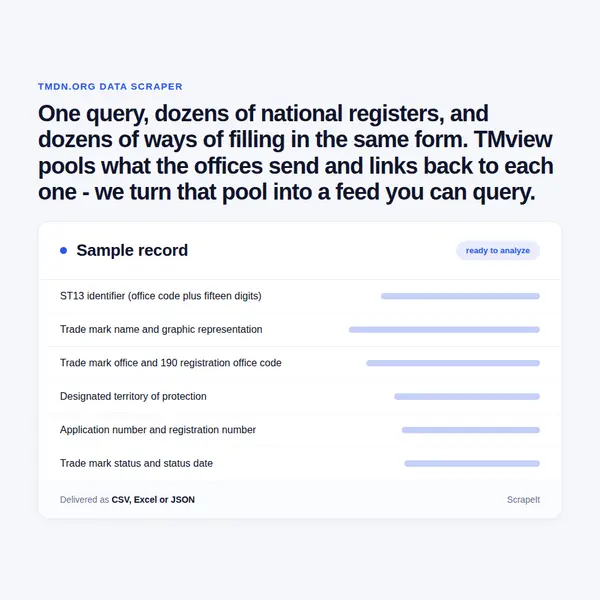
One query, dozens of national registers, and dozens of ways of filling in the same form. TMview pools what the offices send and links back to each one - we turn that pool into a feed you can query.

TMview Scraper
Solutions

Scoping a TMview scraping project: offices, classes and refresh windows

A scoping call settles four things: which offices you need, which Nice classes and statuses, how far back into filing history, and what the rows join on - ST13, application number, owner name or a normalised brand string. From there we set a cadence per office instead of one schedule for all, because the sources move at different speeds, and we backfill history once before switching to incremental runs.

The interface is defended against automated clients, so anti-bot handling, proxy rotation and CAPTCHA solving are part of the service rather than a surcharge. We extract TMview data only from pages open to any visitor, at polite rates, and nothing behind a login is touched. Delivery is CSV, JSON, XLSX, a database drop or a TMview API of your own, with the source office and a run timestamp on every row.

Inside a TMview record: ST13 number, Nice classes, Vienna codes and the owner block

Every entry is keyed by an ST13 identifier: a two-letter office code followed by fifteen digits, such as EM500000018961104 for an EUIPO filing or US500000085933071 for a USPTO one. The mark image and the detail page both hang off that same string, so it is the join key for a TMview data set and the one value that survives when an office renumbers its own files. The application number carried inside it is not normalised: EUIPO zero-pads to nine digits, the USPTO keeps a bare serial, the UK office prefixes UK00 and CNIPA runs its own eight-digit series.

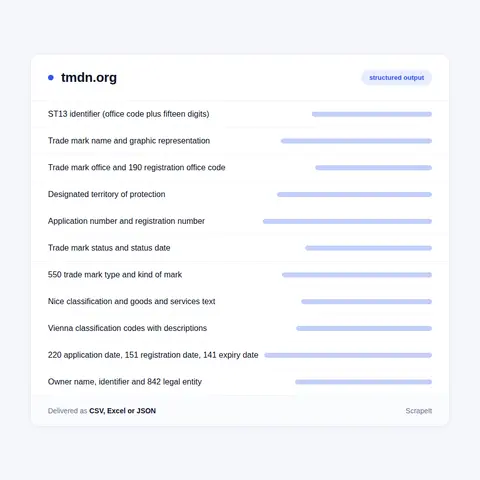
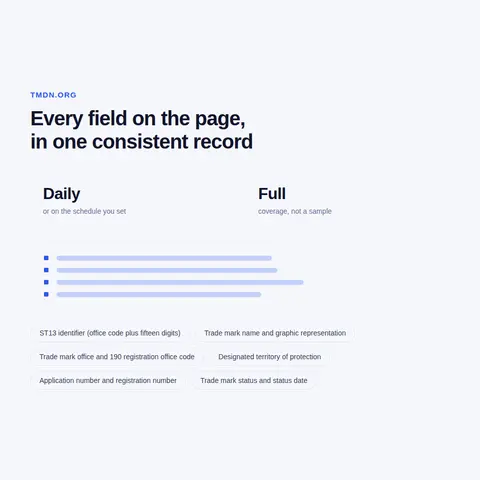
A result row carries the mark name, the office, the designated territory, application and registration numbers, status, Nice classes, applicant name, filing, registration and expiry dates, the mark type and the mark image. The detail view opens the rest of the file: kind of mark, application language and second language, application reference, an acquired distinctiveness flag, goods and services wording per Nice class, Vienna classification codes with their descriptions, the owner block with identifier, nationality code, legal entity, street, city and postcode, the representative block, a publication table of date, publication identifier and section, and separate blocks for priority, exhibition priority, seniority, transformation of an international registration, opposition, recordals, appeals, cancellations and renewals. Labels carry the INID numbers examiners quote - 550 for mark type, 220 for filing date, 151 for registration, 141 for expiry, 190 for the registration office, 841 and 842 for applicant nationality and legal form.

What is missing matters more than what is there. An EUIPO file fills nearly every block; a CNIPA one can arrive with mark type Undefined, no Vienna code and goods and services only in the original Chinese; USPTO entries pad Nice classes to three digits and keep American drafting inside the goods text, square brackets and filing-basis notes included; a French mark that has ended may carry no registration number at all. Statuses run Filed, Registered, Expired and Ended, and mark types include word, figurative, combined, 3D shape, colour, sound, hologram, motion and multimedia. Owners are usually companies and sometimes private individuals.

Inside a TMview record: ST13 number, Nice classes, Vienna codes and the owner block
DesignView, TMclass and image search: the rest of the TMDN toolset

DesignView, TMclass and image search: the rest of the TMDN toolset

The trade mark search has siblings on the same build. DesignView pools registered designs from seventy-eight offices and searches on Locarno classification, indication of product and designer name; its member list is not the same one, and Ecuador and Honduras appear there while they are absent from the trade mark side. TMclass handles wording rather than marks: Nice class headings, general remarks and explanatory notes, the harmonised database shared by a small group of offices, a harmonised rejection list, and tools that verify or translate a whole list of goods and services across dozens of languages.

Image search runs on both. You drop a JPG, PNG, GIF or TIFF into the box and every participating office supports it; from any record there is also a one-click jump to marks with similar images, which is how figurative conflicts surface when the wording gives nothing away. Results can be read as a list, a gallery or a statistics view, compared two to nine marks at a time, and exported to PDF, Excel or Word. A free network account adds alerts, tags, saved searches and notifications, and multi-factor authentication now guards that login.

Two things sit at the edge of the tool. EUIPO offers certified copies of its own filing and registration certificates through the interface, each stamped with a code that can be checked back through the same service, and every record links out to the office of origin and to case law from that office. The wider network also runs GIView for geographical indications and an enforcement portal built directly on the trade mark and design pools.

What TMview is: one shared search over registers that stay national

TMview is not a register. It is a shared search layer that the European Union Intellectual Property Network laid over registers that already existed, so a single query reaches trade mark files held by dozens of national and regional offices instead of one. Ownership does not move: each office keeps its own records, refreshes them on its own schedule and stays solely responsible for their accuracy, while TMview keeps the pooled index and a link back to the source. That split is the whole design, and it is what makes TMview data behave unlike any single-office feed.

The membership is wider than the European name suggests: in September 2026 the counter stood at roughly 143 million marks from 81 participating offices, and the per-office figures published beside it add up to exactly that. Twenty-five national and regional offices cover the twenty-seven EU member states, because Benelux files for Belgium, the Netherlands and Luxembourg as one office. Around them sit EUIPO and WIPO, sixteen further European offices from Albania to Ukraine, seven in Africa including ARIPO and OAPI, fourteen across Asia, two in Oceania and fifteen in the Americas. Joining is voluntary and happens one office at a time, and the participating offices page names every member next to its record count, its joining date and the day its data was last refreshed.

Volume is skewed in a way that shapes any TMview scraping plan. China supplies roughly two records in five; add the United States and two offices carry more than half of everything indexed, while San Marino, ARIPO and Liechtenstein hold five-figure collections. The tmview.org address leads to the same tool, which shares a build, a login and a look with DesignView.

Get a Quote
dev_w
25

Developers

customers
500+

Customers worldwide

pages
1 500 000 000+

Pages extracted

stime
15000+

Hours saved for our clients

Plans

Airplane

€199 / one-time

setup fee - included

Data limits100,000
Frequencyone-time
Run timeup to 5 days
Data storing7 days

Helicopter

€169 / mo

setup fee €499

Data limits250,000
Frequencymonthly
Run timeup to 5 days
Data storing14 days

Glasses

€229 / mo

setup fee €499

Data limits1,000,000
Frequencyweekly
Run timeup to 5 days
Data storing30 days

DNA

€549 / mo

setup fee €799

Data limits3,000,000
Frequency3 times daily
Run timesame day
Data storing90 days

Clearance checks, portfolio watch and competitor filings: what buyers do with TMview

Three jobs pay for this data. The first is an international conflict check before filing: one name run across every participating office at once, narrowed by Nice class and status, with the fuzzy method catching near-misses that a literal match drops. The second is portfolio monitoring in several jurisdictions, where expiry and renewal dates, opposition windows and status changes belong in one table rather than thirty separate logins. The third is watching competitors by applicant name: which classes a rival is adding, which territories it has begun to enter, which of its filings ran into opposition.

None of that retires the national register, and the tool says so itself. It is informative, carries no legal effect, and the content arrives from the participants without third-party verification, so anyone actually filing is told to use the office's own search. The refresh dates make the point concrete: most offices reload on the same day, a handful sit months behind, and one has pushed nothing for over four years. TMview holds no price data either - a register entry has no stock, no seller and no offer - so buyers pair it with market feeds when they need both sides of a brand.

Coverage has a practical shape as well. Paging stops well before a large result set is exhausted, so to scrape TMview at national scale you cut the query by office, then by Nice class, then by status and filing year, and reassemble the slices on the ST13 key.

Our Blog

Reads Our Latest News & Blog

Learn how to use web scraping to solve data problems for your organization

How Artificial Intelligence Is Used In Web Scraping

How Artificial Intelligence Is Used In Web Scraping

Leveraging advances in technology, the AI-powered web scraper has skyrocketed in demand and is helping to expand capabilities by automating tedious daily tasks and speeding up data collection from thousands of websites several times over.

What is Web Scraping and What is it Used For?

What is Web Scraping and What is it Used For?

Web scraping is a method of obtaining web data by extracting it from pages of web resources with the help of a program, that is, in automatic mode. It is used to syntactically convert web pages into more usable forms.

Web Scraping for Machine Learning

Web Scraping for Machine Learning

If you specialize in machine learning, you need to feed large amounts of data to the algorithms. Web scraping is the easiest and the most efficient method of collecting the data from all over the Internet.

scrapeit logo

Who builds and runs your TMview data feed

ScrapeIt runs the collection as a managed service. We design the collectors, schedule them per office, watch the runs and repair them when a field name, a status vocabulary or a layout changes on one source and not the others. Your side receives files or an endpoint and keeps no scraping engineers of its own.

We are not part of EUIPO, the network behind the tool or any participating office. Trade mark owners are sometimes private individuals; we carry such a name as the rights holder field on the record and build no profile around it.

FAQ

Is there a public TMview API or a bulk download of the pooled index?

No. The pooled index is served through a search interface: you can export a result set to PDF, Excel or Word, and paging stops well short of a full national slice. EUIPO publishes documented REST APIs, but they read EUIPO's own trade mark and design database, not the whole network, and access runs through a sandbox before production. Individual offices publish their own registers and, in some cases, open data. An API that answers across every participating office has to be built, and that is the job we take on.

How fresh is the data, and does every office update on the same day?

No, and the tool is open about it. Each office pushes on its own schedule and the last official update is published per office. On a typical day the large majority carry that same day's date, around nine offices sit some four months behind, Jordan has not refreshed since mid-2022 and Russia has been frozen since February 2022. Anything that depends on status change - opposition windows, renewals, cancellations - has to be scheduled per office rather than on one global clock.

Which fields can I count on for every country?

The reliable core is the ST13 identifier, mark name, office, designated territory, application number, status, Nice classes, applicant name and the filing date. Registration and expiry dates appear once a mark is registered. Everything else is office-dependent: Vienna codes, second language, application reference, acquired distinctiveness, representative details, publication sections, seniority and opposition blocks are filled by some offices and left empty by others. We map that per office at scoping so your schema is not built on a field that only EUIPO sends.

Can you cover all participating offices, or only selected countries?

Either. Selecting a territory pulls in the offices attached to it - pick Austria and you get the Austrian office plus EUIPO and WIPO, pick the European Union and you get every national and regional office in it. For a full national set we slice the query by office, Nice class, status and filing year, because a single broad query is cut off before it is exhausted. Slices are then deduplicated on the ST13 key, so one mark protected through several routes does not arrive three times.

Is this data public, and what do the terms of use say?

Consultation is free and needs no account, and the pages we read are open to any visitor. The terms are equally clear on the limits: the tool is not an official register, its content has no legal effect, each office owns and warrants its own records, and permission to reuse that content sits with the participating offices rather than with the search tool. We scope every project around that, use each office's own open data where it exists, take nothing from behind a login, and leave filing decisions to the authoritative national register.

How does it Work?

Step 1 - Make a Request

You share your needs, expectations, and desired timeframe. We’ll suggest the best solution based on your request and budget.

Step 2 - Configuring Custom Web Crawlers

Our specialists configure the crawlers and extract a sample dataset for your review before proceeding with the full-scale extraction.

Step 3 - Collect and Deliver

Once you approve the sample, we launch the project and start full data collection. We gather, filter, and structure the data for easy use, delivering it on time in your preferred format.

Step 4 - Maintain and Support

Our team manages ongoing processes, monitors website changes, and supports all data extraction cycles. We can also help integrate data into your systems or create dashboards to simplify analysis.

Request a Quote

Tell us more about you and your project information.
Which sites, which fields, how often. A couple of lines is enough.

We reply within 1 business day. No obligation.

scrapiet

Scrapeit Sp. z o.o.
10/208 Legionowa str., 15-099, Bialystok, Poland
NIP: 5423457175
REGON: 523384582