Grainger Data: 3 MRO Catalogs with UNSPSC, 250K Products from Cromwell
Full MRO catalogs from Grainger, Fastenal and Cromwell for a product content company: UNSPSC, EAN, every attribute and a taxonomy sheet.
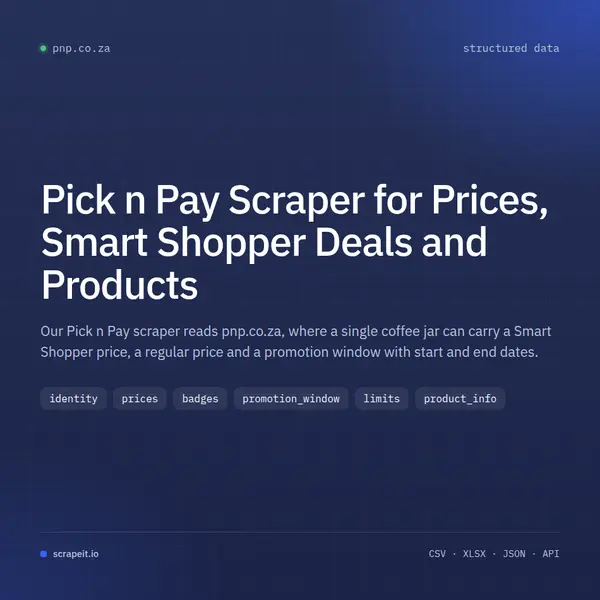
Our Pick n Pay scraper reads pnp.co.za, where a single coffee jar can carry a Smart Shopper price, a regular price and a promotion window with start and end dates.
Plans from €169 a month · Free project assessment · Reply within 1 business day
CSV · Excel · JSON · XML · FTP · SFTP · Amazon S3 · Google Cloud
API, JSON feed or CSV, XLSX and JSON files
ScheduleOne-time, monthly, weekly, daily or 3 times a day
Pick n Pay pages, filters, fields and a schedule
Built, monitored and repaired by our team
API, JSON feed or CSV, XLSX and JSON files
Send us the scope: a set of Shop Aisles, a brand list, a basket of barcodes, or everything flagged as a special this week. Our engineers write the Pick n Pay crawlers, schedule them and keep them working when pnp.co.za moves a badge or renames an aisle. Access to the site and its protections is handled on our side as part of the service.
A guest on pnp.co.za is asked for delivery details to see local pricing, and can skip the step to browse the default prices. We settle with you which prices the project needs before the first run. You get a free project assessment, a sample on request, and documentation of every column with the dataset.
A Pick n Pay product page ends in /p/ and a long product code with a unit suffix, such as _EA for items sold by the each. The same code appears on the page as the SKU, next to the barcode, which gives two keys: one to follow the item on pnp.co.za and one to match it to your own catalogue.
Category and search pages show the same cards with the result count and a Sort by control, so coverage can start from an aisle, a keyword or your list of barcodes.
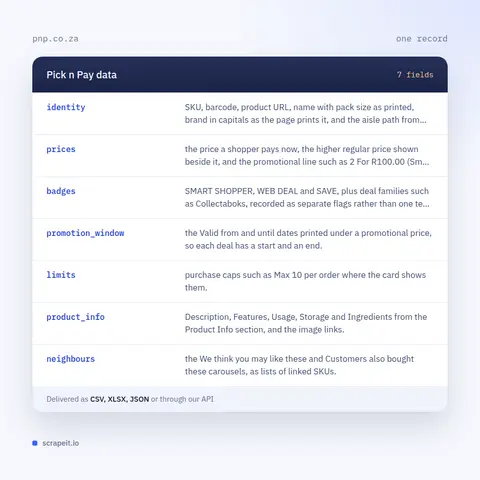
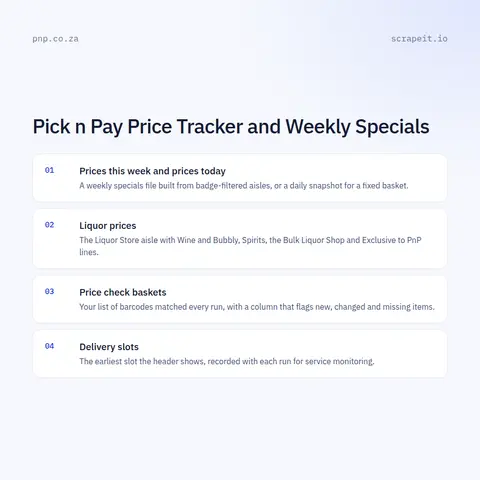
Pick n Pay prices change often: Smart Shopper offers run for set windows, multi-buy deals come and go, and the category pages themselves are titled as Smart Price Specials. A Pick n Pay price tracker is a dated run repeated on your schedule, keyed on the SKU, which turns the paying price, the regular price and the badges into a price history per product. With it you can track Pick n Pay Smart Shopper prices across promotion windows and see how deep each one went.
Coverage beyond one product page:
Pick n Pay is a South African supermarket chain, and pnp.co.za is its online grocery store. A banner at the top tells the visitor they are shopping Grocery and offers a switch to Hypermarket and Clothing, which open separate PnP Home and PnP Clothing sites with their own catalogues.
The grocery catalogue sits under Shop Aisles: Food Cupboard, Fresh Fruit and Vegetables, Meat, Poultry and Seafood, Milk, Dairy and Eggs, Liquor Store, Baby, Health and Wellness, Pet Care, Electronics and Office, Flowers and Plants and more. Each aisle splits into named shelves, and aisle and shelf addresses end in a numeric id.
Smart Shopper is the Pick n Pay loyalty programme, and its prices are shown openly on product cards with a SMART SHOPPER badge beside the regular price. Delivery is arranged through the address panel in the header and the asap! app; until an address is added, the site reminds the visitor that product availability and local pricing depend on the area. The header also links to Buy Again, Favourites and a Shopping List for signed-in shoppers - account features we leave out.
Delivery: CSV, JSON or XLSX files, our API or a JSON feed. MCP server on request.
Full plan detailsPick n Pay publishes its card prices and its non-card prices side by side on the same product card. That makes the data useful well beyond a price list.
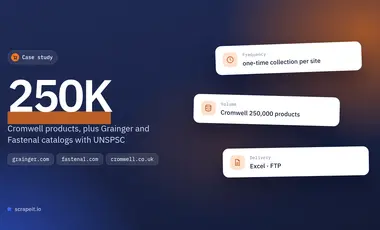
Full MRO catalogs from Grainger, Fastenal and Cromwell for a product content company: UNSPSC, EAN, every attribute and a taxonomy sheet.
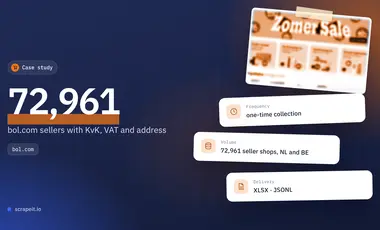
Every seller shop on bol.com with its trade name, business address, KvK and VAT number, collected once: 72,961 shops in 18 days.
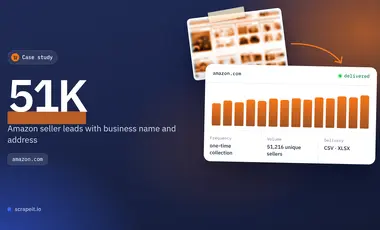
A one-time B2B lead file from Amazon seller profiles: 51,216 sellers with business name and address, 13,366 of them in the US and Canada.
Learn how to use web scraping to solve data problems for your organization
If you sell online, run a marketplace, or advise e-commerce clients, you already know why eBay matters: it’s one of the few places where big retailers compete side by side with thousands of small merchants and private sellers.
E-commerce teams do not just need “some” competitor data anymore. They need a continuous stream of real prices, discounts, stock levels, reviews, and seller behavior from the platforms that actually shape their markets.
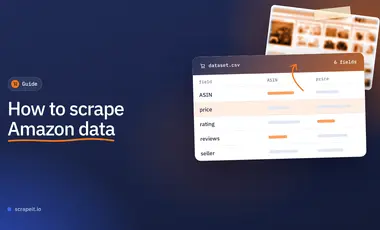
Amazon provides valuable information gathered in one place: products, reviews, ratings, exclusive offers, news, etc. So scraping data from Amazon will help solve the problems of the time-consuming process of extracting data from e-commerce.

ScrapeIt collects data from websites as a managed service. We design the crawlers, run them and fix them, so your team only works with the result. Grocery retailers are familiar ground: loyalty prices next to shelf prices, multi-buy offers, promotions with a date range. For Pick n Pay we deliver CSV, XLSX or JSON, or push the files to Amazon S3, Google Drive or FTP; an MCP server is available on request. Plans start from EUR 169 a month, or EUR 199 for a one-time extract.
Still unsure? Write to info@scrapeit.io
Yes. The ScrapeIt Pick n Pay API serves SKU, barcode, name, the paying price, the regular price and the SMART SHOPPER and WEB DEAL flags as JSON from an endpoint we host, updated on the schedule you choose. A JSON feed, XLSX files or a load into your database work as well.
Yes. Prices, Smart Shopper offers, promotion dates, barcodes and ingredients are visible to any guest on pnp.co.za. We collect only publicly available data - the same product cards and pages anyone can open on Pick n Pay - and we collect it legally.
Yes. We run the aisles or the basket you choose on a fixed day and deliver one file per run with the same columns. Each row carries the run date, so this week's list lines up with last week's for comparison.
Yes, as the site shows them. Product cards print the Smart Shopper price with its badge next to the regular price, and the product page adds the Valid from and until dates. We collect both prices into separate columns and never use a loyalty account to do it.
Yes, as separate sources. The Hypermarket and Clothing switches on pnp.co.za lead to their own sites, PnP Home and PnP Clothing, with different catalogues. We collect each into its own file or table, tagged with the site, so grocery prices are never mixed with the other two catalogues.
You share your needs, expectations, and desired timeframe. We'll suggest the best solution based on your request and budget.
Our specialists configure the crawlers and extract a sample dataset for your review before proceeding with the full-scale extraction.
Once you approve the sample, we launch the project and start full data collection. We gather, filter, and structure the data for easy use, delivering it on time in your preferred format.
Our team manages ongoing processes, monitors website changes, and supports all data extraction cycles. We can also help integrate data into your systems or create dashboards to simplify analysis.
Tell us which sites, which fields and how often. A couple of lines is enough to start.
Pick n Pay data from €169/month. Free project assessment, reply within 1 business day.