How Can Web Scraping Technology Help the Finance Industry?
Web scraping automates the extraction and aggregation of financial data, makes it easier to find stocks, and allows you to predict the market based on the information.

Investing.com pairs every quote page with a history table and every macro release with actual, forecast and previous. Our Investing.com scraper collects both.
Plans from €169/month · Free project assessment · Reply within 1 business day
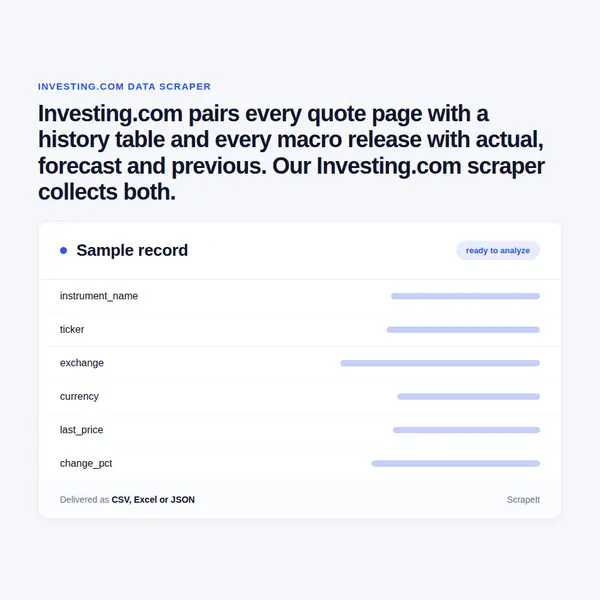
You tell us which instruments, editions and calendars matter; we build, run and repair the crawlers that collect them, and there is nothing for you to install. A brief can name a watchlist of stocks, futures, bonds and currency pairs, the economic calendar for chosen countries and the earnings and dividend calendars for one market. Investing.com sits behind bot protection, so pacing, proxy rotation, CAPTCHA handling and page rendering are part of the service.
Each row carries the instrument URL, the edition it came from and the capture time, because the site marks some listings Real-time and others Delayed. Runs are one-off or on the schedule you set; files arrive as CSV, XLSX or JSON by SFTP, Amazon S3 or a load into your database, with field documentation.
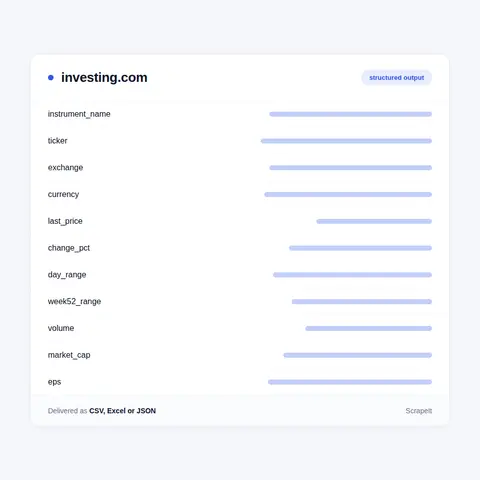
Investing.com gives each instrument a readable address - /equities/apple-computer-inc, /commodities/gold, /currencies/eur-usd, /rates-bonds/u.s.-10-year-bond-yield - and hangs its sub-pages off the same slug with suffixes such as -historical-data, -technical and -company-profile. Another listing of the same company on a second exchange is picked with a cid parameter, so slug and cid together form the row key. The fields change with the asset class:
Fair Value, ProTips and the other InvestingPro figures belong to a paid tier and stay out of the dataset; everything listed above is what a visitor reads on the free page.
The Historical Data tab is a table of Date, Price, Open, High, Low, Vol. and Change % with a Time Frame selector and a date range, closed by Highest, Lowest, Difference, Average and Change % for the window. We walk the range on the page itself, so a stock price history, a gold price history or a bitcoin price history arrives as dated rows on the same columns.
Calendars are the other half. The economic calendar lists Time, Cur., Event, Imp., Actual, Forecast and Previous, rates importance with one to three stars, filters by country, category and importance, and runs tabs from Yesterday to Next Week. Each event links to a page of its own - Nonfarm Payrolls, for one - with the source agency, a description and a release table of Release date, Time, Actual, Forecast and Previous. The earnings calendar shows EPS / Forecast, Revenue / Forecast, Market Cap and a before-open or after-close marker; the dividend calendar shows Ex-Dividend Date, Dividend, Type, Payment Date and Yield, with Type read from a legend that runs from Monthly, Quarterly and Semi-Annual to Interim, Final and Bonus. The holiday calendar uses the same date tabs for Date, Country, Exchange Name and Holiday.
Country stock lists close the loop: /equities/germany returns Name, Last, High, Low, Chg., Chg. %, Vol. and Time for an index picked from a selector that holds DAX, SDAX, TecDAX and the DAX sector indices, which is how we enumerate a market before visiting each stock.
Investing.com is a financial portal operated by Fusion Media Limited, with a copyright line that starts in 2007. It publishes quotes, calendars, charts and news for stocks, indices, commodities, currencies, ETFs, funds, bonds, cryptocurrency and certificates, and marks each listing Real-time or Delayed according to where the price comes from.
The site is split into language editions on their own subdomains. Next to the default www.investing.com there are English editions for the UK, India, Canada, Australia, South Africa, the Philippines and Nigeria, and local ones such as de.investing.com, fr.investing.com, es.investing.com, mx.investing.com, br.investing.com, jp.investing.com, kr.investing.com and sa.investing.com in Arabic. The edition sets the language of labels and headlines, so a project is pinned to one edition and the edition is stored on every row.
Inside an edition the Markets menu runs Indices, Stocks, Commodities, Cryptocurrency, Currencies, ETFs, Futures, Funds, Bonds and Certificates, and the calendar menu holds Economic, Holiday, Earnings, Dividend, Splits, IPO and Futures Expiry calendars. Instrument pages share tabs for Overview, Historical Data, Chart, News & Analysis, Technical and Forum; stock pages add Profile, Ownership and a Financials group with Income Statement, Balance Sheet, Cash Flow, Ratios, Dividends, Earnings and Forecast.
Get a Quote
Developers

Customers worldwide

Pages extracted

Hours saved for our clients
€199 / one-time
setup fee - included
€169 / mo
setup fee €499
€229 / mo
setup fee €499
€349 / mo
setup fee €499
€549 / mo
setup fee €799
Delivery: CSV, JSON or XLSX files, our API or a JSON feed. MCP server on request.
Full plan details →The macro calendar gains the most from repeated runs. Collected run after run, Actual, Forecast and Previous become a table a model can read: surprise against forecast by country and importance, changes to the Previous figure between releases, and release times in one time zone. Event pages add the release history of each indicator and the agency behind it, the starting point for studies of how a currency or an index reacts to a print.
The dataset is the published market data itself and carries no recommendation of ours.
Learn how to use web scraping to solve data problems for your organization

Web scraping automates the extraction and aggregation of financial data, makes it easier to find stocks, and allows you to predict the market based on the information.

Data and analytics are opening the door to uncovering ways to combat financial crime based on smart data. And advanced AI analytics and cognitive techniques, machine learning, and automation will improve the inefficiency of existing investigative processes.

Leveraging advances in technology, the AI-powered web scraper has skyrocketed in demand and is helping to expand capabilities by automating tedious daily tasks and speeding up data collection from thousands of websites several times over.
ScrapeIt is a managed web scraping company. We build and run crawlers for financial portals, marketplaces and directories, and hand over the data on a schedule with field documentation. On a portal like Investing.com, where one instrument is spread across several tabs and every edition relabels it, most of the work is joining those pages into rows that stay stable between runs. Forum posts and usernames are left out by default, and any personal data is handled under GDPR. A free project assessment comes first, and a sample follows before the full run.
Yes. The ScrapeIt Investing.com API returns the event, currency, importance, actual, forecast and previous values of each calendar row, or the last price, Day's Range and Volume of each instrument, as JSON from an endpoint we host, refreshed on the schedule you set. The same rows also come as CSV or XLSX files, a JSON feed or a load into your database.
Yes. Quotes, historical tables, calendars, analyst ratings and headlines sit on pages any visitor can open. We collect only publicly available data - everything a visitor can see on Investing.com - and we collect it legally. InvestingPro figures are a paid tier and are not part of what we deliver.
Yes. We scrape the Investing.com economic calendar for the countries, categories and importance levels you choose, then follow each event to its own page for the source agency and the release history of actual, forecast and previous values. Times are stored with the time zone used for the run, so releases from different countries line up.
Any part of the Markets menu - stocks, indices, commodities, currencies, ETFs, funds, bonds and cryptocurrency - from the default www edition or a local one such as de.investing.com or jp.investing.com. Each row is tagged with its edition and asset class, and instruments are keyed on their URL slug and listing id.
Each table gets its own schedule. Calendar rows fill in when a release lands, so the calendar is worth several passes on a busy release day; daily history rows settle after the close and need one pass a day; analyst and holder tables move slowly enough for a weekly run.
Step 1 - Make a Request
You share your needs, expectations, and desired timeframe. We’ll suggest the best solution based on your request and budget.
Step 2 - Configuring Custom Web Crawlers
Our specialists configure the crawlers and extract a sample dataset for your review before proceeding with the full-scale extraction.
Step 3 - Collect and Deliver
Once you approve the sample, we launch the project and start full data collection. We gather, filter, and structure the data for easy use, delivering it on time in your preferred format.
Step 4 - Maintain and Support
Our team manages ongoing processes, monitors website changes, and supports all data extraction cycles. We can also help integrate data into your systems or create dashboards to simplify analysis.
Investing.com data from €169/month. Free project assessment, reply within 1 business day.

Scrapeit Sp. z o.o.
10/208 Legionowa str., 15-099, Bialystok, Poland
NIP: 5423457175
REGON: 523384582


