Paramount Plus Scraper for Show, Movie and Plan Data

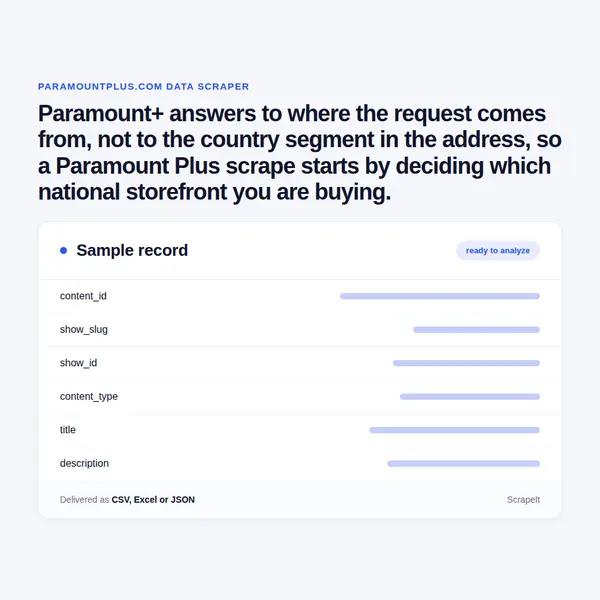
Paramount+ answers to where the request comes from, not to the country segment in the address, so a Paramount Plus scrape starts by deciding which national storefront you are buying.

Paramount Plus Scraper
Solutions

Scoping and running a Paramount Plus scrape market by market

You set the scope: which markets, which brands, whether shows, episodes and films travel together, whether plan and price rows ride along, and whether this is one snapshot or a standing run that becomes a change log. We build the scraper, run it on your schedule and hand back CSV, JSON, XLSX or an API endpoint, field names agreed before the first pass.

The engineering is ours: anti-bot handling, proxy rotation and CAPTCHA solving come with the managed service, and each storefront is read from inside the market it serves, because that is the only way it answers. We take what a signed-out visitor sees and never sign in, never touch the video player or its content protection, and collect no account, profile or viewing records. The Paramount+ terms bar robots, bots, scrapers, proxies and data mining outright - we name that plainly, and the basis for a run is agreed with you first. Personal data stays out of scope.

Paramount Plus title metadata: fields on a show, movie and episode record

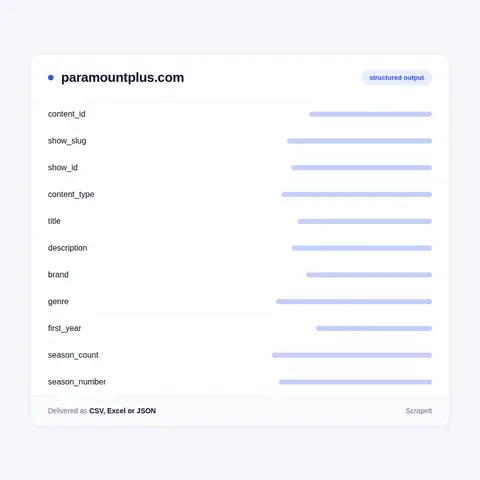
Addresses are readable and stable. A series lives at /shows/ plus a slug, an episode at /shows/video/ plus a 32-character content id, and a film at /movies/video/ plus the same kind of id; a second shape prefixed ALVE marks newer film assets. Tile markup carries a numeric show id beside the slug, so a Paramount Plus scraper holds a human key and a machine key for every record.

A signed-out visitor reads, on a show record: title, synopsis, Genre, Jahr for the first year, Staffeln for the season count, Marke for the brand hub, a cast list, a badge naming the weekday a new episode lands, and an episode total written as a line like 326 episodes with a subscription. Seasons are a filter rather than a page: the selector swaps the grid in place and states how many episodes it holds.

Each episode row gives season and episode number, title, description, runtime, transmission date, an age-rating icon and an access label. The rating icon is named for the market it was drawn in, so the same episode carries a different mark in each storefront. Tracking attributes beside the row carry the access model - paid, premium - and the video type, full-episodes.

A show ships TVSeries markup whose containsSeason holds the season currently selected, so full coverage means walking the selector. An episode ships TVEpisode markup with episodeNumber, partOfSeason.seasonNumber, partOfSeries.name, a releasedEvent carrying a start date and a country, and a nested VideoObject with thumbnail, uploadDate, publisher and a duration in ISO form, T53M38S. A film ships Movie markup with contentRating, genre, datePublished, image and publisher, plus WatchAction offers repeated per platform, each holding availabilityStarts, availabilityEnds, eligibleRegion, price and priceCurrency - a licence window written into the page.

To extract Paramount Plus data at scale you enumerate, because there is no crawlable XML sitemap to lean on. The A-Z grids count for you: the all-shows grid and the film browse each state their own total. In September 2026 the German shelf reports about 315 series and 480 films. Genre hubs carry a region suffix, -gsa on the German ones for Germany, Switzerland and Austria; carousels page in blocks of twenty and the search path is closed to crawlers.

Paramount Plus title metadata: fields on a show, movie and episode record
Paramount Plus plan prices, live TV and sport as separate datasets

Paramount Plus plan prices, live TV and sport as separate datasets

The plan menu is published rather than hidden, and it is a per-country menu. Basic with Ads runs in Australia, Austria, Canada, Germany, Ireland, Switzerland and the United Kingdom: full HD, one stream at a time, advertising included. Standard adds France, Italy and Latin America, and brings ad-free viewing, two simultaneous streams and downloads. Premium names Brazil and Mexico in a market list of its own and carries 4K UHD, HDR10, Dolby Vision, Dolby Atmos and four simultaneous streams. Monthly and annual Paramount Plus prices are printed for the markets that publish them: in Australian dollars, Basic with Ads at 7.99 a month or 70.99 a year, Standard at 12.99 or 115.99, Premium at 17.99 or 159.99; in Canadian dollars, 7.99, 11.99 and 15.99 a month. Seven-day free trials exist only in Australia, France, Germany, Italy, the United Kingdom and Ireland.

Live is a separate object, not a row in the library. Live TV and the sports hub are surfaces the app draws only where the market has them, and where it does not the service says as much in plain words. Ad-free stops at the live boundary: live TV and live events carry advertising on every tier, Premium included. Sport is licensed more narrowly still. UFC streams in the United States and eighteen Latin American markets; in Australia only the preliminary fights of numbered events plus Fight Nights, with the main cards elsewhere; in Canada not at all. Live football, Zuffa Boxing and CBS News follow the same market-by-market logic. A live dataset is therefore a schedule keyed to market, refreshed on its own cycle rather than with the on-demand shelf.

How the Paramount+ catalogue splits across national storefronts

Paramount+ is the Paramount Skydance streaming service, and paramountplus.com is not one shelf but a set of national storefronts sharing a single domain. The global index page lists them by region: Australia under Asia and Pacific; Austria, France, Germany, Italy, Republic of Ireland, Switzerland and the United Kingdom under Europe; Canada, Mexico and the United States under North America; and seventeen Latin American markets from Argentina and Brazil down to Uruguay and Venezuela.

Which storefront answers is settled by where the request is made, not by the address. The locale segments exist - /gb/, /au/, /br/, /mx/ - but asking for any of them from a German connection returns the German shelf, and the page config stamps its own country code into the markup. Japan is not a storefront at all: that path leads to a partner landing page. So the first decision in a Paramount Plus scraping project is which markets you are buying, because each one has to be read from inside itself.

The catalogue is organised by broadcast brand before genre. Marken sits in the top navigation beside Serien, Filme and Sammlungen, and the German shelf carries seven brand hubs: P+ Originals and Exclusives, Showtime, Comedy Central, MTV, Nickelodeon, Nick Jr. and Smithsonian. Every show record names its brand as a plain field, so one title is tagged Comedy Central and the next Smithsonian. CBS is not sold as a hub outside the United States, yet it sits in the structured data of every record as the broadcast service and the publisher - the CBS lineage is in the markup even where it is not on the menu.

Get a Quote
dev_w
25

Developers

customers
500+

Customers worldwide

pages
1 500 000 000+

Pages extracted

stime
15000+

Hours saved for our clients

Plans

Airplane

€199 / one-time

setup fee - included

Data limits100,000
Frequencyone-time
Run timeup to 5 days
Data storing7 days

Helicopter

€169 / mo

setup fee €499

Data limits250,000
Frequencymonthly
Run timeup to 5 days
Data storing14 days

Glasses

€229 / mo

setup fee €499

Data limits1,000,000
Frequencyweekly
Run timeup to 5 days
Data storing30 days

DNA

€549 / mo

setup fee €799

Data limits3,000,000
Frequency3 times daily
Run timesame day
Data storing90 days

What Paramount Plus data answers for rights, catalogue and pricing teams

The reason to commission a Paramount Plus scraper is that the answer changes with the border. Two neighbouring storefronts run different libraries, different plan menus, different age marks and different live rights, and none of it can be inferred from a third market. Rights and acquisition teams read the offer block on a film record for what matters to them - when a licence starts, when it ends, which region it covers - and they read it market by market.

Catalogue teams use the brand field as a spine. Because a record is tagged Showtime, Comedy Central, MTV, Nickelodeon, Nick Jr. or Smithsonian before it is tagged drama or comedy, the dataset answers questions a genre-first service cannot: how much of a market's shelf is Nickelodeon, whether Showtime drama travels outside the United States, how far the Smithsonian factual block reaches. That is also where this differs from Netflix and Hulu as a source. Netflix keeps one integer id per title in every country and a sitemap for each id, so licence coverage is readable from outside. Hulu is a single American storefront with a full sitemap index and dozens of network hubs. Paramount+ publishes no sitemap and no cross-market id map, so coverage is established storefront by storefront.

Departures are measured the same way: nothing tells a guest when a title leaves, so churn comes from repeat passes and the difference between them. Metadata vendors, television guides, measurement firms and equity research all buy from the same open pages, which is why this is a catalogue instrument and never an account tool.

Our Blog

Reads Our Latest News & Blog

Learn how to use web scraping to solve data problems for your organization

How Artificial Intelligence Is Used In Web Scraping

How Artificial Intelligence Is Used In Web Scraping

Leveraging advances in technology, the AI-powered web scraper has skyrocketed in demand and is helping to expand capabilities by automating tedious daily tasks and speeding up data collection from thousands of websites several times over.

What is Web Scraping and What is it Used For?

What is Web Scraping and What is it Used For?

Web scraping is a method of obtaining web data by extracting it from pages of web resources with the help of a program, that is, in automatic mode. It is used to syntactically convert web pages into more usable forms.

Web Scraping for Machine Learning

Web Scraping for Machine Learning

If you specialize in machine learning, you need to feed large amounts of data to the algorithms. Web scraping is the easiest and the most efficient method of collecting the data from all over the Internet.

scrapeit logo

Buying Paramount Plus data from ScrapeIt: scope, price and support

ScrapeIt is a managed web scraping agency. You describe the dataset, we design the crawl, operate it and keep it alive - no framework for you to learn, no proxy invoice for you to reconcile. A Paramount Plus data project is quoted on volume, market count and refresh rate, and that price is fixed before the first run.

Most projects open with a paid sample - a few hundred show and film ids from a single storefront - so you can test the fields against your own records before committing. You get a named engineer, and when a field moves we tell you and repair the crawl.

FAQ

Does Paramount Plus have a public API for catalogue or plan data?

No. There is no developer portal, no partner data product and no documented endpoint an outside buyer can call. The addresses the app uses for its own rails are internal: asked for without the session the app itself holds, they redirect into an error page instead of returning JSON, and no api host resolves at all. What is open is the page layer - show records, episode pages, film records, brand and genre hubs, the A-Z grids - together with the plan, price and availability tables the help centre publishes. That is what we collect, and it is why the deliverable is a file or an endpoint we host rather than a key to theirs.

Why does the same Paramount+ title carry different fields in different countries?

Because the storefront is chosen by where the request is made, and everything on the record follows from that. Episode titles and synopses arrive in the market language, the age mark follows the local system - a numeric German figure, a UK band, the Australian G, PG, M, MA 15+ and R 18+ ladder, or the US TV codes with their D, FV, L, S and V descriptors - and the brand list, the plan menu and the live rights differ too. Locale segments in the address do not override it. A cross-market dataset is therefore several passes, one per storefront, joined afterwards on the content id.

Can you collect Paramount Plus plan prices and the tier feature grid?

Yes. The tier structure is public: Basic with Ads, Standard and Premium, each with its own country list, its own stream count of one, two or four, and its own video ceiling from full HD up to 4K UHD with HDR10, Dolby Vision and Dolby Atmos. Monthly and annual figures are published for the markets that print them, and the free trial markets are named. Parsed, that is a tier-by-feature grid with a price column per country. One caveat belongs in the data: ad-free covers on-demand only, since live TV and live events carry advertising on every tier.

How fresh can a Paramount Plus data feed be, and how is it delivered?

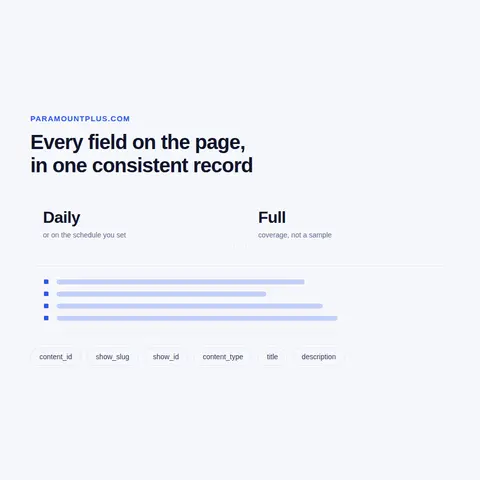
Anything from a single snapshot to daily. Catalogue metadata moves slowly, so most buyers take a weekly full pass with a daily check on the new and leaving edge; plan and price rows are usually monthly unless you are waiting on a change, and live schedules move on their own clock. Output is CSV, JSON, XLSX, a database load or a REST endpoint we host, pushed to S3, GCS, SFTP or a webhook. Schema and field names are fixed up front, and every row carries its market and its snapshot date so a departure can be placed in time.

Is it legal to scrape Paramount Plus, and what will you not touch?

The terms of use bar robots, bots, scrapers, site search and retrieval applications, proxies and data mining, and separately bar unauthorised spidering, scraping and harvesting; they also bar collecting personal data about other users. We state that rather than talk around it: the lawful basis for a run is yours to establish and we agree it with you in writing before the first pass. What we will not do is fixed - we never sign in, never touch the video player or its content protection, and never collect account, profile or viewing records. Personal data is out of scope by default.

How does it Work?

Step 1 - Make a Request

You share your needs, expectations, and desired timeframe. We’ll suggest the best solution based on your request and budget.

Step 2 - Configuring Custom Web Crawlers

Our specialists configure the crawlers and extract a sample dataset for your review before proceeding with the full-scale extraction.

Step 3 - Collect and Deliver

Once you approve the sample, we launch the project and start full data collection. We gather, filter, and structure the data for easy use, delivering it on time in your preferred format.

Step 4 - Maintain and Support

Our team manages ongoing processes, monitors website changes, and supports all data extraction cycles. We can also help integrate data into your systems or create dashboards to simplify analysis.

Request a Quote

Tell us more about you and your project information.
Which sites, which fields, how often. A couple of lines is enough.

We reply within 1 business day. No obligation.

scrapiet

Scrapeit Sp. z o.o.
10/208 Legionowa str., 15-099, Bialystok, Poland
NIP: 5423457175
REGON: 523384582