Netflix Scraper for Catalogue, Title and Top 10 Data

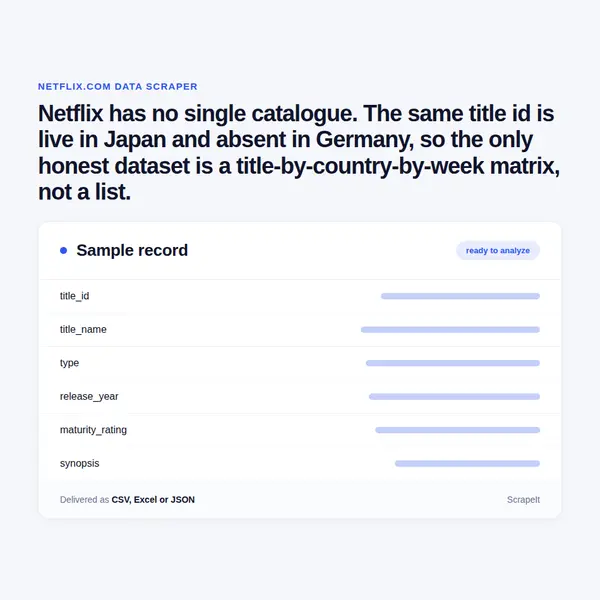
Netflix has no single catalogue. The same title id is live in Japan and absent in Germany, so the only honest dataset is a title-by-country-by-week matrix, not a list.

Netflix Scraper
Solutions

How we run a Netflix scraping project

You set the scope: which countries, which genre hubs, which title ids, and whether you want one snapshot or a repeating run that becomes a change log of arrivals and removals. We build the crawler, run it on your schedule and deliver CSV, JSON, XLSX or an API endpoint. Field names, the country list and the Top 10 matching rules are agreed before the first run.

The engineering is ours. Because the storefront follows the exit point, a country matrix needs exits in every market on your list; anti-bot handling, proxy rotation and CAPTCHA solving are part of the managed service. We work only on pages a signed-out visitor can reach and never sign in to an account. We do not touch the video stream and we do not go near content protection, and we collect no account, profile or viewing records. Netflix terms of use prohibit automated collection - we say so plainly, and anything contested should go past your own counsel first.

Fields a Netflix scraper pulls from a title page

Title pages are open to a signed-out visitor: no account, no player, no paywall in front of the metadata. This is what we extract for each Netflix title id.

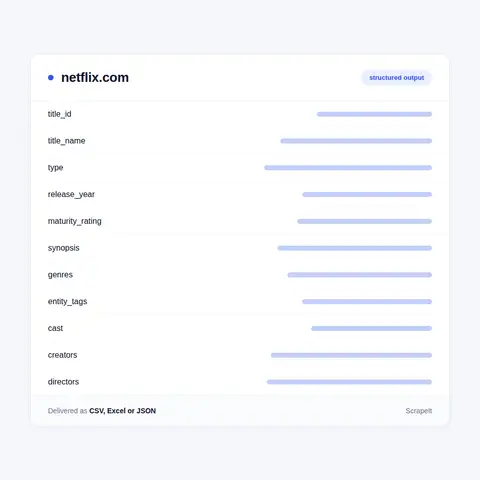
  • Identifiers - videoId and topLevelVideoId, the same integer in every storefront; type resolving to Movie or Show; isOriginal marking a Netflix original, with isAvailable and isIndexable describing the record in that specific country.
  • Core metadata - name, release year, synopsis, and the maturity rating rendered as the local board mark, so the German storefront shows 16 or 12 where another market shows its own certificate, with a numeric maturity value sitting behind the mark.
  • Genres and tags - a headline genre chip, a core genre triple, then the full genre list with a genreId on each, the same ids that address the /browse/genre hubs. On top of those sit the mood tags Netflix calls entity tags - Mind-Bending, Slick, Heist, Time Loop, Notable Soundtrack, Critically Acclaimed - each with an id of its own.
  • People - the Starring line of top billing, the fuller cast list, plus creators on a series and directors on a film, each name carrying a personId.
  • Series shape - a season label such as 3 Seasons, the season selector, and per episode the number, title, synopsis, runtime in seconds and a still image.
  • Languages - the audio track list and the subtitle list as that one country sees them, with original-language and audio description tracks flagged separately.
  • Trailers - every supplemental with its name, its type label (TRAILER, TEASER, recap) and its length.
  • Artwork - billboard, hero, story art and per-episode stills as direct image URLs with focal points attached.
  • Related rail - the More Like This block, returned as title ids, which is how a similarity graph gets assembled.

Two honest gaps, stated up front. Feature films carry no runtime on the public page: year and rating are shown, and only the trailers state a length, while episode runtimes are present for series. And the New and Popular list sits behind a sign-in, so arrivals and departures are reconstructed by comparing catalogue snapshots rather than read off a page.

Fields a Netflix scraper pulls from a title page
Netflix Top 10 tables and the engagement report

Netflix Top 10 tables and the engagement report

Netflix publishes genuine viewing data, and it is the strongest open series any streamer puts out. The weekly Top 10 arrives as downloadable tables in TSV and XLSX, not only as a web page with a week picker.

  • all-weeks-countries - country_name, country_iso2, week, category, weekly_rank, show_title, season_title and cumulative_weeks_in_top_10; roughly 501,000 rows across 94 countries, split into Films and TV, weekly since mid-2021.
  • all-weeks-global - the same backbone plus weekly_hours_viewed, runtime and weekly_views, split four ways into Films and TV, English and Non-English.
  • most-popular - the all-time leaderboard scored on hours_viewed_first_91_days and views_first_91_days.

Twice a year Netflix also publishes What We Watched, a spreadsheet listing hours viewed for every title watched more than about 50,000 hours, its premiere date and whether it was available globally; runtime and views were added to it later, and films and series were separated out.

There is one catch in these files and it decides the engineering. They key on the show title as free text - there is no title id column anywhere in them. Joining a ranking row to a catalogue record means matching names across localised titles, season labels and punctuation. We run that join and return a table that carries the numeric id, which is what makes a rank usable next to availability and catalogue churn.

Why netflix.com has no single catalogue

Netflix runs one domain and hundreds of storefronts. A request lands on the storefront of the country it is made from, and the country segment in the address does not override that: ask for the US or Japanese path from a European exit point and the European storefront is what comes back. Catalogue, artwork, audio tracks, subtitle lists, maturity ratings and plan prices are all settled at that moment.

The title id survives all of it. Every film and series is a plain integer in the /title/ address, and that integer is the same in every market, which makes it the join key for the whole dataset. Netflix publishes the proof itself: the sitemap index holds about 26,200 per-title sitemaps as of September 2026, one per id, and each lists that same id under every locale where the title is licensed, with hreflang alternates beside it.

Coverage is where the storefronts split apart. A global original appears under 386 locale addresses spanning 245 country and territory codes. A Japanese licence appears under two, jp and jp-en. A Ukrainian licence under ua and ua-ru. A Southeast Asian package covers eleven countries and stops there. Request that Japanese id from a German exit point and Netflix answers with an error page rather than a title record - the id is valid, the page simply does not exist in that country. That single behaviour is why a Netflix scraper has to be built as a grid of exit points rather than as one crawler.

Get a Quote

dev_w
25

Developers

customers
500+

Customers worldwide

pages
1 500 000 000+

Pages extracted

stime
15000+

Hours saved for our clients

Plans

Airplane

€199 / one-time

setup fee - included

Data limits100,000
Frequencyone-time
Run timeup to 5 days
Data storing7 days

Helicopter

€169 / mo

setup fee €499

Data limits250,000
Frequencymonthly
Run timeup to 5 days
Data storing14 days

Glasses

€229 / mo

setup fee €499

Data limits1,000,000
Frequencyweekly
Run timeup to 5 days
Data storing30 days

DNA

€549 / mo

setup fee €799

Data limits3,000,000
Frequency3 times daily
Run timesame day
Data storing90 days

Who buys Netflix catalogue and availability data

The people who pay for Netflix data treat a catalogue as an asset register, not as a browse list.

  • Studios and rights holders - checking that a licensed title actually surfaced in the territories the contract names, on what date it appeared and on what date it went.
  • Rival streamers - programming against what Netflix carries market by market, and spotting the gap a local acquisition would fill.
  • Availability guides - where the entire product is title by country by service, and a wrong country flag is a support ticket.
  • Media analysts and investors - counting originals against licensed stock per market and measuring how fast a local library turns over.
  • Agencies and advertisers - the ad-plan playability flag on individual titles, alongside the localised Netflix plan prices quoted to signed-out visitors in each market.
  • Researchers and regulators - European content quotas are measured in exactly this shape, as a share of the national catalogue by country of origin.

None of them needs a title list. They need the same title observed in many countries on many dates, because the answer to whether something is on Netflix only means anything with a country and a date attached to it. That is the dataset we extract Netflix titles into: one row per title, per country, per snapshot, with first-seen and last-seen stamps derived from the run history.

Our Blog

Reads Our Latest News & Blog

Learn how to use web scraping to solve data problems for your organization

How Artificial Intelligence Is Used In Web Scraping

How Artificial Intelligence Is Used In Web Scraping

Leveraging advances in technology, the AI-powered web scraper has skyrocketed in demand and is helping to expand capabilities by automating tedious daily tasks and speeding up data collection from thousands of websites several times over.

What is Web Scraping and What is it Used For?

What is Web Scraping and What is it Used For?

Web scraping is a method of obtaining web data by extracting it from pages of web resources with the help of a program, that is, in automatic mode. It is used to syntactically convert web pages into more usable forms.

Web Scraping for Machine Learning

Web Scraping for Machine Learning

If you specialize in machine learning, you need to feed large amounts of data to the algorithms. Web scraping is the easiest and the most efficient method of collecting the data from all over the Internet.

scrapeit logo

Working with ScrapeIt on Netflix data

ScrapeIt is a managed web scraping agency. You describe the dataset, we build and operate the Netflix scraper and hand back files or an API; there is no tool for you to run and no proxy bill for you to manage. A Netflix scraping project usually opens with a paid sample - a few hundred title ids across three or four countries - so you can test the fields and the country matrix against your own records before committing to a schedule. Delivery goes to S3, GCS, an SFTP drop, a webhook or a database you nominate.

FAQ

Does Netflix have a public API for catalogue data?

No. The old public Netflix API was retired long ago and there is no developer portal left to register with; the partner help centre that remains serves production partners on delivery, quality control, artwork and dubbing, not data buyers. The open exceptions are the Top 10 tables and the twice-yearly engagement spreadsheet, both of which anyone can download. Everything else in the catalogue comes from public title pages and genre hubs. What we deliver is a Netflix API of our own: an endpoint over the extracted dataset, with your field names and your refresh schedule.

Why is a title on Netflix in one country and missing in another?

Because licences are sold by territory and by window, not globally. Netflix exposes this openly: the per-title sitemap for a global original lists hundreds of locale addresses, while a regional licence lists two or three. A Japan-only title returns an error page from a European exit point even though the id is correct. Dates differ as well - the same series can arrive months apart in two markets and leave one while staying in the other. That is why the deliverable is a matrix of title, country and date rather than a single catalogue file.

Which countries can you cover, and how do you show a title has gone?

Any market with a Netflix storefront, because coverage is a question of exit points rather than of parsing. You give us the country list; we run the same title set from each one and record what resolves and what does not. Departures are derived, not read: there is no public leaving-soon page, so a title present in one snapshot and absent from the next is flagged as removed, with the date pair that brackets it. The same comparison produces arrivals, so catalogue churn falls out of the run history for free.

How often can Netflix data be refreshed, and in what formats?

Daily, weekly or monthly, whichever matches how you use it. Weekly suits availability tracking and lines up with the Top 10 release cycle; daily makes sense when you are watching a specific slate or a launch window. Output is CSV, JSON, XLSX or a REST endpoint, delivered to S3, GCS, SFTP, a webhook or straight into a database. Every row is stamped with the country code and the snapshot date, so successive runs stack into a history rather than overwriting each other.

Is it legal to scrape Netflix, and what will you not do?

Be clear-eyed about it. The Netflix terms of use prohibit robots, spiders, scrapers and any data gathering or extraction method, and the robots file disallows crawling by default outside a named list of search engines. We work only on pages a signed-out visitor can reach, we never log in, we do not touch the video stream or content protection, and we collect no account or viewing data belonging to any individual. We are a contractor, not your legal adviser: take the terms and your intended use to your own counsel before we start.

How does it Work?

Step 1 - Make a Request

You share your needs, expectations, and desired timeframe. We’ll suggest the best solution based on your request and budget.

Step 2 - Configuring Custom Web Crawlers

Our specialists configure the crawlers and extract a sample dataset for your review before proceeding with the full-scale extraction.

Step 3 - Collect and Deliver

Once you approve the sample, we launch the project and start full data collection. We gather, filter, and structure the data for easy use, delivering it on time in your preferred format.

Step 4 - Maintain and Support

Our team manages ongoing processes, monitors website changes, and supports all data extraction cycles. We can also help integrate data into your systems or create dashboards to simplify analysis.

Request a Quote

Tell us more about you and your project information.
Which sites, which fields, how often. A couple of lines is enough.

We reply within 1 business day. No obligation.

scrapiet

Scrapeit Sp. z o.o.
10/208 Legionowa str., 15-099, Bialystok, Poland
NIP: 5423457175
REGON: 523384582