SeatGeek Scraper for Event, Listing and Ticket Price Data

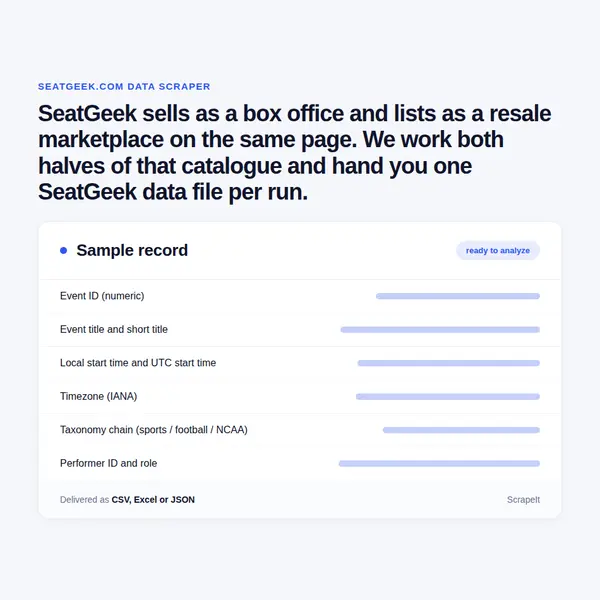
SeatGeek sells as a box office and lists as a resale marketplace on the same page. We work both halves of that catalogue and hand you one SeatGeek data file per run.

SeatGeek Scraper
Solutions

How ScrapeIt Collects SeatGeek Data and Ships It

ScrapeIt builds the collector, runs it on our own infrastructure and repairs it when the platform moves. Anti-bot handling, proxy rotation and CAPTCHA solving are part of the managed service, and this site needs all three: the storefront answers automated clients with an identity challenge before an event page renders.

We take the documented endpoints wherever they answer, collect public pages for the listing detail they do not carry, and merge both into one file with no visible seam. We do not sign in, buy, or run purchase automation, and we leave account pages, buyer names and seller identities alone. A sample extract arrives before the full run so field names and coverage can be checked against what you expected. After sign off we run to your schedule, hourly through monthly, and watch for endpoint and layout changes. Delivery is CSV, JSON, XLSX or an endpoint you call, pushed to S3, SFTP or your warehouse.

Fields Inside a SeatGeek Event, Ticket Listing, Venue and Seat Map

The names below are the platform's own, read off the event, venue and performer objects and a live ticket listing.

  • Event core. id, title, short_title, type, datetime_local, datetime_utc, sales_end_datetime_utc, announce_date, visible_at and visible_until_utc, plus flags date_tbd, time_tbd and datetime_tbd. status runs normal, schedule_status as_originally_scheduled or happened, and game_number with home_game_number places a fixture in a season.
  • The stats block. listing_count, ticket_count, visible_listing_count, lowest_price, highest_price, median_price, average_price, lowest_price_good_deals and lowest_sg_base_price. lowest_price is the all-in number and lowest_sg_base_price is the same seat before fees, so the gap between them is the fee the buyer pays.
  • A listing row. Section, Row, and either a single Seat, a seat range or a seat list; the quantity on offer and the split rule that decides which quantities may be bought; the price per ticket including fees, with a breakdown separating Ticket, Ticket fee and Taxes; the Deal Score; Seat Perks such as club access or parking; view from seat photographs; and a Verified by SeatGeek badge.
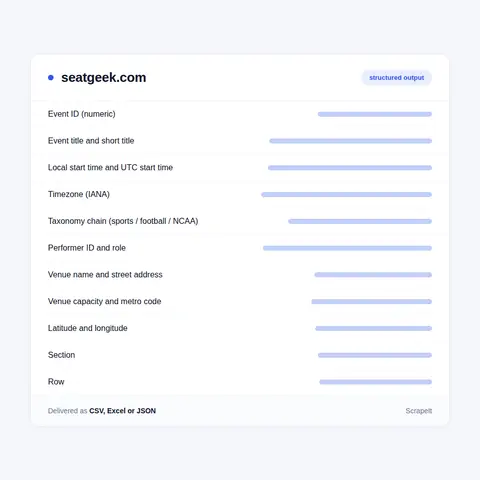
  • Venue. id, name, slug, address, city, state, country, postal_code, lat and lon, timezone, capacity, metro_code, sg_market_area, score, popularity, num_upcoming_events, created_at_utc, updated_at_utc and a passes array for parking.
  • Performer. id, name, short_name, slug, type, score, popularity, home_venue_id, num_upcoming_events, team colors as hex, landscape and banner artwork, logo variants for light, dark and white backgrounds, and a divisions array with conference and division names and a division_level.
  • Cross-market links. Each event ships a links array of ids held at other systems - stubhub, vividseats, ticketmaster, rapidseats, sportradar - one marked primary, plus an integrated block naming the host that sells: TICKETMASTER, TDC, PACIOLAN or OPEN.
  • Seat map. venue_config returns map_config_id, a static map image, is_ga, is_zone_map, seat_selection_enabled and has_seatview, and a public map file gives every section as an SVG path with a center point and a nested rows object, so section and row geometry joins the listing rows.

Fields Inside a SeatGeek Event, Ticket Listing, Venue and Seat Map
Deal Score, All-In Pricing, Splits and the Five Minute Smart Pricing Clock

Deal Score, All-In Pricing, Splits and the Five Minute Smart Pricing Clock

Deal Score is a rating, not a discount. It runs from 1 to 10 and is built from historical prices for performer, team, venue and event, seat location down to section and row, the expected sightline, listing quantity, seat perks and the price of everything else on sale. On the map each listing is a colored pin: green for stronger value, red for weaker, blue when the seller's section and row text cannot be read. A pin sits by section and row, never by seat number.

All-in pricing changes what a price field means. The number on an event page already contains the mandatory fees; taxes, shipping and optional add-ons land at checkout. Events carry display switches - event_page_all_in_pricing_default, listing_detail_all_in_pricing_default, order_fee_required_in_aip and separate primary and secondary sale tax flags - so a SeatGeek price feed that ignores them compares different numbers.

Splits decide which quantities exist. A seller with four seats may allow all four, any one to four, pairs only, or two and four but not three, and the platform cannot override it. Sellers can also hand pricing to Smart Pricing, which re-reads the market and moves the asking price every five minutes against a market estimate and an optional floor.

The market moves long before the doors open. Weekly trackers report average resale price per game, a demand index, week over week change in page views and the share of buyers travelling from the visiting team's state. Listings suspected of speculative ticketing are pulled when proof of purchase is not produced.

How the SeatGeek Catalogue Is Wired: Events, Performers, Venues and a Numeric Taxonomy

SeatGeek runs two businesses on one catalogue. It is the primary ticketing system for NFL, NBA, NHL, MLS and NWSL clubs, for more than a hundred colleges through Paciolan, and for the arenas they play in. It is also an open resale marketplace, and the help center states the mix: tickets come from licensed sellers, other SeatGeek customers, integrated partners and sometimes the team box office. Every event object carries an is_hybrid flag, and a shopping page can say either that all tickets come from the box office or that box office stock and verified resale share one map.

Four objects hold it together. An event is a single performance with an eight digit integer id. A performer is the act on the bill - artist, team, tour or festival - flagged on the event as primary, home_team or away_team. A venue owns the street address, the IANA timezone, the capacity, the Nielsen metro code and a market area number. A taxonomy is a node in a seven digit numeric tree a SeatGeek scraper can walk without a lookup table: sports currently sits at 1000000, baseball at 1010000, MLB at 1010100, college football at 1020200, concerts at 2000000.

Addresses mirror the objects. An event ends in its numeric id; a performer is /slug-tickets with /schedule, /premium and a page per city under it; a venue is /venues/slug/tickets plus /seating-chart, /parking and /pano. Above them sit league hubs such as /nba-tickets, genre hubs such as /concert-tickets/country, city hubs cut by today and this-weekend, and matchup pages like /giants-dodgers-tickets. The sitemap index currently lists about 138,000 event pages, roughly 80,000 performers and 6,300 venues with events ahead (September 2026).

Get a Quote

dev_w
25

Developers

customers
500+

Customers worldwide

pages
1 500 000 000+

Pages extracted

stime
15000+

Hours saved for our clients

Plans

Airplane

€199 / one-time

setup fee - included

Data limits100,000
Frequencyone-time
Run timeup to 5 days
Data storing7 days

Helicopter

€169 / mo

setup fee €499

Data limits250,000
Frequencymonthly
Run timeup to 5 days
Data storing14 days

Glasses

€229 / mo

setup fee €499

Data limits1,000,000
Frequencyweekly
Run timeup to 5 days
Data storing30 days

DNA

€549 / mo

setup fee €799

Data limits3,000,000
Frequency3 times daily
Run timesame day
Data storing90 days

The SeatGeek Platform API: What a Client Id Opens and Where It Stops

There is a public SeatGeek API and it deserves a straight answer. It answers at api.seatgeek.com/2 and exposes events, a single event by id, performers, venues, taxonomies and recommendations. Every call needs a client_id, sent in the query string or as basic auth with client_secret optional; a call without one is refused and points the caller at the account page where apps are registered. The gateway meters traffic at 100 requests a minute and reports the remaining allowance in rate limit headers.

What the key opens is the catalogue and the search over it: per_page and page for pagination, ten documents by default, sort on datetime_local, datetime_utc, announce_date, id or score, geolocation by IP, by United States or Canadian postal code, or by lat and lon with a mile or kilometer radius, taxonomies.name, taxonomies.id and taxonomies.parent_id to scope by type, and numeric filters on listing_count, average_price, lowest_price and highest_price. Answers come back as JSON or XML, and score is a popularity figure derived from estimated resale volume.

What it does not open is the half a buyer came for. There is no listing resource in the documented set, so no section, no row, no seat, no split rule, no Deal Score, no seat perks and no fee split reach you - only the aggregate stats block. The written reference now sits behind a developer portal sign-in, and that portal asks anyone who needs public platform access to write in. That is why SeatGeek scraping and a SeatGeek API key answer different questions, and why price monitoring runs on both.

Our Blog

Reads Our Latest News & Blog

Learn how to use web scraping to solve data problems for your organization

How Artificial Intelligence Is Used In Web Scraping

How Artificial Intelligence Is Used In Web Scraping

Leveraging advances in technology, the AI-powered web scraper has skyrocketed in demand and is helping to expand capabilities by automating tedious daily tasks and speeding up data collection from thousands of websites several times over.

What is Web Scraping and What is it Used For?

What is Web Scraping and What is it Used For?

Web scraping is a method of obtaining web data by extracting it from pages of web resources with the help of a program, that is, in automatic mode. It is used to syntactically convert web pages into more usable forms.

Web Scraping for Machine Learning

Web Scraping for Machine Learning

If you specialize in machine learning, you need to feed large amounts of data to the algorithms. Web scraping is the easiest and the most efficient method of collecting the data from all over the Internet.

scrapeit logo

Working With ScrapeIt on a SeatGeek Feed

ScrapeIt is a managed web scraping agency. You name the leagues, cities, venues and fields you need; we design the crawl, run it, watch it and hand back a file that loads without cleaning. Pricing follows volume and refresh rate, and the first sample costs nothing. In practice a SeatGeek project starts with one league or one building, a field list agreed in writing, and a cadence that keeps listing counts and price bands current without leaning on the site harder than it tolerates.

FAQ

Does SeatGeek have a public API, and what does that API leave out?

Yes. The SeatGeek Platform API answers at api.seatgeek.com/2 with events, performers, venues, taxonomies and recommendations, and every call carries a client_id in the query string or as basic auth. It returns local and UTC start times, announce date, venue address, coordinates, timezone and capacity, performer roles, taxonomy ids and an aggregate stats block holding listing_count, average_price, lowest_price and highest_price. It does not return individual listings, so section, row, seat, split rule, Deal Score, seat perks and the fee breakdown are absent. The written reference now sits behind a developer portal sign-in.

Which fields can you deliver for each SeatGeek event and ticket listing?

Event id, title and short title, event type, local and UTC start and end times, announce date, status and schedule status, the taxonomy chain, every performer with its role, and the venue with street address, city, state, postal code, coordinates, timezone, capacity and metro code. Per listing we take section, row, seat or seat range, quantity, split rule, price per ticket including fees, the base price before fees, Deal Score, seat perks and the verified badge. Event level totals such as listing count, ticket count, median and average price come along with them.

How often can SeatGeek prices and listing counts be refreshed?

Faster than most catalogues, because the supply side moves that fast: sellers on Smart Pricing have their asking price re-evaluated every five minutes, so a popular game can turn over several times an hour. Hourly is the usual working cadence for a watchlist of events, daily is normal for a whole league or city, and the week of an on-sale or a playoff clinch is where a tighter loop actually pays. We can run a fast lane on named events while the wider catalogue refreshes on a slower schedule.

Which countries, leagues and categories does SeatGeek cover?

The marketplace covers events in the United States and Canada plus certain events in Mexico. The taxonomy tree is led by sports, concerts and theater, with an add-ons branch alongside them, and under sports sit baseball, football, basketball, hockey, soccer, auto racing, golf, fighting, tennis, rugby, lacrosse, volleyball, esports and more, each splitting again into leagues down to Triple-A, Double-A and college divisions. Concerts break into genres such as country, pop, rock, hip-hop, latin and k-pop, and theater into Broadway, comedy, dance, classical and family entertainment.

Is it legal to scrape SeatGeek data, and what do you not collect?

We collect public pages and documented endpoints only. The site terms restrict systematic retrieval by bots and crawlers and ask that robot exclusion rules be honoured, so we keep request rates polite, respect the crawl directives and prefer the official endpoint wherever it answers the question. No accounts, no logins, no checkout, and no ticket purchase automation of any kind, which is also what the BOTS Act requires. No personal data: buyer names, seller identities and order details stay untouched. A short legal review of your own use case is worth doing before a long running feed goes live.

How does it Work?

Step 1 - Make a Request

You share your needs, expectations, and desired timeframe. We’ll suggest the best solution based on your request and budget.

Step 2 - Configuring Custom Web Crawlers

Our specialists configure the crawlers and extract a sample dataset for your review before proceeding with the full-scale extraction.

Step 3 - Collect and Deliver

Once you approve the sample, we launch the project and start full data collection. We gather, filter, and structure the data for easy use, delivering it on time in your preferred format.

Step 4 - Maintain and Support

Our team manages ongoing processes, monitors website changes, and supports all data extraction cycles. We can also help integrate data into your systems or create dashboards to simplify analysis.

Request a Quote

Tell us more about you and your project information.
Which sites, which fields, how often. A couple of lines is enough.

We reply within 1 business day. No obligation.

scrapiet

Scrapeit Sp. z o.o.
10/208 Legionowa str., 15-099, Bialystok, Poland
NIP: 5423457175
REGON: 523384582