Find a job scraper for DWP vacancy data

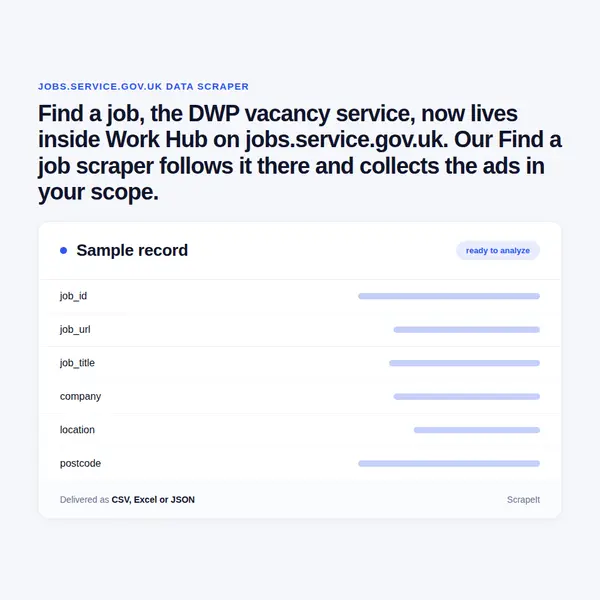
Find a job, the DWP vacancy service, now lives inside Work Hub on jobs.service.gov.uk. Our Find a job scraper follows it there and collects the ads in your scope.

Plans from €169/month · Free project assessment · Reply within 1 business day

Find a job Scraper
Solutions

How we run the crawl of the DWP service

To scrape DWP Find a job well you need a scope, not a script: keywords, towns or postcodes, distance, contract types and working patterns. You set it, and we turn it into a crawl, run it on your timetable and fix it when pages change - the service is still labelled Beta. You receive files, not software. Find a job sits behind a web application firewall, so request pacing, proxy rotation and anti-bot handling are included.

Records arrive as CSV, Excel (XLSX), JSON or XML, by SFTP, Google Cloud Storage, Google Drive or as a load into your database, with a document describing each field. Collection can be a single extract or a daily, weekly or on-demand run. We assess the project for free, and you can order a sample first.

Fields on every Find a job vacancy

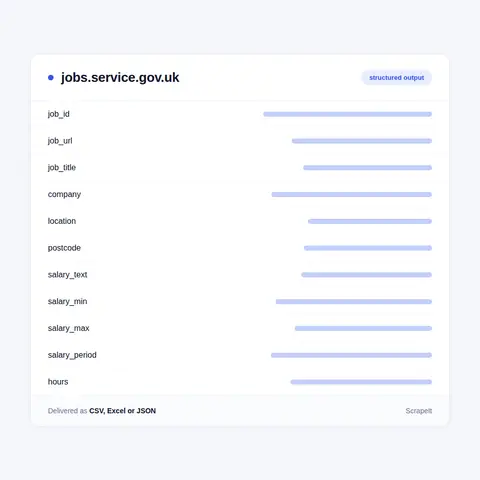
A vacancy on Find a job opens at /jobs/ followed by a long hexadecimal job id, and the ad page sets its facts out as a labelled list. We return one row per vacancy with those labels as columns:

  • Identity - job id, job URL, job title, and the search that surfaced the row.
  • Employer - the Company line, which names either the hiring organisation (an NHS trust, an academy trust, a Citizens Advice branch) or the staffing agency advertising on its behalf, plus the Disability Confident employer badge where it appears.
  • Salary - the Salary line as printed: a range with its period (an hour or a year), a pro rata amount beside a full-time equivalent, a single from figure, a pay-scale grade or a word such as Competitive, parsed into minimum, maximum and period where the text allows.
  • Terms - Hours (Full-time or Part-time), Job type (Permanent, Temporary, Contract or Apprenticeship) and Working pattern (Remote, On-site, Hybrid or Field-based) when the advertiser sets it.
  • Location - the town and postcode, or a postcode alone, as printed on the ad, with the county shown on the search card.
  • Dates - Posting date and Closing date.
  • Text - the full Summary, with shift patterns, pay rules, benefits and any reference number the advertiser typed into it.

Contact names, phone numbers and e-mail addresses that advertisers write into a summary are personal data; we remove them by default and treat the employer as a business. Jobseeker accounts and saved favourites sit behind GOV.UK One Login and are never part of the dataset.

Fields on every Find a job vacancy
Building a Find a job dataset over time

Building a Find a job dataset over time

One pass over Find a job is a snapshot; most buyers want the flow. Runs keyed on the job id record each vacancy's first and last appearance, so a Closing date can be set against the day an ad actually came down, and repeated searches show how many vacancies a town or occupation gains and loses each week.

Coverage is built from the service's own filters: distance bands from Less than 1 mile to Show me all, Posting date from Since yesterday to Last 14 days, six salary bands, contract type, hours and the Disability Confident switch. One detail matters for completeness - a default search leaves the Remote box unticked, so remote vacancies have to be asked for explicitly. We include them unless you tell us otherwise.

Reposts are common. A staffing agency can carry the same Warehouse Operative ad under several job ids with different posting dates and near-identical summaries. We flag these duplicates, keep the earliest posting date and let you decide whether to count each ad or each distinct vacancy.

About Find a job and its move to Work Hub

Find a job is the vacancy service of the Department for Work and Pensions, the one GOV.UK sends people to for full or part-time jobs in England, Scotland and Wales. GOV.UK points Northern Ireland jobseekers to a separate service, yet employers still post Belfast vacancies here. Employers open an account and post adverts free of charge. Among the advertisers are NHS trusts, academy trusts, charities and staffing agencies, side by side with private firms such as training providers, insurers and facilities companies.

The service has moved. The old findajob.dwp.gov.uk address now forwards to Work Hub, a newer DWP service on jobs.service.gov.uk marked Beta, where Find a job sits next to an AI work assistant, a CV builder and an action plan. Job ids changed with the move, from short numbers to long hexadecimal strings, so lists built against the old site cannot be joined to the new one on the id.

Pages switch between English and Cymraeg. Searching is open to anyone: a job title or keyword, a city or postcode, then filters for working pattern, distance, posting date, salary range, contract type, hours, Disability Confident employers and words to include or exclude, with results sorted by relevance, date or salary. Saving a favourite means signing in with GOV.UK One Login; reading the vacancies does not.

Get a Quote

dev_w
25

Developers

customers
500+

Customers worldwide

pages
1 500 000 000+

Pages extracted

stime
15000+

Hours saved for our clients

Plans

Find a job Scraping Plans and Pricing

Airplane

€199 / one-time

setup fee - included

Data limits100,000
Frequencyone-time
Run timeup to 5 days
Data storing7 days

Helicopter

€169 / mo

setup fee €499

Data limits250,000
Frequencymonthly
Run timeup to 5 days
Data storing14 days

Glasses

€229 / mo

setup fee €499

Data limits1,000,000
Frequencyweekly
Run timeup to 5 days
Data storing30 days

DNA

€549 / mo

setup fee €799

Data limits3,000,000
Frequency3 times daily
Run timesame day
Data storing90 days

Delivery: CSV, JSON or XLSX files, our API or a JSON feed. MCP server on request.

Full plan details →

Who uses Find a job data, and for what

Find a job carries a different slice of the market from the commercial boards: entry-level, shift-based and public sector vacancies, posted at no cost to the employer. That makes it useful for:

  • Local labour market reports. Vacancy counts by postcode area, occupation and contract type, week by week, for councils, combined authorities and skills providers.
  • Pay at the lower end. Hourly rates in warehousing, care and hospitality, read from the Salary line and compared with the National Living Wage.
  • Public sector hiring. NHS trusts often name the pay band in the job title and academy trusts print NJC pay-scale grades in the Salary line, which supports band-by-band pay tracking.
  • Agency intelligence. Which staffing agencies advertise most, in which towns, and how often they repost the same role.
  • Inclusive hiring research. The Disability Confident badge and filter show which employers in a sector have joined the scheme.
  • Apprenticeships and flexible work. Apprenticeship is a job type of its own, and Hybrid, Remote and Field-based are working patterns, so each can be counted directly.

Our Blog

Reads Our Latest News & Blog

Learn how to use web scraping to solve data problems for your organization

How Artificial Intelligence Is Used In Web Scraping

How Artificial Intelligence Is Used In Web Scraping

Leveraging advances in technology, the AI-powered web scraper has skyrocketed in demand and is helping to expand capabilities by automating tedious daily tasks and speeding up data collection from thousands of websites several times over.

What is Web Scraping and What is it Used For?

What is Web Scraping and What is it Used For?

Web scraping is a method of obtaining web data by extracting it from pages of web resources with the help of a program, that is, in automatic mode. It is used to syntactically convert web pages into more usable forms.

Web Scraping for Machine Learning

Web Scraping for Machine Learning

If you specialize in machine learning, you need to feed large amounts of data to the algorithms. Web scraping is the easiest and the most efficient method of collecting the data from all over the Internet.

scrapeit logo

About ScrapeIt

ScrapeIt builds and runs crawlers for clients who need data from websites but not the chore of collecting it. A public job service like Find a job rewards patience more than speed: free-text salary lines, reposted ads and a Beta service that has already moved address once. We carry that upkeep, document each column and deliver on your timetable. Vacancies are business data; personal details in ad text fall under GDPR and stay out unless your project needs them and the ad shows them openly.

FAQ

Do you offer a Find a job API for vacancy data?

Yes. The ScrapeIt Find a job API returns the job id, title, company, salary text with parsed figures, hours, job type, working pattern and closing date as JSON from an endpoint we host, refreshed on the schedule you set. You can also take the same records as CSV or Excel files, a JSON feed or a load into your own database.

Is it legal to scrape Find a job?

Yes. Each vacancy on Find a job, with its employer, salary, hours and dates, opens to any visitor without signing in. We collect only publicly available data - everything a visitor can see on Find a job - and we collect it legally. Personal details typed into ad summaries stay out of the dataset by default.

Do you cover Scotland and Wales as well as England?

Yes. GOV.UK sends jobseekers in England, Scotland and Wales to Find a job, and a search can run nationwide or around any city or postcode. Northern Ireland has its own service, but vacancies located there still turn up - a Belfast search returns ads from engineering consultancies and care agencies. Each row keeps the town and postcode as printed, so we tag it by nation and region rather than assume Great Britain.

How often are Find a job vacancies updated?

Every day. New ads arrive daily and each one carries its own Posting date and Closing date, while agencies repost roles under fresh job ids. A daily run catches short-lived ads and shows when each came down; a weekly run suits trend reports that only need counts.

Can you normalise the salary text on Find a job ads?

Yes. The Salary line is free text: hourly or annual ranges, ranges whose two ends are the same figure, a from figure, a full-time equivalent next to a pro rata amount, an NJC pay-scale grade, or simply Competitive. We keep the original wording and add minimum, maximum, period and an annual figure where the text supports one, so a pro rata amount is never mistaken for the full-time rate.

How does it Work?

Step 1 - Make a Request

You share your needs, expectations, and desired timeframe. We’ll suggest the best solution based on your request and budget.

Step 2 - Configuring Custom Web Crawlers

Our specialists configure the crawlers and extract a sample dataset for your review before proceeding with the full-scale extraction.

Step 3 - Collect and Deliver

Once you approve the sample, we launch the project and start full data collection. We gather, filter, and structure the data for easy use, delivering it on time in your preferred format.

Step 4 - Maintain and Support

Our team manages ongoing processes, monitors website changes, and supports all data extraction cycles. We can also help integrate data into your systems or create dashboards to simplify analysis.

Request a Quote

Tell us more about you and your project information.
Which sites, which fields, how often. A couple of lines is enough.

This form is protected by Google reCAPTCHA, which loads when you start filling it in. If you prefer not to use it, email us at info@scrapeit.io. Privacy & Cookie Policy

We reply within 1 business day. No obligation.

Find a job data from €169/month. Free project assessment, reply within 1 business day.

scrapiet

Scrapeit Sp. z o.o.
10/208 Legionowa str., 15-099, Bialystok, Poland
NIP: 5423457175
REGON: 523384582